Master the Global Mobile Data Setup Process for Seamless Travel

Constantly switching between networks in Europe or Asia can disrupt your workflow and drain your wallet fast. For frequent travelers and remote workers under 40, staying connected means every device needs to support eSIM technology and flexible data plans, as confirmed by GSMA and Microsoft sources. This guide reveals practical steps to help you assess device compatibility, compare global data plans, and activate seamless mobile connectivity for stress-free travel.
Table of Contents
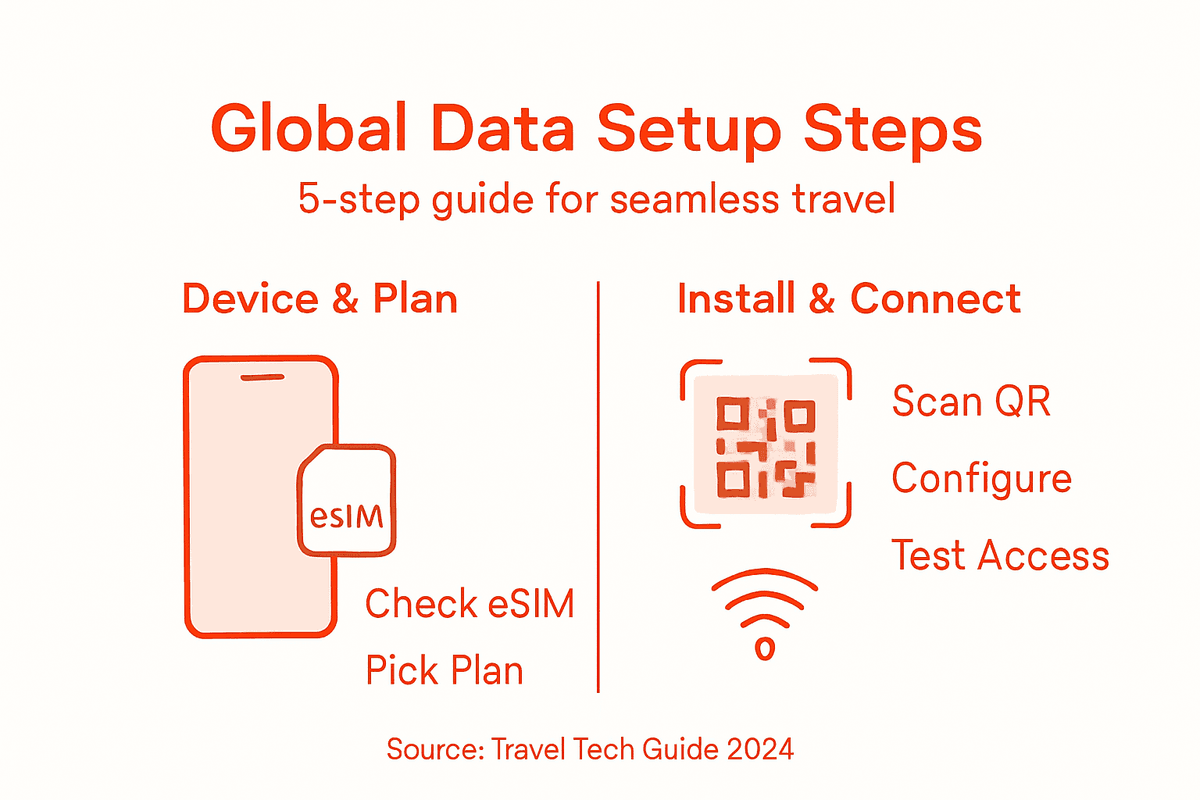
- Step 1: Assess Device Compatibility for eSIM Activation
- Step 2: Select and Purchase an Optimal Global Data Plan
- Step 3: Initiate eSIM Profile Installation via QR Code
- Step 4: Configure Device Settings for Local Carrier Switching
- Step 5: Verify Connectivity and Test Mobile Internet Access
Quick Summary
| Key Point | Explanation |
|---|---|
| 1. Check Device Compatibility | Ensure your device model and operating system support eSIM. Verify carrier compatibility and network unlock status for seamless activation. |
| 2. Choose the Right Data Plan | Select a global data plan matching your travel needs based on coverage, data volume, and duration. Consider prepaid options for flexibility. |
| 3. Easy eSIM Installation | Activate your eSIM by scanning a QR code, which provides instant connectivity without needing a physical SIM card. |
| 4. Configure Network Settings | Set up network preferences and roaming settings for smooth carrier switching during international travel. Prepare profiles in advance. |
| 5. Test Internet Connectivity | Perform speed tests and check signal strength immediately after activation to ensure reliable internet access during your travels. |
Step 1: Assess device compatibility for eSIM activation
Ensuring your device is ready for eSIM activation is crucial for seamless global connectivity. Before diving into the setup process, you’ll want to thoroughly check your device’s compatibility and technical specifications.
To determine if your smartphone, tablet, or wearable supports eSIM technology, start by examining these key factors:
- Device Model: Check manufacturer specifications for eSIM support
- Operating System Version: Ensure you have the latest iOS, Android, or Windows update
- Carrier Compatibility: Verify your mobile carrier supports eSIM consumer architectures
- Network Unlocked Status: Confirm your device is carrier-unlocked
Most modern smartphones from Apple, Samsung, Google, and other major manufacturers now support eSIM technology. Look for specific indicators in your device settings or consult the manufacturer’s website to confirm compatibility. For Windows devices, eSIM activation requires enrollment and management through specific platforms like Microsoft Intune.
Some devices support multiple eSIM profiles simultaneously, offering unprecedented flexibility for travelers.
Pro tip: Before international travel, always contact your mobile carrier to confirm specific eSIM activation requirements for your device model and destination.
Here’s a quick comparison of eSIM vs. traditional SIM cards for international travelers:
| Aspect | eSIM | Traditional SIM Card |
|---|---|---|
| Installation | Digital (QR code or app) | Insert physical card |
| Activation Speed | Instant, no shipping needed | May require local purchase |
| Profile Switching | Easy, software-based | Swap physical cards |
| Device Loss Recovery | Re-download from provider | Need replacement card |
| Space Saving | Saves physical SIM slot | Requires SIM slot |
Step 2: Select and purchase an optimal global data plan
Selecting the right global data plan is critical for maintaining connectivity during your international travels without breaking the bank. Understanding your specific data needs and travel patterns will help you make an informed decision that balances coverage, cost, and convenience.
When exploring data plan options, consider these key factors:
- Destination Coverage: Verify the plan supports countries you’re visiting
- Data Volume: Estimate your typical data consumption for emails, maps, and streaming
- Duration: Choose plans that match your trip length - short-term or extended travel
- Flexibility: Look for plans with convenient activation and country-specific options
Most global data plans offer tiered pricing structures that cater to different traveler needs. Regional plans typically cost less than global packages, so assess your specific route carefully. Some providers offer flexible options like pay-as-you-go or bulk data packages that can be activated upon arrival or even in-flight.
Smart travelers select data plans that provide maximum coverage with minimal complexity.
Consider prepaid plans from reputable international providers that specialize in traveler connectivity. Compare pricing, data limits, and activation processes across multiple platforms to find the most cost-effective solution for your specific journey.

Pro tip: Always purchase your global data plan at least 48 hours before departure to ensure smooth activation and troubleshoot any potential connectivity issues.
Use this summary to guide your global data plan selection process:
| Plan Type | Coverage Scope | Suitability | Typical Price Range |
|---|---|---|---|
| Regional | One or several areas | Short trips, limited | Lower, budget-friendly |
| Global | Multiple continents | World travelers | Moderate to expensive |
| Pay-as-you-go | Any supported region | Light, flexible users | Varies by usage |
| Bulk Data | Specific to provider | Heavy data users | Discounts for large use |
Step 3: Initiate eSIM profile installation via QR code
Activating your eSIM through a QR code is a straightforward process that transforms your mobile connectivity in just a few simple steps. This digital method eliminates the need for physical SIM cards and provides instant access to your mobile network.
To successfully install your eSIM profile, follow these key steps:
- Prepare Your Device: Ensure your smartphone is unlocked and compatible with eSIM technology
- Access Settings: Navigate to cellular or mobile data settings on your device
- QR Code Scanning: Locate the eSIM activation option and prepare to scan the provided QR code
- Network Selection: Choose your preferred mobile carrier or data plan
- Open your smartphone’s Settings menu
- Select Cellular or Mobile Data options
- Tap Add Cellular Plan or Add eSIM
- Use your device’s camera to scan the unique activation QR code
- Follow on-screen prompts to complete installation
Digital eSIM activation represents the future of seamless global mobile connectivity.
Most modern smartphones from Apple, Samsung, and Google support QR code-based eSIM installation. The entire process typically takes less than two minutes, instantly connecting you to your chosen mobile network without visiting a physical store or waiting for a physical SIM card.
Pro tip: Always keep your activation QR code screenshot or email readily accessible in case you need to reinstall your eSIM profile during your travels.
Step 4: Configure device settings for local carrier switching
Mastering local carrier switching is essential for travelers seeking seamless mobile connectivity across different regions. Your eSIM provides unprecedented flexibility in managing network connections without the hassle of physical SIM swapping.
To optimize your device for efficient carrier switching, focus on these critical configuration areas:
- Network Preferences: Set up automatic or manual carrier selection modes
- Roaming Settings: Configure international data and cellular preferences
- Profile Management: Organize multiple eSIM profiles for different destinations
- Cellular Data Options: Select preferred networks and connection strategies
- Open your smartphone’s Cellular Settings
- Navigate to Cellular Plan or Mobile Network options
- Select Network Selection mode
- Choose between Automatic or Manual carrier switching
- Review and save your preferred network configurations
Smart travelers understand that flexible network management prevents connectivity disruptions.
Most modern smartphones support multiple eSIM profiles, allowing you to switch between local carriers quickly. This capability ensures you always have the most cost-effective and reliable network connection during your international travels.
Pro tip: Download and pre-configure carrier profiles for your destination countries before departing to streamline your mobile connectivity experience.
Step 5: Verify connectivity and test mobile internet access
Confirming your mobile internet connectivity is the final crucial step in ensuring seamless global communication during your travels. A thorough connectivity test will help you identify and resolve potential network issues before they impact your digital experience.
To comprehensively verify your mobile internet access, perform these diagnostic checks:
- Signal Strength: Check network bars and connection type (4G/5G)
- Speed Test: Run online speed tests to measure performance
- Website Loading: Browse multiple websites
- Messaging Apps: Send test messages on WhatsApp, Telegram
- Video Streaming: Attempt short video stream
- Open a Speed Test App
- Select Local Network
- Run Download and Upload Speed tests
- Check Latency and Connection Stability
- Compare results with expected performance
Reliable connectivity is your passport to a stress-free international digital experience.
Most modern eSIM technologies provide near-instant network verification, allowing you to quickly troubleshoot any connection problems. Perform these tests immediately after activation to ensure your mobile data plan works perfectly in your current location.
Pro tip: Download offline maps and critical communication apps before testing internet connectivity to ensure you have backup access options.
Simplify Your Global Mobile Data Setup with Lumo
Traveling internationally often means struggling with device compatibility, complex carrier switches, and uncertain data plans. This article highlights the challenges of activating and managing eSIM profiles, selecting the right global data plan, and ensuring uninterrupted connectivity. If you want to avoid the frustration of multiple SIM cards and roaming fees, it is essential to have a streamlined solution designed specifically for global travelers.
Experience instant eSIM activation, extensive coverage in over 160 countries, and easy carrier switching with Lumo.

Take control of your mobile connectivity by visiting Lumo’s all-in-one eSIM platform today. Benefit from flexible plans, high-speed 5G/4G networks, and hassle-free digital SIM management tailored for smartphones, tablets, and laptops. Don’t wait until your next trip to stay connected—activate your global data plan now and enjoy seamless internet access wherever you go.
Frequently Asked Questions
How can I check if my device is compatible with eSIM for global travel?
To check your device compatibility with eSIM, verify your device model, ensure you have the latest operating system version, and confirm that your mobile carrier supports eSIM technology. Visit the manufacturer’s website for details specific to your model.
What factors should I consider when selecting a global data plan for travel?
When selecting a global data plan, consider destination coverage, data volume, trip duration, and flexibility. Estimate your data needs for activities like streaming and navigation to choose a plan that aligns with your travel habits.
How do I install my eSIM profile using a QR code?
To install your eSIM profile, navigate to your device’s cellular settings, choose the option to add a cellular plan, and scan the activation QR code provided by your carrier. Follow the on-screen prompts to complete the installation.
What settings should I configure for switching local carriers while traveling?
To configure for local carrier switching, adjust your network preferences in cellular settings and enable manual or automatic carrier selection modes. This ensures you can connect to the best available network in each region you visit.
How can I verify my mobile internet connectivity after setting up my eSIM?
To verify your mobile internet connectivity, check your signal strength, run a speed test, browse multiple websites, and test messaging apps. Performing these checks immediately after activation ensures your plan works effectively in your current location.
What should I do to prepare for potential connectivity issues during my trip?
To prepare for connectivity issues, download offline maps and essential communication apps before your trip. This ensures you have backup access options regardless of your mobile data connectivity status.
Recommended
- Travel Data Management Guide for Easy eSIM Use Abroad | Lumo eSIM Store
- 7 Essential Steps for a Travel Data Management Checklist | Lumo eSIM Store
- Step-by-Step Guide to Global Data Plans for Travelers | Lumo eSIM Store
- Travel Data Setup Guide for Seamless Global eSIM Use | Lumo eSIM Store
- OffTrace — VPN with Zero Traces
Related Topics
Stay Connected Anywhere
Prepaid eSIM data plans for 180+ countries and territories. No physical SIM required.