Step-by-Step Guide to Global Mobile Data Access

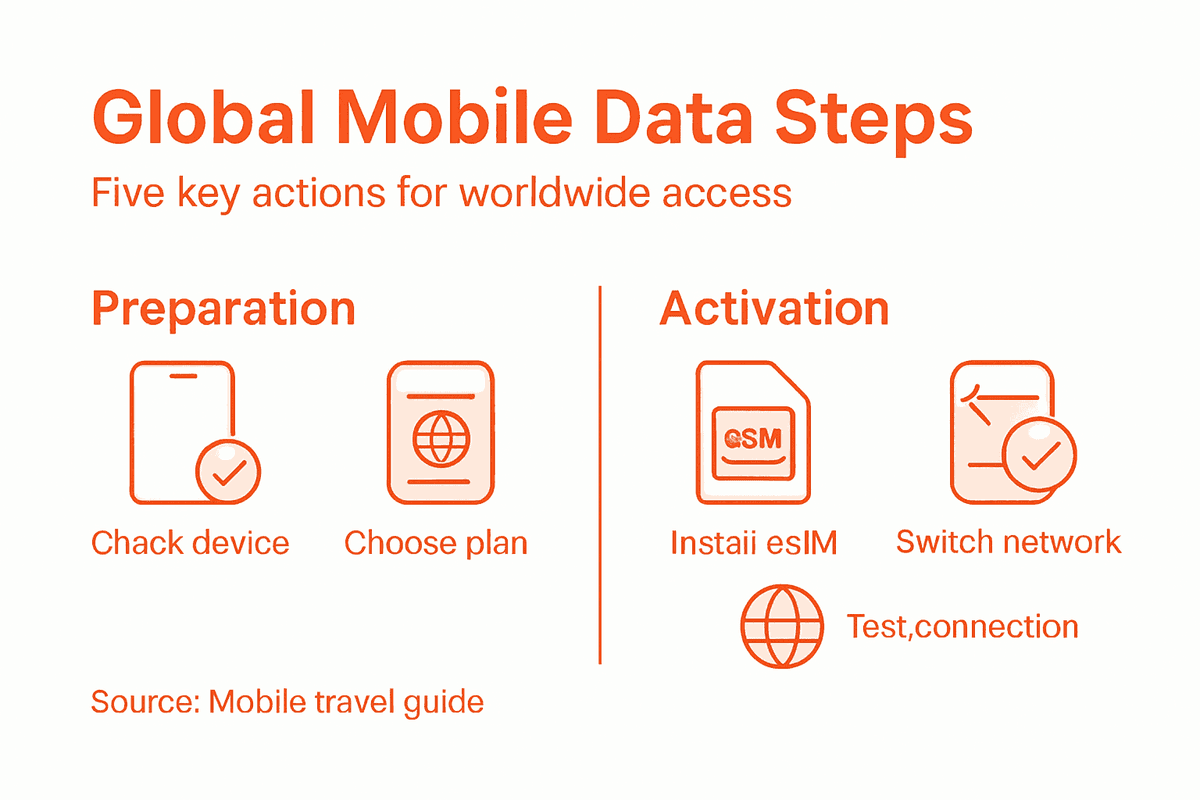
Facing unreliable connections or surprise roaming bills in Singapore, London, or Paris is a hassle no tech-savvy traveler wants. For frequent business trips or remote work across borders, staying connected is vital to meeting deadlines and managing teams on the move. This guide shows how to assess your device’s readiness, choose the best eSIM plan, and maintain smooth, worry-free global data access to support your productivity wherever your work leads.
Table of Contents
- Step 1: Assess Device Readiness For Global ESIM Use
- Step 2: Select The Ideal Data Plan For Your Travel Needs
- Step 3: Install And Activate An ESIM For Instant Connectivity
- Step 4: Switch Between Networks To Optimize Coverage And Costs
- Step 5: Verify Reliable Connection And Troubleshoot Issues
Quick Summary
| Key Takeaway | Explanation |
|---|---|
| 1. Verify eSIM compatibility first | Ensure your device supports eSIM to activate mobile data internationally. Check specifications and network unlocking. |
| 2. Choose the right data plan | Evaluate coverage, pricing, and flexibility to select a data plan that fits your travel needs. |
| 3. Follow installation steps | Download your provider’s app, create an account, and scan the QR code for quick eSIM activation. |
| 4. Switch networks strategically | Enable automatic switching or manually select the best available network to maintain connectivity and save costs. |
| 5. Troubleshoot connectivity issues | If problems arise, check signal strength and settings, restart your device, or update software to resolve issues. |
Step 1: Assess device readiness for global eSIM use
To successfully leverage global mobile data access, you must first verify your device’s eSIM compatibility. This crucial initial step ensures you can seamlessly activate and use mobile data across international networks without unexpected connectivity issues.
Modern smartphones increasingly support eSIM technology, with global smartphone eSIM penetration expected to reach 76% by 2030. To determine your device’s readiness, consider these essential criteria:
- Check device specifications: Confirm your smartphone, tablet, or laptop explicitly supports eSIM functionality
- Verify network unlocking: Ensure your device is carrier-unlocked and can accept multiple network profiles
- Review device age: Newer devices manufactured after 2018 are more likely to have comprehensive eSIM support
- Inspect settings menu: Look for cellular/mobile data settings that include eSIM activation options
Additionally, comprehensive eSIM provisioning platforms recommend checking multi-carrier interoperability as a key prerequisite for global connectivity. This means your device should seamlessly switch between different international carriers without manual intervention.
Here’s a quick guide to global eSIM readiness by device type:
| Device Type | Typical eSIM Support Year | Key Compatibility Challenge | International Use Potential |
|---|---|---|---|
| Smartphone | After 2018 | Carrier lock or older models | Very High for recent models |
| Tablet | After 2019 | Limited regional eSIM features | Moderate if model supports eSIM |
| Laptop | After 2020 | OS and hardware limitations | Variable based on brand |
Pro tip: Contact your device manufacturer’s support team for definitive eSIM compatibility confirmation before traveling internationally.
Pro tip: Always keep your device’s operating system updated to ensure the latest eSIM technology support and compatibility improvements.
Step 2: Select the ideal data plan for your travel needs
Choosing the right global data plan is crucial for maintaining connectivity and managing expenses during international travel. Your goal is to find a flexible solution that provides reliable coverage without breaking the bank.
To select the perfect data plan, consider these key factors:
- Evaluate destination coverage: Research which countries your data plan supports
- Compare data volume options: Determine how much data you’ll realistically need
- Check plan flexibility: Look for affordable travel data plans that allow easy modification or rollover
- Understand pricing structures: Analyze per-megabyte rates versus bulk data packages
- Verify network quality: Confirm the provider offers high-speed connections in your destinations
When assessing data plans, prioritize solutions that offer transparent pricing and minimal complications. Some travelers prefer regional packages covering multiple countries, while others might benefit from country-specific or global data plans.

Use this comparison table to evaluate global vs regional eSIM data plans:
| Plan Type | Coverage Area | Pricing Flexibility | Best For |
|---|---|---|---|
| Global | Multiple continents | Usually less flexible | Long-term, multi-country trips |
| Regional | Several neighboring countries | Moderately adjustable | Single-region tours |
| Country-Specific | One nation only | Highly customizable | Short visits to one country |
Selecting the right mobile data plan can save you significant money and prevent unexpected roaming charges.
Pro tip: Always download offline maps and essential travel apps before departure to minimize unexpected data consumption during your trip.
Step 3: Install and activate an eSIM for instant connectivity
Activating an eSIM transforms your mobile connectivity, providing a seamless way to access data networks without physical SIM card swapping. Your goal is to quickly and efficiently set up digital mobile access that works across multiple destinations.
To install and activate your eSIM, follow these streamlined steps:
- Download provider app: Obtain the official mobile app from your eSIM provider
- Create user account: Set up a profile with accurate personal information
- Select desired data plan: Choose the package matching your travel needs
- Generate QR code: Obtain the unique activation code for your device
- Scan activation code: Use your smartphone’s cellular settings to scan the QR code
- Confirm network connection: Verify successful eSIM installation and data connectivity
Activation typically takes less than five minutes, allowing you to transition between networks instantly. The process eliminates traditional SIM card complications and provides immediate global connectivity.
Pro tip: Always have your device’s Wi-Fi turned off during eSIM activation to ensure proper cellular network registration.
Pro tip: Screenshot your eSIM activation QR code and save it in multiple locations as a backup in case of unexpected device issues.
Step 4: Switch between networks to optimize coverage and costs
Managing your mobile network connections strategically can dramatically improve your global connectivity and reduce unexpected expenses. By leveraging multiple network carrier options, you gain unprecedented flexibility in maintaining reliable data access.
To effectively switch between networks and maximize your connectivity, consider these key strategies:
- Enable automatic network switching: Configure your device to select the strongest available signal
- Manual network selection: Learn how to manually change networks in your device settings
- Compare network rates: Regularly check pricing across different carrier profiles
- Monitor signal strength: Use built-in network indicators to assess connection quality
- Track data usage: Keep an eye on consumption across different network providers
Modern eSIM technology allows seamless transitions between carriers, eliminating the traditional complexities of changing physical SIM cards. Smart network switching can help you avoid roaming charges and maintain consistent internet access during international travel.
Network flexibility is the key to reliable global mobile connectivity.
Pro tip: Always keep a backup communication method like offline maps or messaging apps that work without cellular data in case of network transition challenges.
Step 5: Verify reliable connection and troubleshoot issues
Ensuring consistent mobile connectivity is crucial for seamless international travel. Understanding how to quickly diagnose and resolve connection problems will save you time and frustration when relying on your eSIM for critical communications.
To effectively troubleshoot potential connectivity issues, follow these systematic steps:
- Check signal strength: Confirm you have adequate cellular coverage
- Verify mobile data settings: Ensure roaming and cellular data are enabled
- Restart device: Perform a full device restart to reset network connections
- Update device software: Install latest operating system updates
- Validate eSIM troubleshooting techniques: Review specific device-specific activation methods
Network connectivity challenges can often be resolved through simple diagnostic procedures. Most issues stem from incorrect settings, outdated software, or incomplete activation processes. If basic troubleshooting fails, contact your eSIM provider’s customer support for specialized assistance.
Systematic problem-solving is key to maintaining reliable mobile connections abroad.
Pro tip: Screenshot your eSIM activation details and support contact information before traveling, ensuring you can quickly resolve any unexpected connection problems.
Simplify Your Global Connectivity With Lumo
Navigating the challenges of international mobile data can feel complicated and costly. From confirming your device’s eSIM compatibility to selecting the ideal data plan and switching networks abroad, every step demands a reliable solution that works seamlessly across countries. The guide’s focus on instant activation, flexible plans, and hassle-free switching highlights travelers’ key needs for convenient and affordable connectivity without roaming surprises.

Lumo is designed to solve these exact challenges by offering a single platform for effortless global eSIM use. With coverage in over 160 countries, rapid QR code activation, and multiple data plans tailored for smartphones, tablets, and laptops, you gain complete control over your mobile data—traveler-friendly and cost-effective. Experience true freedom as you switch effortlessly between local networks, bypass roaming fees, and enjoy reliable 5G/4G speeds wherever you go. Start your journey now by exploring Lumo’s all-in-one solution and take advantage of international connectivity simplified for your lifestyle. Don’t wait for your next trip to be compromised by connectivity issues. Visit https://lumo.to today and connect with confidence.
Frequently Asked Questions
How can I assess if my device is ready for global eSIM use?
To assess your device’s readiness for global eSIM use, check the device specifications to confirm eSIM compatibility, ensure it is carrier-unlocked, and review the settings menu for eSIM options. Verify that your device is relatively new, ideally manufactured after 2018, to maximize eSIM support.
What factors should I consider when selecting a global data plan?
When selecting a global data plan, consider destination coverage, data volume options, pricing structures, and plan flexibility. Research plans that allow easy modifications or rollovers to manage your usage effectively.
How do I install and activate an eSIM for mobile data access?
To install and activate an eSIM, download the provider’s app, create a user account, and select your desired data plan. Then, generate and scan the QR code in your device’s cellular settings to complete the activation process, which typically takes less than five minutes.
How can I switch between networks to optimize my mobile coverage?
To optimize your mobile coverage, enable automatic network switching if available, or learn to manually select networks in your device settings. Regularly compare network rates and keep an eye on signal strength to ensure the best possible connection.
What steps can I take to troubleshoot connectivity issues with my eSIM?
To troubleshoot connectivity issues, first check your signal strength and verify that mobile data and roaming settings are enabled. Restart your device and ensure that you have the latest software updates. If issues persist, consult your eSIM provider’s customer support for further assistance.
Recommended
- Step-by-Step Guide to Global Data Plans for Travelers | Lumo eSIM Store
- 7 Top Global Data Solutions for Seamless Connectivity | Lumo eSIM Store
- Travel Data Management Guide for Easy eSIM Use Abroad | Lumo eSIM Store
- 7-Step Avoid Roaming Charges Checklist for Global Travelers | Lumo eSIM Store
- Protecting Mobile Data During Repairs: Best Practices – buy2fix
Related Topics
Stay Connected Anywhere
Prepaid eSIM data plans for 180+ countries and territories. No physical SIM required.