Travelers: Top Up an eSIM in Under Two Minutes With Lumo
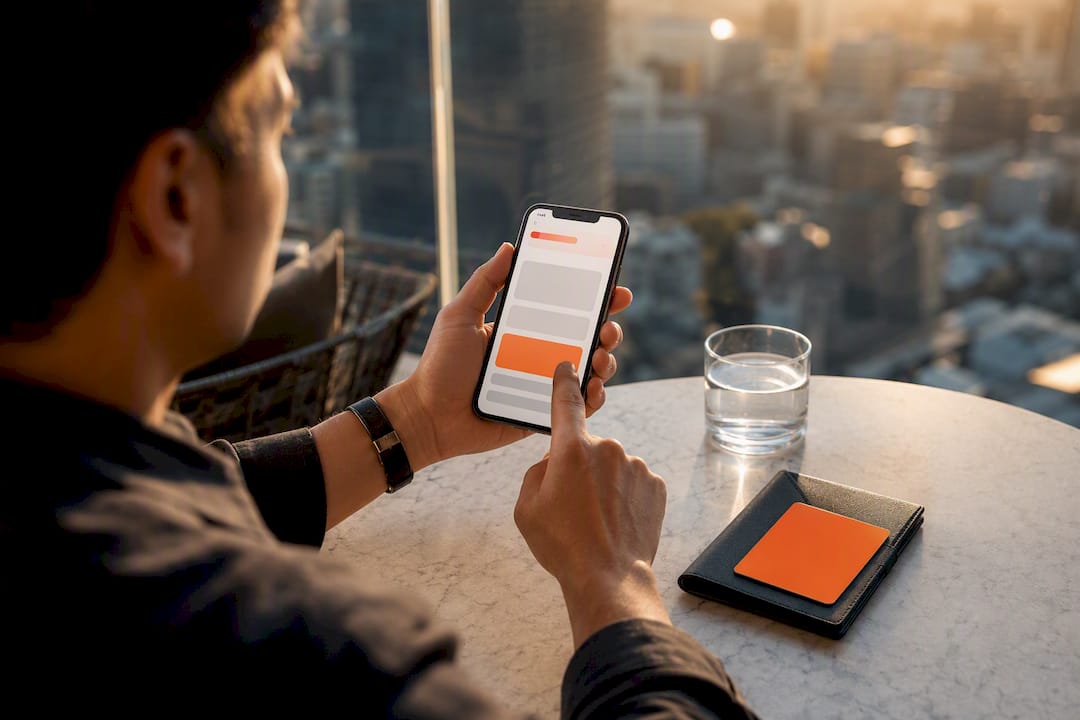
Most prepaid travel eSIMs can be recharged right from the provider’s app, and if yours is rechargeable, adding data takes under two minutes from your account. Check your plan details first: some eSIMs are single-use and expire without a refill option. If yours won’t recharge, or you’ve switched countries, buying a fresh eSIM profile is your move instead.
TL;DR:
- Top-ups work only if the plan is marked as rechargeable; otherwise, buying a new eSIM is necessary.
- Most providers allow in-app topping up, but if the option is missing or grayed out, the plan is probably non-rechargeable or expired.
- Inexpensive, small top-ups over the course of a trip may cost more due to fees and surcharges than purchasing a larger plan upfront; calculate costs first.
- Always check that the current plan covers your location and hasn’t expired before attempting a top-up, especially when traveling across regions.
- Saving payment methods before the trip and setting low-data alerts at 20% can prevent data gaps and simplify refilling in unfamiliar environments.
Table of Contents
- How to Do an eSIM Top Up From Your Provider App
- When to Top Up vs. When to Buy a New eSIM Plan
- What Payment Pitfalls Should You Watch For?
- Why Won’t My eSIM Top Up Activate?
- Smart Habits That Prevent eSIM Data Gaps
- What Easy eSIM Top-Ups Actually Depend On
- Get Data Flowing Again With Lumo
- Sources
- FAQ
How to Do an eSIM Top Up From Your Provider App
- Open the provider’s app or website and log into your account.
- Go to My eSIMs or Active Plans and select the profile that’s running low.
- Look for a Top Up or Add Data button on that profile’s page.
- If you don’t see one, the plan is likely non-rechargeable. Skip to buying a new plan instead.
- Pick your top-up size (data amount and validity window), confirm the price, and pay.
- Give it a minute. If data doesn’t kick in automatically, restart your device or toggle the eSIM line off and back on.
Provider help pages, including Airalo’s own top-up guide, describe this same flow: log in, find the active profile, tap top up, pay. No new QR code, no new profile install. You’re just refilling the tank on the SIM you already have running.
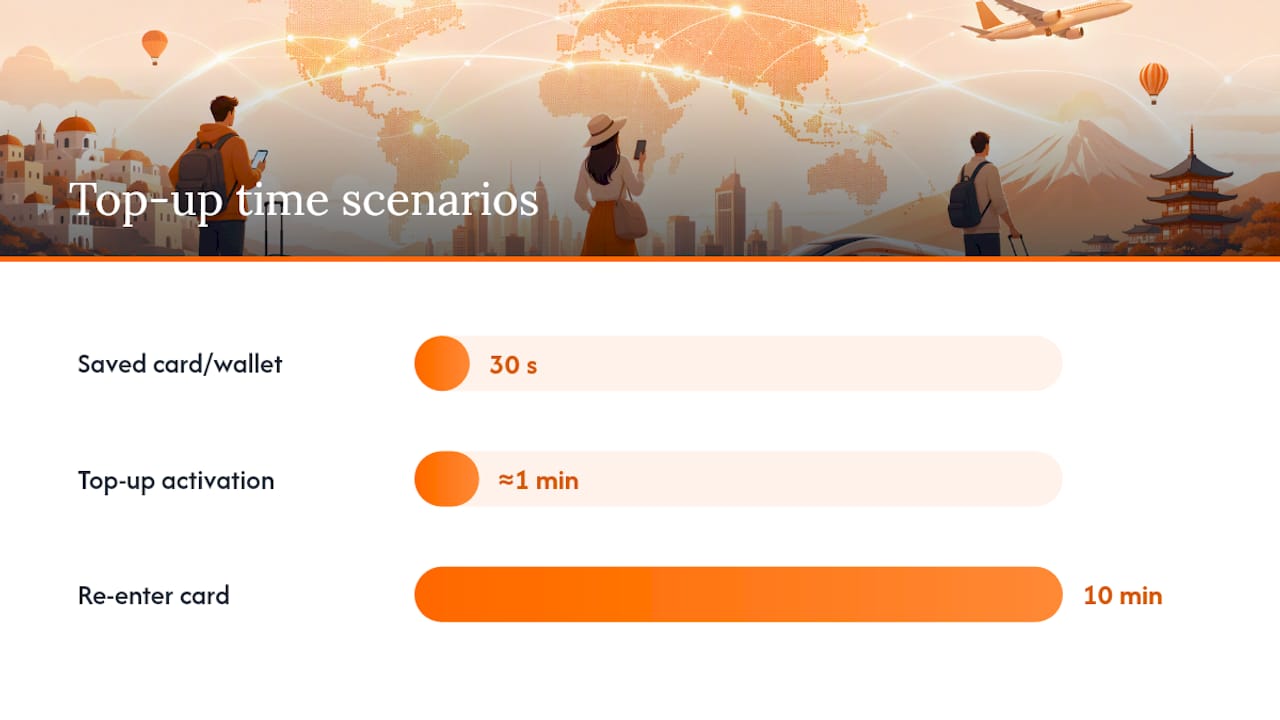
Pro Tip: Save a payment method in the app before your trip starts, not after. A top-up that requires you to re-enter a card number on spotty airport Wi-Fi is the difference between a 30-second refill and a 10-minute ordeal.
Saved cards, Apple Pay, and Google Pay all cut this process down dramatically. If your top-up button is grayed out or missing entirely, that’s your signal to stop troubleshooting and start shopping for a new plan.
When to Top Up vs. When to Buy a New eSIM Plan
Topping up and buying fresh aren’t interchangeable, and picking the wrong one wastes money or leaves you without service at a bad moment.
Top-ups make sense when:
- You’re still in the same country or coverage zone your current plan covers.
- Your existing plan hasn’t expired yet, and you just need more gigabytes or a few extra days.
- You’re a short-trip traveler who wants to squeeze a few more days out of an active profile.
A new plan is the right call when:
- You’re crossing into a new country or region your current eSIM doesn’t cover.
- Your validity window has already lapsed. Most providers don’t let you resurrect an expired plan with a top-up.
- You need a different data shape entirely, like switching from a 5-day city-break package to a 30-day regional plan for a longer, multi-country itinerary.
Travel guides covering reusable eSIM setups for 2026 point out that top-ups apply to the same installed profile, no new QR code required, while a coverage change genuinely calls for a new eSIM. Cost-wise, three small top-ups on a short trip often come out more expensive than one larger plan bought upfront, so run the math before you default to “just add a little more.”
What Payment Pitfalls Should You Watch For?
Payment friction is where most eSIM top-ups go sideways, usually at the worst possible time.
Most apps accept saved cards, Apple Pay, Google Pay, and increasingly local payment methods depending on your region. The trap isn’t the payment method. It’s what shows up at checkout that you didn’t expect:
- Activation fees tacked onto smaller top-up packages that don’t apply to full plan purchases.
- Currency-conversion surcharges when your card issuer converts a foreign-listed price.
- Local taxes added at the final screen, not the one you saw when browsing packages.
Here’s the part travelers consistently underestimate: buying data in small, repeated bursts can cost more in total than committing to one larger package, once fees and surcharges stack up across each transaction. If you already know you’ll need multiple refills over a trip, check whether the provider discounts a bigger single purchase before you default to topping up $5 at a time out of habit.
Advisory guidance on eSIM purchases consistently flags this exact pattern: check the total at checkout, not just the sticker price on the package tile, because that’s where hidden fees hide.
Why Won’t My eSIM Top Up Activate?
A top-up that doesn’t activate is almost always one of four things, and you can usually diagnose it in under five minutes.
- Check if the plan was actually rechargeable. If it wasn’t, no amount of restarting fixes that. You need a new plan.
- Restart your device. This single step resolves a surprising share of “my data isn’t working after I paid” cases, according to provider support pages like Airalo’s help center.
- Reopen the app and re-run activation, or reinstall the profile if your provider’s instructions call for it.
- Contact support if the carrier network changed underneath you or if the payment failed silently without an error message.
While you sort it out, keep a backup connectivity option ready, whether that’s hotel Wi-Fi or a local SIM you can grab in a pinch. Apple’s own guidance on travel eSIMs notes that iOS sometimes prompts you to choose which line handles data, and picking the wrong one during setup is a quiet, common cause of “my top-up isn’t working” confusion that has nothing to do with the top-up itself.
Smart Habits That Prevent eSIM Data Gaps
The travelers who never run into a dead eSIM mid-trip tend to do the same handful of things before they ever board a plane.
- Install a reusable eSIM profile ahead of departure and confirm it’s rechargeable, not single-use.
- Save a payment method in the app and turn on low-data alerts so you can refill before hitting zero, not after.
- Check your dual-SIM data-line settings so your travel eSIM, not your home SIM, is set as the active data line.
- Keep provider support contacts saved offline, plus a fallback plan like known Wi-Fi spots or a local SIM vendor.
Pro Tip: Set your low-data alert at 20%, not 5%. That buffer gives you time to top up before you’re standing in a train station with no signal and an app that needs data to load.
Reusable eSIMs are particularly forgiving here. Because the profile stays installed between trips, you’re adding a plan to something already on your device rather than starting from scratch, a point travel eSIM comparisons make repeatedly when weighing reusable against single-trip options.
What Easy eSIM Top-Ups Actually Depend On
Most of the friction in eSIM top-ups isn’t technical. It’s behavioral. People wait until their data hits zero, then discover their saved card expired three months ago, then panic-search for Wi-Fi in a language they don’t read.
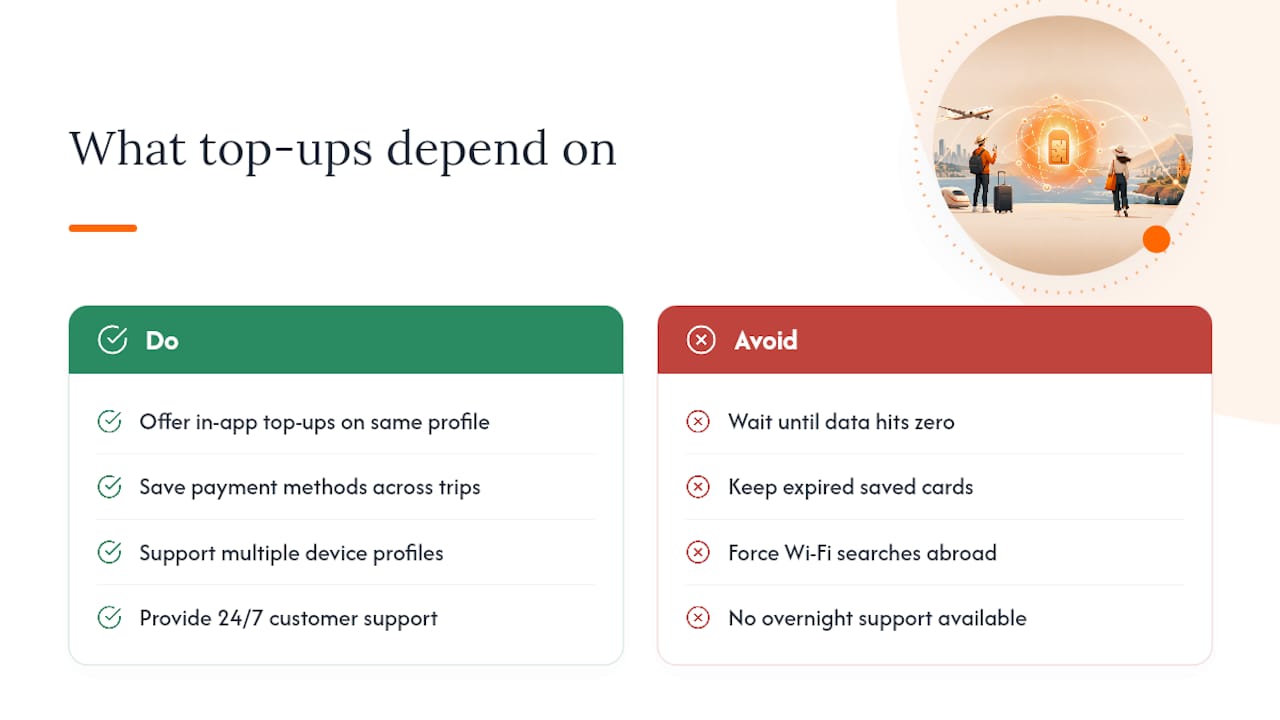
Some providers offer in-app top-ups on the same profile, saved payment methods that carry over between trips, support for multiple device profiles, and 24/7 support for the moments when something still goes sideways. None of that is dazzling. It’s just the stuff that actually prevents the 2am “why isn’t this working” spiral.
If you want the deeper mechanics of how activation works before you ever need a top-up, the QR code activation breakdown covers the setup side in more detail than fits here.
— Theo Wheeler
Get Data Flowing Again With Lumo
Some eSIM providers build around common failure points: profiles that stay installed and reusable across trips, in-app top-ups you can run from your phone without reinstalling anything, and saved payment methods so a refill at a foreign airport doesn’t turn into a 10-minute card-entry ordeal. Support running 24/7 can be very helpful when troubleshooting a dead data line in a country where you don’t speak the language.
If you’re planning a trip and want a profile that won’t leave you stuck between “top up” and “buy new” mid-journey, check Lumo’s eSIM plans and compare coverage and pricing before you go. Setting it up before departure, rather than mid-panic at baggage claim, is the whole point.
Sources
- Use eSIM while traveling internationally with your iPhone - Apple Support
- The Complete Travel eSIM Guide for 2026 | JetMeAway
- Reusable eSIM vs. Single-Trip eSIM: Which Is Better for International Travel? - OneSimCard Travel Tips
FAQ
Can You Top Up an eSIM?
Yes, if the plan is marked rechargeable in your provider’s app. Non-rechargeable or single-use eSIMs need a new plan instead of a top-up.
How Do I Top Up My eSIM?
Open your provider’s app, go to My eSIMs, select the active profile, and tap Top Up to choose a data package and pay. Providers like Lumo run this entirely in-app with saved payment methods for faster checkout.
How Do I Refill My eSIM if the Top-Up Option Is Missing?
A missing top-up button usually means the plan is non-rechargeable or your carrier changed. In that case, buy a new eSIM plan rather than searching for a refill option that isn’t there.
How Do I Buy Data for My eSIM While Abroad?
Log into your provider’s app, browse available data packages for your current location, and complete checkout with a saved card or mobile wallet. Confirm the plan covers your current country before buying, since a top-up won’t work across a coverage-zone change.
Why Didn’t My eSIM Top-Up Activate?
Restart your device first, since that resolves most activation delays. If data still won’t flow, reopen the app to re-run activation or contact provider support in case of a billing failure or carrier change.
Recommended
Related Topics
Stay Connected Anywhere
Get instant eSIM data plans for 160+ countries. No physical SIM required.