How to Set Up eSIM for Travel: Step-by-Step Success Guide

Roaming fees cost the average American traveler over $300 annually when crossing borders in Europe and Asia. Every minute wasted searching for a local SIM card can mean missed opportunities and unnecessary stress for international business trips. This guide reveals how to smoothly set up your eSIM, so busy professionals stay connected without surprises, confusion, or costly setbacks on either continent.
Table of Contents
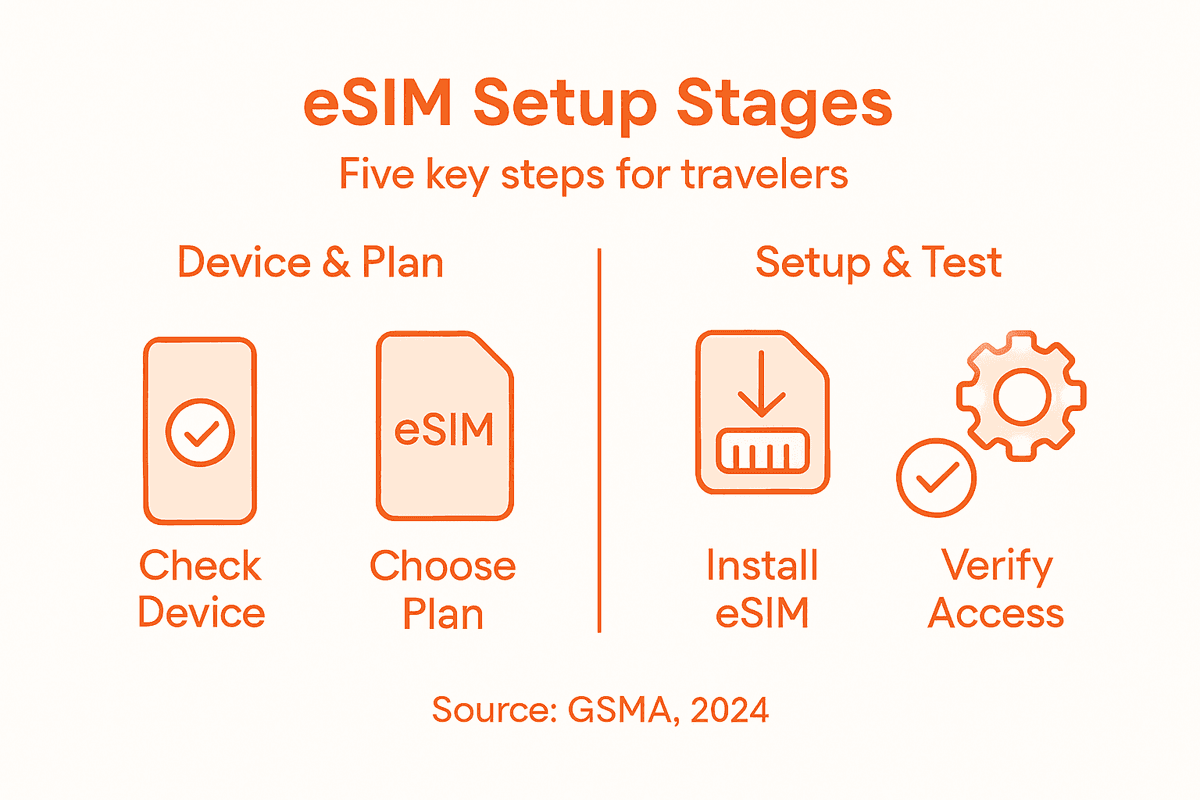
- Step 1: Check Device Compatibility For eSIM Activation
- Step 2: Purchase The Optimal eSIM Plan For Your Destination
- Step 3: Install Your eSIM Using QR Code Or Manual Entry
- Step 4: Configure Network Settings For Seamless Connectivity
- Step 5: Verify Connection And Test Internet Access Abroad
Quick Summary
| Key Insight | Explanation |
|---|---|
| 1. Confirm eSIM device compatibility | Verify that your device supports GSMA standards and eUICC specifications to enable eSIM functionality before activation. |
| 2. Choose the right eSIM plan | Select an eSIM plan that provides adequate coverage and data for your travel destination, ensuring it fits your needs and budget. |
| 3. Install eSIM via QR code or manual entry | Use QR code scanning for quick activation, or manually enter the activation code if QR code scanning is unavailable. |
| 4. Configure network settings for optimal connectivity | Adjust your device’s network preferences to ensure reliable service and proper roaming settings while traveling internationally. |
| 5. Verify internet connection upon arrival | Test your mobile connectivity and speed after installation to confirm that your eSIM is functional and providing adequate service. |
Step 1: Check device compatibility for eSIM activation
Before diving into eSIM activation, you need to verify that your smartphone, tablet, or laptop supports remote SIM provisioning. Modern devices equipped with an embedded SIM chip must meet specific technical standards to enable seamless connectivity.
Confirming device compatibility involves checking three key requirements. First, verify your device supports GSMA standards for eSIM technology. Most recent smartphones from Apple, Samsung, Google, and other major manufacturers released after 2018 typically include eSIM capabilities. Check your device specifications in settings under cellular or mobile data options, looking for explicit eSIM support. Additionally, contact your device manufacturer or review their website to confirm precise eSIM compatibility for your specific model.
The second critical step involves ensuring your device supports the latest eUICC technical specifications. This means your device must be able to download and manage multiple carrier profiles securely. Not all devices support this functionality, so carefully review your device settings or consult technical documentation.
Pro tip: Always check your device manufacturer’s website or contact their support team for definitive eSIM compatibility information specific to your exact model and regional variant.
Here’s how popular device brands differ in eSIM compatibility:
| Brand | eSIM Supported Since | Common Models with eSIM |
|---|---|---|
| Apple | 2018 | iPhone XS, XR, newer |
| Samsung | 2019 | Galaxy S20, Z Fold, newer |
| 2019 | Pixel 3, 4, 5, newer | |
| Microsoft | 2019 | Surface Pro X, newer |
Step 2: Purchase the optimal eSIM plan for your destination
Choosing the right eSIM plan requires strategic planning to ensure seamless connectivity during your international travel. Your goal is to select a plan that provides comprehensive coverage, sufficient data, and cost-effective pricing for your specific destination and travel needs.

Start by evaluating your connectivity requirements through comprehensive travel data considerations. Analyze factors like destination country, expected data usage, trip duration, and specific communication needs. Some eSIM providers offer region specific plans or global packages, so compare options that align with your travel itinerary. Look for plans that provide flexible data allowances, reasonable pricing, and the ability to activate quickly before your departure.
Pay close attention to key purchasing criteria. Check each plan’s coverage map, verify data speeds, understand activation procedures, and review renewal options. Consider plans that support dual SIM functionality allowing you to maintain your home mobile line simultaneously. Be sure to read the fine print regarding expiration dates, additional fees, and potential roaming restrictions to avoid unexpected charges.
Pro tip: Always purchase your eSIM plan at least 48 hours before travel to allow sufficient time for activation and troubleshooting.
Step 3: Install your eSIM using QR code or manual entry
Installing an eSIM is a straightforward process that can be completed in just a few minutes using either QR code scanning or manual entry methods. Your goal is to successfully download and activate the mobile data profile for your international travel.
Begin by accessing your device settings and navigating to the cellular or mobile data section. For QR code installation, which is the most common method, follow the carrier’s precise activation instructions. Typically, this involves opening your camera app and scanning the unique QR code provided by your eSIM carrier. Your device will automatically recognize and prompt you to download the mobile profile. Ensure you have a stable internet connection during this process to prevent any interruption.
If QR code scanning is unavailable, you can opt for manual entry. This method requires inputting a specific activation code or confirmation number directly into your device settings. Remote SIM provisioning protocols govern this process, ensuring secure profile management. After entering the code, your device will communicate with the carrier’s network to complete the profile download and activation. Verify the installation by checking your cellular settings to confirm the new eSIM profile is active and ready for use.
Pro tip: Keep screenshots or printouts of your activation QR code and confirmation details as a backup in case you need to reinstall the eSIM during your travels.
Here’s a quick reference comparing eSIM installation methods:
| Method | Setup Time | Requirements | Typical Use Case |
|---|---|---|---|
| QR Code Scan | Under 5 minutes | Camera & QR code | Most carriers worldwide |
| Manual Entry | 5–10 minutes | Activation code entry | Regions with extra steps |
Step 4: Configure network settings for seamless connectivity
Configuring network settings is critical to ensuring uninterrupted mobile connectivity during your international travels. Your objective is to optimize your device’s network preferences to maximize signal reliability and data performance across different regions.
Start by accessing your device’s cellular settings and exploring network configuration options. Select the appropriate carrier profile for your destination and enable cellular data. Carefully review and adjust network preferences including preferred connection types like 4G or 5G. Most modern smartphones allow you to set automatic network selection or manually choose specific carrier networks. Pay attention to roaming settings to control how your device connects when traveling internationally.
For advanced users, managing multiple network profiles provides additional flexibility. Your eSIM allows you to store and switch between different carrier profiles without physical SIM swaps. Verify your preferred roaming lists and ensure your device can seamlessly transition between available networks. This is particularly important when traveling through regions with varying cellular infrastructure. Check your data limits, set roaming alerts, and confirm that your selected network profiles are compatible with your destination country’s cellular standards.
Pro tip: Download a network coverage map for your destination before traveling to understand potential connectivity dead zones and backup network options.
Step 5: Verify connection and test internet access abroad
Once you have installed your eSIM, confirming a stable and functional internet connection becomes your primary objective. Understanding how to verify your mobile connectivity will prevent potential communication disruptions during your international travels.
Start by checking your device’s network registration. Open your cellular settings and confirm that your device shows an active connection with the local carrier. Run a speed test using popular internet testing applications to verify download and upload speeds. Pay special attention to signal strength indicators and data transmission rates. Some travelers prefer running tests through multiple platforms to ensure comprehensive connectivity validation.
Beyond basic connection verification, confirm network profile functionality by testing different online services. Try sending messages through various communication platforms, make a brief voice call if possible, and browse websites to ensure full internet accessibility. Check your data usage settings and roaming configurations to avoid unexpected charges. If you encounter any connection issues, contact your eSIM provider’s support team or consider switching to an alternative carrier profile stored on your device.
Pro tip: Download offline maps and essential communication apps before traveling to maintain functionality during initial network setup or potential connectivity challenges.
Simplify Your eSIM Setup and Travel Connectivity with Lumo
Setting up an eSIM for international travel can feel complicated with all the steps involved from checking device compatibility to configuring network settings for seamless connectivity. The pain points like choosing the right plan, managing multiple profiles securely, and activating your eSIM quickly are challenges every traveler faces. Terms like QR code activation, dual SIM functionality, and roaming agreements can overwhelm even experienced users.

Experience a hassle-free journey by choosing Lumo, the all-in-one eSIM solution designed for travelers and remote workers. With instant activation across over 160 countries, easy switching between local carriers, and support for multiple devices including smartphones and laptops, you gain control and freedom over your global connectivity. Act now to avoid roaming charges and enjoy high-speed 5G/4G data without the technical headaches of manual setup. Discover how simple international data can be by visiting Lumo today and take the first step toward seamless travel connectivity.
Frequently Asked Questions
How can I check if my device is compatible with eSIM?
To confirm device compatibility with eSIM, check if your smartphone or tablet supports GSMA standards for eSIM technology. Look for eSIM support in your device settings or consult your manufacturer’s website for specifics about your model.
What steps should I take to purchase the right eSIM plan before traveling?
Evaluate your connectivity needs based on your travel itinerary, including destination, expected data usage, and trip duration. Research different eSIM plans that offer suitable coverage and data allowances, and buy your plan at least 48 hours before your departure for a smooth activation process.
How do I install my eSIM once I have my plan?
You can install your eSIM by either scanning a QR code or entering a manual activation code in your device settings. Choose the method that works best for you and ensure you have a stable internet connection during the installation process.
What network settings do I need to configure for eSIM?
Configure your network settings by selecting the appropriate carrier profile and enabling cellular data on your device. Review and adjust your connection preferences such as 4G or 5G, and ensure that roaming settings are adjusted to optimize connectivity while traveling.
How can I verify my internet connection after installing eSIM?
Verify your internet connection by checking your device’s network registration and running a speed test to assess connectivity quality. Test various online services like messaging apps and web browsing to ensure full functionality before relying on your eSIM abroad.
What should I do if I encounter connectivity issues with my eSIM?
If you have connectivity issues, first ensure your device is properly connected to the local carrier. If problems persist, try switching to an alternative carrier profile stored on your device, or contact your eSIM provider’s support team for assistance.
Recommended
Related Topics
Stay Connected Anywhere
Prepaid eSIM data plans for 180+ countries and territories. No physical SIM required.