Travel Data Setup Guide for Seamless Global eSIM Use
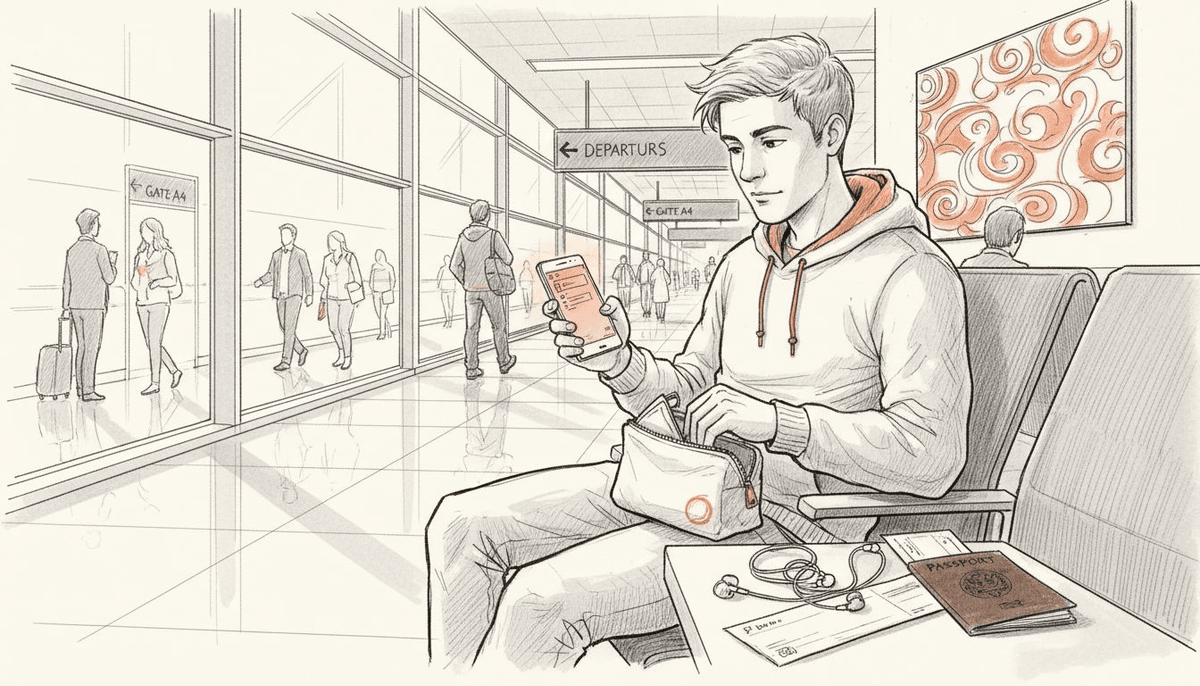
Most American frequent flyers know the frustration of arriving in a new country and immediately facing steep roaming charges or the hassle of swapping SIM cards. With over 1.4 billion international travelers each year, seamless and affordable mobile connectivity matters more than ever. This guide walks you through preparing your device and activating an eSIM step by step, making sure you stay connected globally without surprise fees or complicated setups.
Table of Contents
- Step 1: Prepare Your Device For Esim Activation
- Step 2: Select And Purchase The Ideal Lumo Data Plan
- Step 3: Scan Your Qr Code To Activate Esim
- Step 4: Set Up Your Travel Data Profile On Your Device
- Step 5: Test And Verify Your Global Data Connection
Quick Summary
| Key Insight | Explanation |
|---|---|
| 1. Confirm Device Compatibility | Check your smartphone settings to ensure eSIM functionality is supported before activation. |
| 2. Choose the Right Data Plan | Evaluate your travel needs and select a plan that provides adequate coverage and data volume. |
| 3. Activate eSIM with QR Code | Scan the provided QR code in your device settings to successfully install your mobile data profile. |
| 4. Configure Travel Data Profile | Prioritize your eSIM to ensure it becomes the primary data connection while traveling. |
| 5. Test Connectivity Before Travel | Verify your eSIM’s performance and ensure it connects well across different networks before your trip. |
Step 1: Prepare your device for eSIM activation
Preparing your smartphone or tablet for eSIM activation requires a few strategic steps to ensure a smooth connectivity experience. Your goal is to verify device compatibility, check carrier support, and understand the technical requirements before initiating the digital SIM installation process.
Most modern smartphones support eSIM technology, but you will want to confirm your specific device meets the necessary criteria. Begin by checking your device settings under cellular or mobile data options to see if an eSIM profile can be added. Some smartphones require you to visit your carrier settings or use a specific carrier mobile settings tool to enable digital SIM functionality. Look for terms like “eSIM,” “digital SIM,” or “cellular plan” in your device settings menu.
Verify that your smartphone supports eSIM by reviewing the manufacturer specifications or contacting their support team. For Apple and Google devices, eSIM support is typically built into recent models like iPhone 14 series and Pixel smartphones. Android users should confirm compatibility with their specific device manufacturer. International travelers will find that having an eSIM ready can dramatically simplify managing mobile data across different countries.
Pro Tip: Always backup your current device settings and cellular plan information before attempting eSIM activation to prevent potential data disruption.
Step 2: Select and purchase the ideal Lumo data plan
Choosing the right mobile data plan is crucial for international travelers seeking reliable and cost effective connectivity. Your goal is to find a flexible eSIM plan that matches your specific travel needs while providing seamless global coverage without unexpected roaming charges.
When selecting your data plan, carefully evaluate your connectivity requirements based on destination, duration of travel, and anticipated data usage. International mobile data comparisons suggest examining factors like coverage area, data volume, validity period, and pricing transparency. Look for plans that offer multiple country options and flexible data packages tailored to different travel styles. Some travelers might need high bandwidth for work related tasks, while others require basic browsing and communication capabilities.
Lumo provides targeted data plans for specific destinations like Lithuania, allowing you to purchase precisely the amount of data you need for your specific trip. Compare different plan options by considering your expected data consumption, checking the number of countries covered, and verifying the activation process. Pay attention to data rollover policies, potential speed restrictions, and whether the plan supports multiple device connections.
Pro Tip: Calculate your approximate data needs by reviewing your previous mobile usage patterns and selecting a plan with a slight buffer to avoid unexpected data cutoffs during your travels.
This table provides an at-a-glance guide to evaluating a travel eSIM data plan:
| Evaluation Factor | Why It Matters | How to Assess |
|---|---|---|
| Coverage Area | Ensures connectivity abroad | Check list of included countries |
| Data Volume | Prevents data shortages | Compare GB allowance to usage patterns |
| Validity Period | Matches trip duration | Review start/end dates |
| Speed Restrictions | Affects streaming quality | Read provider’s speed terms |
Step 3: Scan your QR code to activate eSIM
Activating your eSIM is a straightforward digital process that transforms how you connect while traveling. Your primary goal is to successfully install your mobile data profile by scanning the unique QR code provided during your Lumo plan purchase.
To begin the activation, ensure you have a compatible smartphone and the QR code readily available. Navigate to your device settings under cellular or mobile data options, where you will typically find an option to add a cellular plan or eSIM. Select the option to add a new plan and use your device camera to scan the QR code precisely. Most modern smartphones will automatically detect and prompt you to confirm the installation of your global mobile data profile with just a few taps. Pay close attention to the on screen instructions and verify that the carrier and data plan details match your intended purchase.
Depending on your specific smartphone model, the activation process might vary slightly. Apple devices typically require you to go to Settings Cellular Mobile Data Add Cellular Plan, while Android phones may have slightly different menu navigation. If you encounter any issues during scanning, most Lumo plans include customer support to guide you through the activation process. Once successfully scanned, your new eSIM profile will be ready for immediate use in your selected destination.
Pro Tip: Always screenshot your QR code and save it in a secure digital location as a backup in case you need to reinstall your eSIM profile during your travels.
Here is a summary comparing key eSIM activation steps for Apple and Android devices:
| Activation Step | Apple Devices | Android Devices |
|---|---|---|
| eSIM Check Location | Settings > Cellular > Mobile Data | Network Settings > Cellular Plan |
| QR Code Activation Path | Settings > Cellular > Add Cellular Plan | Network > Add Data Plan (varies) |
| Multi eSIM Support | Most recent iPhones | Depends on manufacturer/model |
| Troubleshooting Support | Apple Help Center and carrier | Device support and carrier hotline |
Step 4: Set up your travel data profile on your device
Configuring your travel data profile requires strategic planning to ensure seamless global connectivity during your international journey. Your primary objective is to optimize your device settings for efficient and reliable mobile data access across different regions.

Start by exploring your smartphone settings to manage multi country eSIM configurations. Most modern smartphones support dual SIM functionality, allowing you to maintain your home number while simultaneously activating your travel data profile. Navigate to your cellular settings and prioritize your new travel eSIM as the primary data connection. This ensures that your device automatically switches to the most cost effective and reliable network when traveling. Consider naming your travel eSIM profile with a clear identifier like “Lumo Travel Data” to easily distinguish it from your primary home cellular plan.
Specific device settings will vary between smartphone manufacturers, but the core process remains consistent. For Apple devices, go to Settings Cellular Mobile Data and select your new eSIM profile. Android users can typically find similar options under Network Settings or Cellular Plan Management. When traveling through multiple countries like Germany, verify that your data profile supports roaming and has sufficient data allocation for your entire trip. Always review your data usage settings to prevent unexpected charges and optimize your mobile connectivity strategy.
Pro Tip: Create a screenshot of your eSIM configuration settings and save it in a secure cloud storage as a backup reference in case you need to quickly reconfigure your mobile data while traveling.
Step 5: Test and verify your global data connection
Confirming your mobile data connectivity is a critical final step in ensuring a smooth international travel experience. Your objective is to thoroughly validate that your eSIM functions correctly across different networks and locations before fully relying on it during your trip.
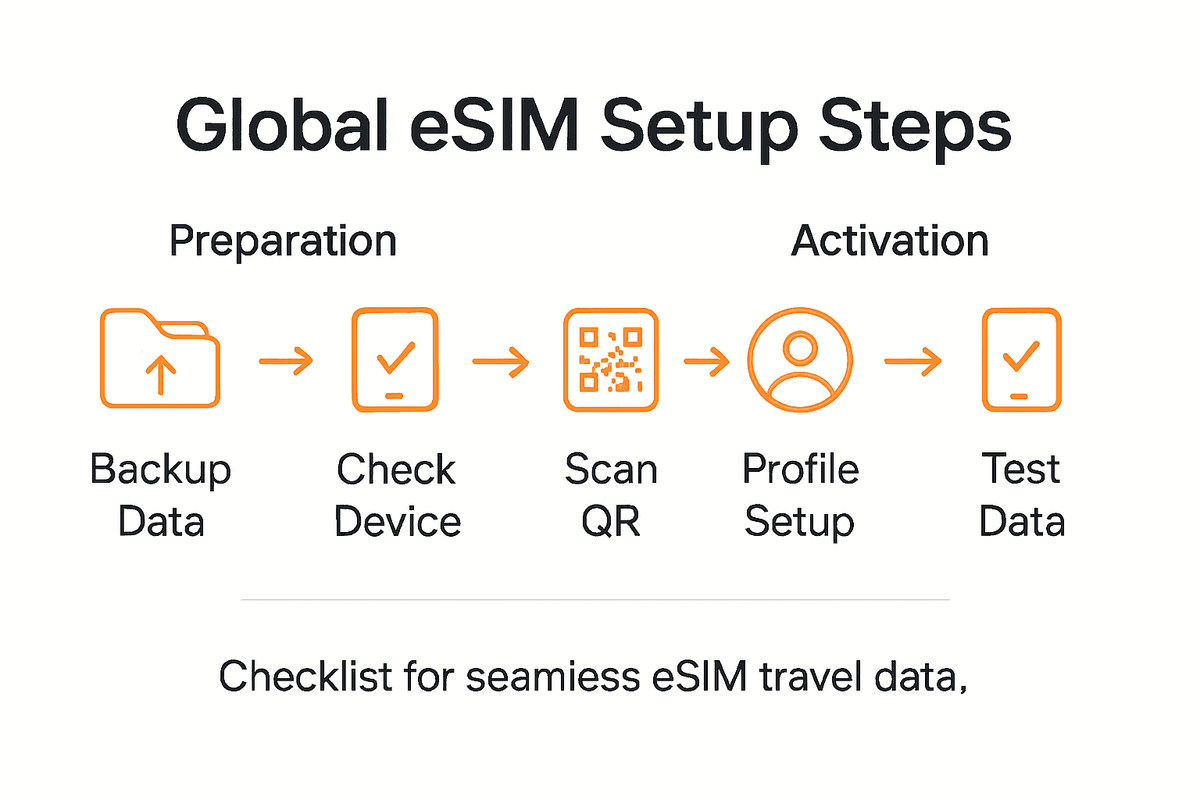
Initiate your connection test by performing several diagnostic checks on your newly activated mobile data profile. Open a web browser or speed test application to verify actual download and upload speeds. Check your network signal strength and confirm that your device successfully connects to local carrier networks in your destination. Some travelers find it helpful to explore global connectivity options to understand potential network variations. Test critical communication apps like messaging services and web browsers to ensure consistent performance. Pay special attention to network switching capabilities particularly when moving between different coverage zones.
For comprehensive verification, conduct tests in multiple scenarios. Try connecting in both urban and rural areas, switch between wifi and cellular data, and confirm that your eSIM maintains a stable connection. Android and Apple devices offer built in network diagnostic tools that can help you assess connection quality. If you encounter any connectivity issues, contact your eSIM provider immediately to troubleshoot potential configuration problems. Remember that successful testing before your primary travel dates can prevent unexpected communication challenges during your journey.
Pro Tip: Download an offline map and communication app before traveling to ensure you have backup access in case of temporary connectivity disruptions.
Simplify Your Global Travel Data Setup with Lumo
Traveling should never mean struggling with complicated eSIM activations or worrying about costly roaming fees. This guide showed how important it is to prepare your device, select the right data plan, and activate your eSIM smoothly for seamless connectivity. With goals like avoiding unexpected charges, managing multiple eSIM profiles, and ensuring reliable coverage across countries such as Lithuania and Germany, you need a trusted solution that makes all these steps effortless.
Lumo is designed exactly for travelers like you who want fast setup, total control, and broad global access. Our platform offers instant QR code activation, flexible data plans tailored to your destinations, and coverage in over 160 countries. Whether you want to switch easily between local carriers or manage multiple devices without interruptions, Lumo delivers convenience and affordability built for your mobile lifestyle.
Ready to take control of your travel connectivity?

Explore our all-in-one eSIM solutions now at Lumo. Match your travel needs with precise data plans, skip long setup times, and enjoy high-speed 5G/4G networks wherever your journey takes you. Don’t let connectivity challenges slow you down when the whole world awaits. Start your seamless global journey today by visiting Activate Your eSIM and experience next-level freedom with Lumo.
Frequently Asked Questions
How do I check if my device supports eSIM technology?
To verify if your device supports eSIM technology, check the device settings under cellular or mobile data options. Look for terms like ‘eSIM’ or ‘cellular plan’ to see if you can add a digital SIM profile.
What factors should I consider when selecting a travel data plan?
When choosing a travel data plan, consider your destination, duration of travel, and anticipated data usage. Evaluate coverage area, data volume, validity period, and any speed restrictions to find a plan that fits your needs.
How can I activate my eSIM using a QR code?
To activate your eSIM, navigate to your device settings, select the option to add a new cellular plan, and use your camera to scan the provided QR code. Follow the on-screen instructions to complete the installation of your mobile data profile.
What steps should I take to set up my travel data profile?
To set up your travel data profile, explore your smartphone settings to manage multi country eSIM configurations. Prioritize your new travel eSIM as the primary data connection to ensure seamless connectivity during your trip.
How can I test my mobile data connection before traveling?
To confirm your mobile data connectivity, perform tests by opening a web browser or speed test application. Check the download and upload speeds and ensure stable connections in various scenarios, like urban and rural areas, before you begin your journey.
What should I do if I encounter connectivity issues with my eSIM?
If you experience connectivity issues, immediately contact your eSIM provider to troubleshoot potential configuration problems. Conducting these checks well before your travel dates can help prevent unexpected communication challenges.
Recommended
Related Topics
Stay Connected Anywhere
Prepaid eSIM data plans for 180+ countries and territories. No physical SIM required.