Why Use eSIM for Laptops: Efficient Global Connectivity

Jumping from New York to Tokyo or Paris for business is challenging enough without worrying about losing laptop connectivity. For the frequent international traveler or tech professional, finding a solution that works everywhere is no longer optional. eSIM technology for laptops lets you switch carriers instantly, keep multiple profiles ready for different countries, and avoid the hassles of physical SIM cards. This guide unpacks how eSIMs make global work seamless while keeping security and speed in focus.
Table of Contents
- eSIM Technology For Laptops Explained
- Key Differences From Physical SIM Cards
- Seamless Global Connectivity For Professionals
- Security, Setup, And Device Compatibility
- eSIM Costs, Limitations, And Alternatives
Key Takeaways
| Point | Details |
|---|---|
| eSIM Technology Simplifies Travel | eSIM allows users to manage multiple carrier profiles on their laptops, enabling instant connectivity without physical card swaps. |
| Enhanced Security Features | eSIM technology employs encrypted digital profiles, significantly reducing the risk of theft and unauthorized access compared to physical SIM cards. |
| Faster Activation Process | Users can activate local data plans within minutes through a QR code scan, eliminating the downtime associated with traditional SIM card setups. |
| Cost-Effective for International Use | eSIM plans offer competitive pricing and prevent exorbitant international roaming charges, making them an economical choice for frequent travelers. |
eSIM Technology for Laptops Explained
eSIM stands for embedded SIM, and it functions as a programmable chip built directly into your laptop during manufacturing rather than a physical card you swap between devices. Instead of inserting a traditional SIM card into a slot, your laptop stores carrier information digitally, allowing you to activate cellular plans with a simple QR code scan or digital profile download. This technology eliminates the friction of hunting for the right SIM card size or waiting for a physical card to arrive at your destination.
The programmable chip works as a digital alternative to traditional SIM cards, creating what’s essentially a secure storage space for multiple carrier profiles on a single device. You can store profiles from different carriers simultaneously, then activate whichever one makes sense for your current location. Imagine being in Tokyo and needing to switch from your home carrier to a local Japanese provider within minutes. With an eSIM, you’re not replacing anything physical. You’re simply downloading a new profile onto the existing chip and selecting it as your active connection. This approach fundamentally changes how laptop connectivity works, especially for professionals who cross borders regularly.
For business travelers working across multiple time zones, the security architecture embedded in eSIM technology provides an additional layer of protection. The chip uses encrypted communication protocols that make your connection more resistant to unauthorized switching compared to traditional SIM cards, which can be physically intercepted or replaced. Your device remains the only vessel for your cellular identity, meaning you don’t need to worry about managing physical cards or risking lost or damaged SIM cards during travel. When you need connectivity in a new country, the activation happens instantaneously through your laptop’s settings menu rather than requiring a trip to a local carrier store or waiting for postal delivery.
The practical advantage here comes down to convenience and speed. You activate multiple eSIM profiles and manage them digitally without carrying multiple devices or juggling physical cards. Your laptop simply becomes capable of switching between carriers as your work location changes. For remote professionals managing projects across continents, this means staying connected on your terms without the hidden costs and complications that plague traditional roaming arrangements.
Pro tip: Before your next international trip, download your carrier profile to your laptop at home on a stable WiFi connection rather than attempting activation at the airport, which ensures you have immediate connectivity when you land.
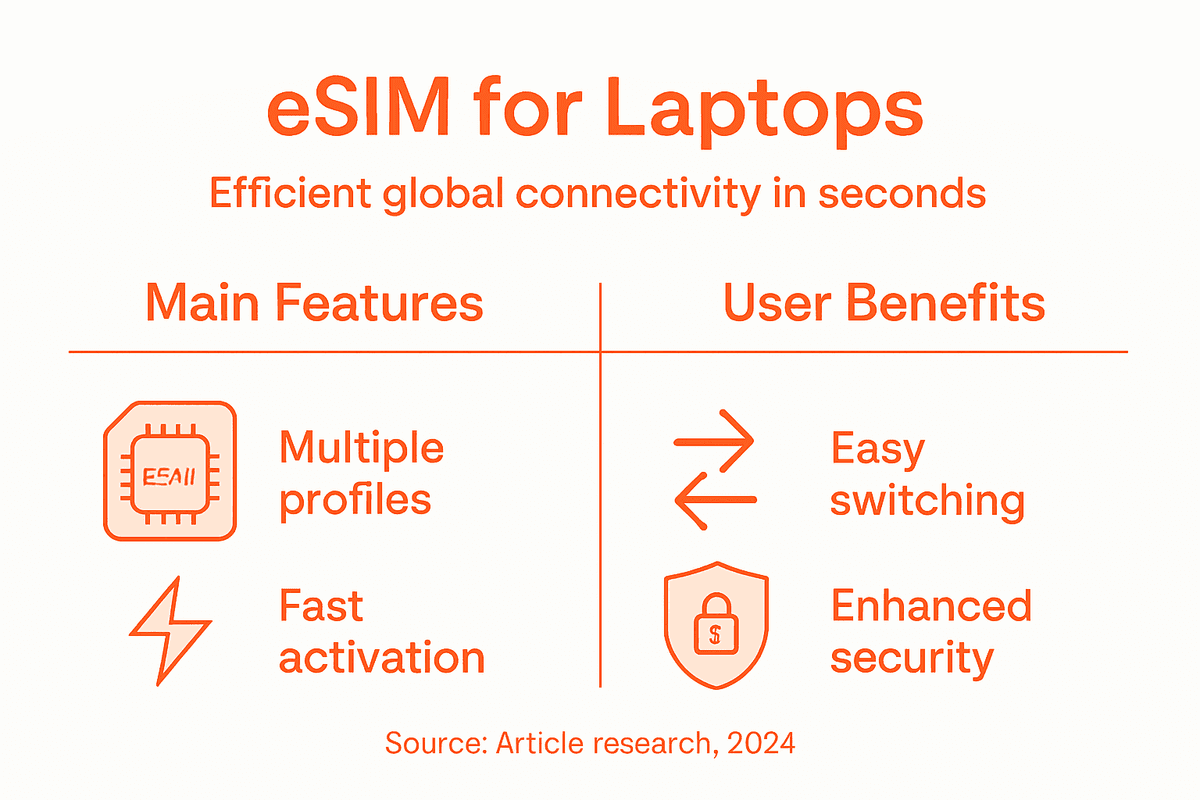
Key Differences From Physical SIM Cards
Physical SIM cards have served travelers well for decades, but they come with real friction that becomes obvious the moment you cross a border. You need to locate the tiny ejector tool, open your laptop’s SIM tray without stripping the mechanism, swap out the card, wait for the device to recognize it, and then configure network settings. If you lose that card or damage it during travel, you’re stuck without local connectivity until you find a carrier store. eSIMs eliminate this entire process. There’s no physical card to manage, no ejector tool to hunt for, and no risk of mechanical failure from repeated insertions and removals.
Beyond mere convenience, the security difference matters significantly for professionals handling sensitive work. Physical SIM cards can be stolen, duplicated, or intercepted during shipping to your travel destination. Someone with access to your card could potentially clone it and use your number elsewhere. eSIM technology strengthens security against theft and duplication through encrypted digital profiles that live only on your device’s secure element. Your carrier identity isn’t a portable card anymore. It’s encrypted data stored in hardware designed specifically to resist unauthorized access. For remote workers managing client data or proprietary information, this architectural difference provides meaningful peace of mind.
The practical flexibility of managing multiple carrier profiles on a single device transforms how you approach international work. With a physical SIM, you’re limited to one carrier at a time. To use a different provider, you must physically replace the card. With eSIM, you can store five, ten, or more carrier profiles simultaneously on your laptop’s chip. When you arrive in Singapore, you activate the Singapore profile. When you move to Malaysia, you switch profiles without touching anything physical. You don’t delete the previous profile, so when you return to Singapore in three months, it’s still there waiting to reactivate. This means you can preload profiles for all your regular travel destinations before you leave home.
The speed of activation represents another critical advantage for business continuity. Physical SIM cards require advance planning or local store visits. eSIM activation happens within minutes through a QR code scan or instant download. You land at your destination and activate local connectivity faster than you can clear customs. No calling a carrier, no waiting for a physical card, no searching for the right adapter. For professionals whose billable hours depend on staying connected, this speed difference translates directly to productivity gains and reduced stress.
Pro tip: Store eSIM profiles for your three most frequently visited countries before traveling, allowing you to switch between them instantly without depending on WiFi or your home carrier’s support.
Here’s a concise side-by-side comparison of eSIM versus physical SIM cards for laptop connectivity:
| Aspect | eSIM for Laptops | Physical SIM Card |
|---|---|---|
| Setup Process | Digital, minutes via QR or code | Manual card insertion, several steps |
| Security Architecture | Encrypted digital profiles | Vulnerable to physical theft or cloning |
| Carrier Flexibility | Store multiple profiles on one chip | One carrier per card |
| Activation Speed | Instant profile switching | Requires local card and setup |
| Risk During Travel | No risk of loss or damage | Card loss, damage, or theft possible |
| Productivity Impact | Immediate, seamless connectivity | Downtime while resolving SIM issues |
Seamless Global Connectivity for Professionals
The traditional approach to international connectivity creates dead zones in your workday. You board a flight from New York to London, and somewhere over the Atlantic, your phone transitions to expensive roaming rates. You arrive at your destination and scramble to find a local SIM card, navigate unfamiliar carrier stores, or wait for a physical card to arrive by mail. Meanwhile, your inbox fills with messages you cannot respond to, clients wonder where you are, and your productivity stalls. eSIM eliminates this entire scenario. The moment your plane lands, you activate a pre-downloaded local profile on your laptop without visiting a store, without physical card swapping, and without the multi-hour connectivity gap that plagues traditional travel.
What makes eSIM transformative for remote professionals is the ability to instantly purchase and activate local data plans in any new country. You don’t need a local bank account, a long-term contract, or even a visit to a physical location. Your laptop becomes a gateway to affordable local connectivity within minutes of arrival. When you’re working across multiple time zones managing client projects, this speed matters tremendously. A consultant landing in Bangkok on Monday morning can be fully connected and responsive within thirty minutes. The same consultant on a traditional SIM might not achieve that until Tuesday afternoon.

The architectural advantage of storing multiple international profiles on a single device transforms how you plan travel logistics. Instead of managing separate SIM cards for each country, tracking which one works where, or constantly swapping physical cards, you simply store multiple carrier profiles for easy switching in advance. Your laptop becomes location agnostic. You work in Berlin one week, Paris the next, then Amsterdam. With each border crossing, you switch profiles instantly without touching your device’s hardware. The profiles remain stored until you need them again, eliminating the anxiety of losing critical connectivity options or forgetting to purchase a replacement before departure.
The uninterrupted connectivity creates something professionals rarely achieve: true workflow continuity across continents. You’re not managing connectivity as a separate logistical problem that disrupts your actual work. Instead, connectivity simply exists wherever you are. You focus on client deliverables, project deadlines, and strategic thinking rather than troubleshooting SIM compatibility, hunting for carrier stores, or explaining connectivity gaps to frustrated clients. This shift from connectivity management to connectivity transparency represents the real value for remote professionals. Your laptop becomes a tool that works everywhere without demanding attention.
Pro tip: Before each international trip, test your downloaded eSIM profile on WiFi in your home office to ensure it activates correctly, preventing connectivity issues on arrival when you need connectivity most.
Security, Setup, and Device Compatibility
eSIM security operates differently from physical SIM cards because your carrier identity exists as encrypted digital data rather than a tangible card that can be lost or stolen. Your laptop’s eSIM chip uses advanced encryption protocols to protect your profile information from unauthorized access or cloning. When you download a carrier profile, that data gets encrypted specifically for your device’s secure element, meaning even if someone gained access to your laptop, they couldn’t extract and use your eSIM profile elsewhere. This architecture makes eSIM significantly more resistant to the SIM swapping attacks that plague traditional mobile users. However, robust security frameworks and standards remain essential for safeguarding eSIMs against emerging threats. Reputable eSIM providers implement carrier-grade security measures, meaning your profile activation and management happen through verified channels with authentication requirements that prevent unauthorized changes.
Setup simplicity represents one of eSIM’s biggest practical advantages over traditional SIMs. You don’t need to physically insert anything or locate a tiny SIM tray on your laptop. Instead, you receive a QR code from your carrier or eSIM provider, scan it with your laptop’s camera or enter an activation code manually, and your profile downloads automatically to your device’s embedded chip. The entire process takes two to five minutes and requires no technical knowledge. Your laptop recognizes the new profile immediately and asks which connection you want to use. Within seconds, you’re connected to local networks. The setup happens entirely through your device’s settings menu, making it accessible even for professionals who aren’t particularly tech-savvy.
Device compatibility matters because not every laptop includes eSIM capability. Most modern devices manufactured after 2020 include built-in eSIM chips, particularly business-focused models from manufacturers like Apple, Dell, Lenovo, and HP. If you own a recent laptop purchased for professional work, it almost certainly supports eSIM. However, if you’re working with a device older than five years or a budget model, you may need to verify compatibility before investing in an eSIM plan. Check your device’s specifications or contact your manufacturer directly. The good news is that compatibility is becoming the standard rather than the exception. As eSIM technology becomes mainstream, manufacturers increasingly include it as a baseline feature because the cost difference is negligible and customers expect seamless connectivity options.
The activation process requires one critical element that many professionals overlook: an internet connection during initial setup. You need WiFi or another data connection to download your eSIM profile to your laptop. This seems obvious until you arrive at an airport with no WiFi access and realize you cannot activate your eSIM without connectivity. Plan ahead by downloading your profile before traveling, ideally a day or two before departure when you’re still in your home office with reliable WiFi. Once the profile is downloaded and installed, you can use it immediately without internet access. The profile remains on your laptop until you decide to delete it, so you can reactivate it anytime you need it.
Pro tip: Download and test your eSIM profile on your home WiFi at least 24 hours before travel to confirm it activates correctly, preventing connectivity disasters when you land in a new timezone with limited support options.
You can quickly reference which laptop brands currently support eSIM for business travelers:
| Manufacturer | eSIM Support on Recent Models | Notable Device Lines |
|---|---|---|
| Apple | Since 2020 | MacBook Pro, MacBook Air |
| Dell | Since 2020 | Latitude, XPS, Precision |
| Lenovo | Since 2020 | ThinkPad, Yoga |
| HP | Since 2021 | EliteBook, Spectre |
| Others | Emerging adoption | Verify model before buying |
eSIM Costs, Limitations, and Alternatives
eSIM pricing tends to be competitive with traditional SIM cards when you compare apples to apples, but the structure differs significantly. You’re paying for data capacity rather than physical card logistics. A monthly data plan on eSIM typically costs between $10 and $40 depending on data volume and the country where you’re using it. The advantage emerges when you compare total travel costs. You avoid international roaming charges that can reach $15 per gigabyte with your home carrier, meaning a single video call home could cost more than a month of local eSIM service. You also eliminate the friction of purchasing physical SIM cards at airport kiosks where prices are inflated 200 to 300 percent above standard retail rates. The real cost savings accrue over multiple trips when you stop paying premium prices for connectivity.
Limitations exist, though they’re rapidly shrinking as the market matures. Regional regulatory issues and interoperability challenges still affect some countries, particularly in developing regions where carriers haven’t yet implemented eSIM infrastructure. China, for example, restricts eSIM adoption for consumers, making traditional SIM cards necessary if that’s a frequent destination. Some carriers in certain regions remain slow to support eSIM, creating gaps in coverage for specific locations. Additionally, not all laptop models support eSIM, and older devices definitely won’t have the technology. Before committing to eSIM as your primary connectivity method, verify that your specific destinations and devices actually support it. The good news is that these limitations are becoming exceptions rather than rules. The market is rapidly overcoming regional barriers, with more carriers and countries adopting eSIM infrastructure annually.
Alternative connectivity methods still exist for edge cases where eSIM doesn’t work. Portable WiFi hotspots allow you to purchase a device that creates a personal WiFi network using local cellular data, useful if you’re traveling with multiple people or devices. These cost between $50 and $150 upfront plus monthly data fees, making them less economical for solo travelers but practical for teams. Traditional SIM cards remain available everywhere and still work fine, though they require the physical swapping and purchasing friction that eSIM eliminates. International phone plans from your home carrier exist as an option, but they typically cost two to three times more than local eSIM plans while offering slower speeds. eSIM data plans provide better value than these legacy options for most international professionals.
The decision framework is straightforward. If your laptop supports eSIM and your destinations have carrier coverage, eSIM wins on convenience, speed, and total cost. If you’re traveling to regions without eSIM infrastructure or using a device that doesn’t support it, fall back to alternatives. The overlap between eSIM coverage and professional travel destinations grows monthly, making eSIM the increasingly obvious choice for business travelers managing global schedules.
Pro tip: Check eSIM coverage for your specific destinations and confirm your laptop’s compatibility at least two weeks before travel, giving you time to arrange alternatives if necessary.
Unlock Effortless Global Connectivity with Lumo
Traveling across borders with multiple carrier profiles and managing seamless laptop connectivity can be overwhelming. The article highlights the challenges professionals face with physical SIM cards such as slow activation, security risks, and juggling numerous profiles. If you want to avoid downtime, roaming fees, and complicated setups while enjoying encrypted, instant switching between local networks, Lumo offers the perfect solution. Our platform empowers you to activate multiple eSIM profiles instantly, ensuring your laptop stays connected across over 160 countries without the usual hassle.

Ready to transform your international connectivity experience? Discover how Lumo’s fast QR code activation, flexible data plans, and reliable 24/7 support simplify your global workflow today. Take control of your global eSIM management now by visiting Lumo’s all-in-one eSIM platform. Your laptop deserves the convenience and security of next-level connectivity designed specifically for professionals on the move. Get started with Lumo and stay connected anywhere, anytime.
Frequently Asked Questions
What is eSIM technology for laptops?
eSIM, or embedded SIM, is a programmable chip built into laptops, allowing users to store carrier information digitally. Instead of using a physical SIM card, users can activate cellular plans via QR codes or digital profile downloads.
How does eSIM improve security compared to physical SIM cards?
eSIM technology enhances security through encrypted digital profiles stored securely within the laptop. Unlike physical SIM cards, which can be lost or stolen, eSIMs are less vulnerable to unauthorized access or duplication.
Can I store multiple carrier profiles on an eSIM?
Yes, eSIM technology allows users to store multiple carrier profiles on one device. This means you can switch between different carriers quickly and easily without physically changing SIM cards.
How quickly can I activate an eSIM profile on my laptop?
Activating an eSIM profile is a fast process that typically takes only a few minutes. Users can download the profile by scanning a QR code or entering an activation code through the device’s settings menu.
Recommended
Related Topics
Stay Connected Anywhere
Prepaid eSIM data plans for 180+ countries and territories. No physical SIM required.