Why Use an eSIM When Traveling: A Practical Guide
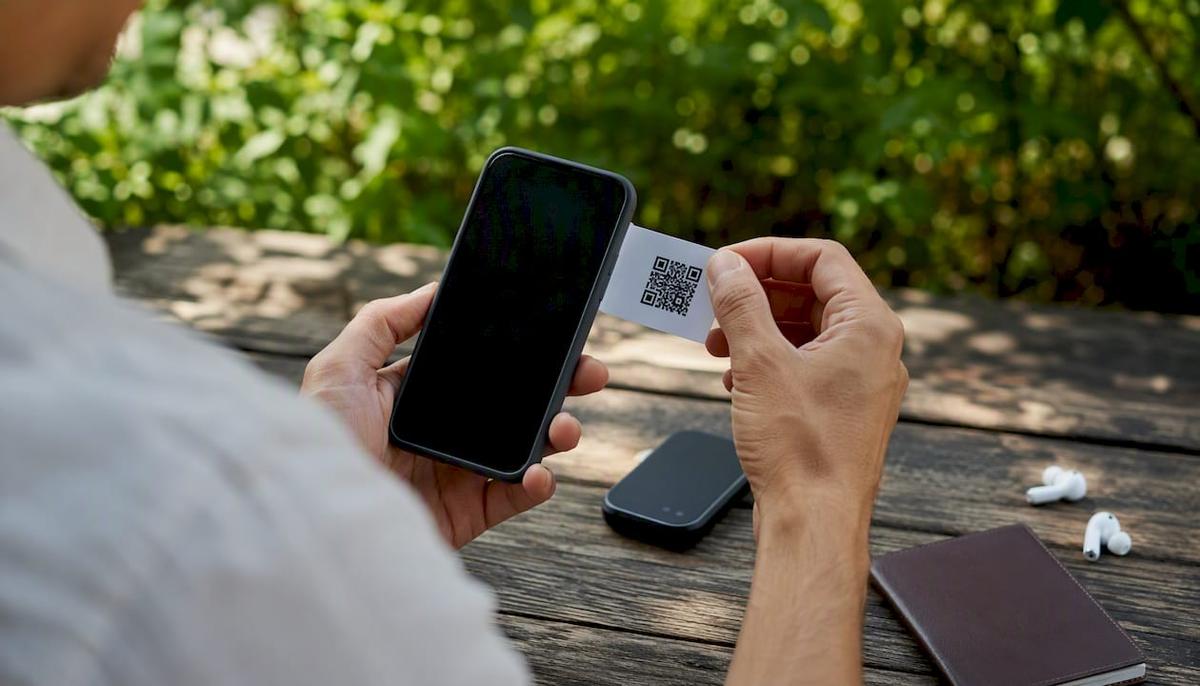
For most international trips, an eSIM is the smarter choice. It’s a digital SIM card built into your phone that lets you download a local carrier plan in minutes, no store visit, no plastic card, no roaming shock at the end of the trip.
Quick verdict:
- Convenience: Buy a plan online, scan a QR code, and you’re connected before your flight lands.
- Cost: Short-trip eSIM plans can start as low as $2–$8 for 1 GB over 7 days, far below typical carrier roaming rates.
- Multi-country support: One regional plan covers multiple countries, so you’re not hunting for a new SIM at every border.
- When a physical SIM wins: If you’re staying in one country for a month or more, or you need a local phone number for banking or SMS verification, a local physical SIM is often cheaper and more practical.
Key Takeaways
For most international trips under two weeks, an eSIM delivers faster setup, lower cost, and multi-country coverage that a physical SIM or a roaming plan can’t match at the same price point.
| Point | Details |
|---|---|
| Best for short and multi-country trips | eSIM wins on convenience and cost for trips under two weeks across multiple countries. |
| Physical SIM still wins sometimes | Long stays (1+ month) or local-number needs favor a local physical SIM over a travel eSIM. |
| Activate before departure | Installing your eSIM at home over Wi-Fi removes the biggest source of arrival-day failures. |
| Plans start at $2–$8 for 1 GB | Short-trip eSIM pricing is competitive with local SIMs for brief stays. |
| Lumo for instant activation | Lumo offers QR code activation across 160+ countries with 24/7 support and no contracts. |
Table of Contents
- What an eSIM actually is and why it matters for travelers
- Does your phone support eSIM? How to check
- How eSIM activation works, step by step
- Key benefits travelers get from using an eSIM
- Drawbacks of eSIM and when a physical SIM is the better call
- Price comparison and when to choose eSIM vs. physical SIM vs. roaming
- Pre-trip checklist: what to do before you leave
- Security and privacy: is eSIM safer than a physical SIM?
- Practical tips from Lumo for reliable eSIM use on trips
- The part most eSIM guides get wrong
- Lumo gives you instant global data without the airport SIM hunt
- Sources
- FAQ
What an eSIM actually is and why it matters for travelers
An eSIM (embedded SIM) is a small chip soldered directly into your device, called an eUICC (embedded Universal Integrated Circuit Card). Instead of a plastic card you swap in and out, it stores downloadable carrier profiles. You switch providers by downloading a new profile, not by visiting a store.
The FCC confirms that eSIMs are managed entirely through device settings, removing the physical-swap step and improving accessibility for travelers who can’t easily find a carrier store in a foreign country.
Key things eSIMs typically provide:
- Data connectivity (the most common travel use case)
- Voice and SMS on some plans, though many travel eSIMs are data-only
- Multiple stored profiles on one device, so you can hold a home plan and a travel plan simultaneously
Standards bodies like GSMA and ETSI set the technical specifications that make eSIM profiles interoperable across carriers and devices worldwide, which is why you can buy a plan from a provider in the U.S. and activate it on a network in Japan.
Does your phone support eSIM? How to check
Most flagship smartphones released in recent years support eSIM, but the specifics matter.
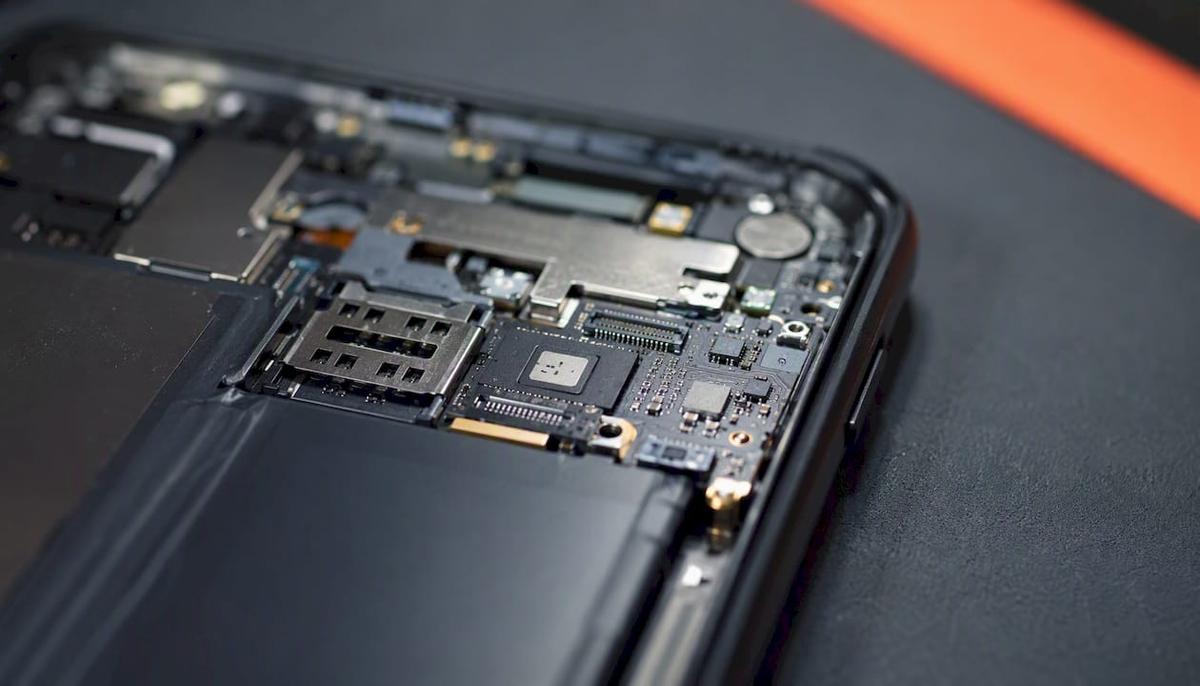
How to check on iPhone: Go to Settings → General → About and scroll down. If you see an “Available SIM” or “EID” number, your phone has eSIM capability. Apple’s support documentation confirms that supported iPhone models can store multiple eSIMs and run two active lines simultaneously on newer models.
How to check on Android: Go to Settings → Connections → SIM Manager (Samsung) or Settings → Network & Internet → SIMs (Pixel). Look for an “Add eSIM” or “Download a SIM” option.
Common caveats to know before you travel:
- Carrier-locked phones won’t work with a third-party travel eSIM. Contact your carrier to unlock before departure.
- Budget Android models often skip eSIM hardware entirely, even recent ones. Check your exact model number against the manufacturer’s spec sheet.
- Some regional variants of popular phones (particularly models sold in mainland China) ship without eSIM support due to local regulations.
- Older devices (pre-2018 iPhones, most Android phones before 2019) almost never support eSIM.
- Windows laptops and tablets with eUICC hardware can also use eSIM for cellular data, as Microsoft documents, making eSIM useful beyond just your phone.
Pro Tip: Before you leave home, screenshot your EID/IMEI number and your current eSIM settings screens. If anything goes wrong during activation abroad, support teams will ask for these immediately.
How eSIM activation works, step by step
The underlying technology is straightforward: your phone’s eUICC chip stores carrier profiles. Carriers deliver those profiles via a QR code, an activation code, or directly through their app. Here’s how the process runs in practice:
- Buy a plan from a travel eSIM provider (online, before departure).
- Receive a QR code or activation code by email or in-app.
- Open Settings on your phone (iPhone: Settings → Cellular → Add eSIM; Android: Settings → Network → Add eSIM).
- Scan the QR code or enter the activation code manually.
- Label the new plan (e.g., “Europe Trip”) and set it as your cellular data line.
- Keep your home SIM active for calls and texts if you need your U.S. number reachable.
Activation typically takes a few minutes to 30 minutes, depending on carrier verification. Technovice’s traveler-tested write-up strongly recommends completing this before you leave home, over your own Wi-Fi. Arriving at an airport and trying to activate without internet access is a common and avoidable problem.
Common activation failures and quick fixes:
- QR code won’t scan: Try entering the activation code manually instead.
- “Profile download failed”: Check that you’re on a stable Wi-Fi connection, not a hotel captive portal.
- Carrier verification pending: Some providers take up to a few hours; activate the day before departure.
- Plan not showing data: Confirm you’ve set the travel eSIM as the active data line in Settings.
Screenshot the confirmation screen after installation. That image is your proof of purchase and your fastest path to support if something breaks.
Key benefits travelers get from using an eSIM
The eSIM advantages while traveling go well beyond skipping the SIM card aisle at the airport.
- No store visits or language barriers. You buy and activate entirely online, in English, before you land.
- Multi-country and regional plans. One plan covers an entire region (Europe, Southeast Asia, Latin America), so crossing a border doesn’t mean losing data.
- Dual-SIM flexibility. Keep your U.S. number active for calls and banking SMS while running a local data plan. AARP highlights this as a key reason travelers of all ages prefer eSIMs: you don’t have to choose between cheap data and staying reachable.
- Instant top-ups. Running low on data mid-trip? Add more from your phone without finding a store.
- Hotspot and tethering. Most modern travel eSIM plans support hotspot sharing, so you can connect a laptop or tablet through your phone’s connection.
- Cost control on short trips. Short-trip plans starting at $2–$8 for 1 GB make eSIMs genuinely affordable for a weekend trip or a quick business visit.
A quick scenario: You’re flying into Paris on Monday, then taking the train to Amsterdam on Wednesday. A regional European eSIM covers both countries under one plan. With a physical SIM, you’d either pay roaming on a French SIM in the Netherlands or buy a second card.
Pro Tip: Set your travel eSIM as the default data line before boarding. Leave your home SIM active for voice only. This keeps your U.S. number reachable without accidentally burning through expensive home-carrier roaming data.
Drawbacks of eSIM and when a physical SIM is the better call
eSIM isn’t the right answer for every situation. Here’s where it falls short:
- Data-only plans are the norm. Most travel eSIMs don’t give you a local phone number. If you need a local number for bank SMS verification, ride-share apps, or local service calls, a physical SIM is more reliable.
- Profile reinstallation limits. Some carriers restrict how many times you can reinstall a profile. If you factory-reset your phone mid-trip, you may not be able to reactivate the same eSIM.
- Device transfer is harder. Switching to a backup phone mid-trip means re-purchasing or re-requesting a new eSIM profile, which takes time.
- Regional restrictions. A handful of countries have limited eSIM issuance or require in-person ID verification to activate mobile service.
- Long stays get expensive. For a month-long stay in one country, a local physical SIM with an unlimited plan almost always undercuts travel eSIM pricing.
Per SimFinder’s comparative analysis, the clearest rule of thumb is: under two weeks, eSIM wins on convenience; over a month in one country, a local SIM usually wins on price.
| Trip type | Best option | Why |
|---|---|---|
| Short trip, under 2 weeks, multi-country | eSIM | Instant setup, one plan, no border hassle |
| 2–4 weeks, single country | Compare both | eSIM is convenient; local SIM may be cheaper |
| 1+ month, single country | Physical SIM | Local unlimited plans are usually cheaper |
| Need local phone number | Physical SIM | Most travel eSIMs are data-only |
| Older or locked phone | Roaming or physical SIM | eSIM hardware may not be available |
Pro Tip: If you’re switching devices mid-trip, contact your eSIM provider before the trip to ask about their re-issue policy. Lumo, for example, offers QR re-issue through its support team. Knowing this in advance saves a stressful hour at a foreign airport.
Price comparison and when to choose eSIM vs. physical SIM vs. roaming
The decision between eSIM and physical SIM comes down to three variables: trip length, number of countries, and whether you need a local number.
Rule-of-thumb decision matrix:
- Under 2 weeks: eSIM. Convenience and multi-country coverage outweigh any price premium.
- 2–4 weeks: Compare. Run the numbers on a local SIM vs. a longer eSIM plan for your specific destination.
- Over 1 month: Lean toward a local physical SIM, especially for single-country stays with unlimited data needs.
| eSIM | Physical SIM | Carrier roaming | |
|---|---|---|---|
| Best for | Short/multi-country trips | Long stays, local number | Occasional, brief use |
| Typical cost | $2–$8 for 1 GB / 7 days | Varies by country; often cheaper long-term | $5/day (U.S. carriers) |
| Multi-country support | Yes, regional plans available | Usually single-country | Yes, but expensive |
| Ease of activation | Online, before departure | Requires store visit on arrival | Automatic, no setup |
| Local phone number | Rarely | Yes | No (uses home number) |
| Hotspot support | Yes, on most plans | Yes | Depends on plan |
Three quick checks before buying:
- Is your phone unlocked and eSIM-compatible?
- Do you need a local number for SMS verification or local calls?
- Are you visiting more than one country?
If all three answers point to eSIM, buy before you fly. If the second question is “yes,” pair an eSIM for data with your home SIM for calls, or pick up a local SIM on arrival.
Pre-trip checklist: what to do before you leave
Getting eSIM right is almost entirely a pre-departure task. Do these before you board:
- Unlock your phone. Call your U.S. carrier at least 48 hours before departure. Most unlock requests process within 24 hours.
- Confirm eSIM support. Check Settings for an EID number or “Add eSIM” option.
- Buy and install your eSIM over home Wi-Fi. Don’t wait until you land.
- Screenshot your activation confirmation and QR code. Store them in your camera roll and email.
- Note your EID and IMEI. Write them down somewhere offline.
- Test your hotspot. Make sure the travel eSIM can share data before you need it for a laptop.
- Set data roaming rules. Turn off data roaming on your home SIM to avoid accidental charges; turn it on for your travel eSIM.
Pro Tip: Save your eSIM provider’s support page URL and your order number in your phone’s notes app before you leave. If you land with no data and activation fails, you need that information without an internet connection.
If activation fails on arrival, try these in order: toggle airplane mode off and on, switch to a different Wi-Fi network, restart the device, then contact provider support with your order number and EID.
Keep a backup plan: note the address of a local SIM vendor near your hotel, or identify airport Wi-Fi zones. Technovice’s traveler guide makes the point plainly: pre-departure setup removes the risk of arriving to closed kiosks or language barriers entirely.
Security and privacy: is eSIM safer than a physical SIM?
eSIM has a genuine security advantage over a physical card: it can’t be physically stolen or swapped by someone who grabs your phone and pops the tray. SIM-swap fraud, where an attacker convinces a carrier to transfer your number to their device, is harder to execute against an eSIM because the profile is tied to your device’s hardware.
That said, eSIM doesn’t protect you at the network level. Public Wi-Fi risks, network-level interception, and carrier data policies apply regardless of SIM type.
Practical steps to stay protected abroad:
- Use a strong device passcode. Without it, a stolen phone with an eSIM is still a security problem.
- Enable a VPN when connecting to open Wi-Fi at airports, hotels, or cafes.
- Keep your home SIM line restricted to calls if you’re not using it for data abroad, reducing your exposure.
- Be aware of ID requirements. Some countries require government ID to activate any mobile service, including eSIM plans. Apple’s regional support documentation notes that activation requirements vary by country and carrier. This is a privacy consideration worth knowing before you travel.
Pro Tip: Before departure, set up a PIN or PUK lock on your home carrier line. This adds a layer of protection against SIM-swap attempts while you’re traveling and less likely to notice unusual account activity.
Practical tips from Lumo for reliable eSIM use on trips
A few habits separate travelers who breeze through eSIM setup from those who spend their first hour abroad troubleshooting.
- Buy and install before departure. This is the single most effective thing you can do. Activation over your home Wi-Fi is faster and more reliable than any airport network.
- Keep one profile inactive as a backup. If your primary travel eSIM has a problem, a second profile (or your home SIM) keeps you connected while you sort it out.
- Match your plan to your actual data use. Light users (maps, messaging) can get by on 1–3 GB for a week. Heavy users streaming video or working remotely should plan for 5–10 GB minimum.
- Test hotspot before you need it. Confirm tethering works at home so you’re not discovering a plan restriction in a foreign conference room.
- Save your order confirmation and QR code. Lumo’s support team can re-issue a QR code if yours is lost or expired, but having the original speeds things up considerably.
- Use Lumo’s 24/7 support when switching regions. If you’re moving from one regional plan to another mid-trip, support can confirm which profile to activate and whether your current plan covers the next destination.
Pro Tip: When you land, switch your phone to airplane mode, then turn Wi-Fi back on before enabling cellular. This forces the device to re-register on the local network cleanly, which resolves a surprising number of “no signal” issues after arrival.
For a deeper look at avoiding roaming fees with eSIM, Lumo’s guide covers the specific settings to check on both iPhone and Android before you cross a border.
The part most eSIM guides get wrong
Most articles frame eSIM vs. physical SIM as a pure cost comparison. That misses the real value. The biggest advantage of using an eSIM when traveling isn’t the price per gigabyte. It’s the elimination of a decision you’d otherwise have to make under pressure: standing in an unfamiliar airport, jet-lagged, trying to find a SIM vendor, negotiate a plan in a second language, and figure out whether the card you just bought actually works in the next country you’re visiting.
The eSIM removes that entire sequence. You make the decision at home, on your laptop, in English, with time to compare options. That cognitive offload is worth more than the few dollars you might save buying a physical SIM on arrival.
Where I’d push back on the eSIM-first consensus: for stays longer than three weeks in a single country, the math genuinely shifts. Local carriers often offer unlimited data plans at prices that undercut any travel eSIM. And if you need a local number for banking apps or two-factor authentication tied to a local service, a physical SIM is still the cleaner solution. The honest answer is that eSIM wins on convenience for most trips, but “most” isn’t “all.”
Lumo gives you instant global data without the airport SIM hunt
Lumo covers many countries with prepaid eSIM plans that activate via QR code in minutes. No contracts, no registration, no store visit. You pick a plan, scan the code, and you’re connected before your flight boards.
It’s the right fit for short multi-country trips, business travel, and digital nomads who move between regions and need reliable data without locking into a carrier. Plans start at accessible price points for short stays, and regional options mean one purchase covers an entire itinerary.
Getting started takes three steps: choose your destination or region at Lumo, select a plan by duration and data size, and scan the QR code to activate. Lumo’s 24/7 support team handles re-issues and troubleshooting if anything goes sideways. Check available plans and get connected before your next departure.
Sources
- eSIM Cards FAQ | Federal Communications Commission
- Use eSIM while traveling internationally with your iPhone | Apple Support (US)
- Why You Should Use eSIMS When Traveling Internationally - AARP
- Use an eSIM to get a cellular data connection on your Windows PC | Microsoft Support
- eSIM Explained: How It Works and What I Learned Traveling with One | Technovice
- eSIM vs SIM Card for International Travel: Which Is Better? | SimFinder
FAQ
Is an eSIM worth it for travel?
Yes, for most international trips. AARP confirms that eSIMs let travelers keep their U.S. number active while accessing cheaper local data, and short-trip plans can start as low as $2–$8 for 1 GB, well below standard carrier roaming rates.
Can I use an eSIM and keep my regular phone number?
Yes. On dual-SIM capable phones, you can run your home SIM for calls and texts while your travel eSIM handles data. Apple’s documentation confirms supported iPhones can store multiple eSIMs and use two lines simultaneously.
How long does eSIM activation take?
Most activations complete within a few minutes to 30 minutes. Activating before departure over your home Wi-Fi is the most reliable approach; airport or hotel networks can slow or block the download process.
When is a physical SIM better than an eSIM?
A physical SIM is the better choice when you need a local phone number for SMS verification, when you’re staying in one country for more than a month, or when your device doesn’t support eSIM. SimFinder’s analysis puts the crossover point at roughly two weeks for most destinations.
Does Lumo support hotspot and tethering on its eSIM plans?
Yes. Lumo’s eSIM plans support hotspot sharing on compatible devices, so you can connect a laptop or tablet through your phone’s data connection while traveling.
Recommended
Related Topics
Stay Connected Anywhere
Prepaid eSIM data plans for 180+ countries and territories. No physical SIM required.