How to get global mobile internet for travel in 2026

Staying connected while traveling internationally shouldn’t drain your wallet or test your patience. High roaming fees and spotty signals plague travelers and remote workers who need reliable internet access across borders. This guide walks you through modern solutions for global mobile internet in 2026, showing you how to use eSIM technology to stay online anywhere without the hassle of traditional SIM cards or expensive roaming charges. You’ll learn exactly what equipment you need, how to activate your connection, and how to troubleshoot issues on the go.
Table of Contents
- What You Need For Global Mobile Internet: Devices, Esim, And Plans
- Step-By-Step Guide To Activating And Managing Your Global Mobile Internet
- Troubleshooting Common Issues And Ensuring Secure Global Connectivity
- What To Expect: Benefits And Results Of Using Global Mobile Internet With Esim
- Discover Lumo Esim For Instant Global Data Plans
- Frequently Asked Questions About Getting Global Mobile Internet
Key takeaways
| Point | Details |
|---|---|
| eSIM enables instant connectivity | Digital SIM profiles let you connect to local networks in over 160 countries without physical cards. |
| Device compatibility matters | Your smartphone, tablet, or laptop must support embedded SIM technology for remote provisioning. |
| Step-by-step activation is simple | Download profiles via QR codes, install them through device settings, and switch carriers as needed. |
| Security protocols protect your data | Certified providers use encrypted authentication to keep your connection safe across global networks. |
| Cost savings are significant | Avoiding roaming fees and choosing flexible data plans reduces travel connectivity expenses dramatically. |
What you need for global mobile internet: devices, eSIM, and plans
Before you can enjoy seamless connectivity abroad, you need three essential components working together. First, your device must support eSIM benefits for travelers through embedded universal integrated circuit card (eUICC) technology. Most smartphones released after 2018, including iPhone XS and newer models, Samsung Galaxy S20 and later, and Google Pixel 3 and up, come equipped with this capability. Tablets and some laptops also support eSIM functionality, letting you manage multiple devices under one global data strategy.
Second, you need to understand remote SIM provisioning (RSP), the technology that makes eSIM work. The GSMA SGP.22 specification details architecture and procedures essential for global mobile internet. RSP allows you to download digital SIM profiles directly to your device over the air, eliminating the need to visit carrier stores or wait for physical cards. This process involves secure authentication between your device, the eSIM provider’s subscription manager, and the mobile network operator.
Third, selecting the right global data plan determines your connectivity experience and costs. Different types of eSIMs global travelers use include regional plans covering specific continents, global plans spanning 100+ countries, and single-country options for extended stays. Consider your travel itinerary, expected data usage, and duration when choosing. A two-week European vacation requires different planning than a year of remote work across Southeast Asia.
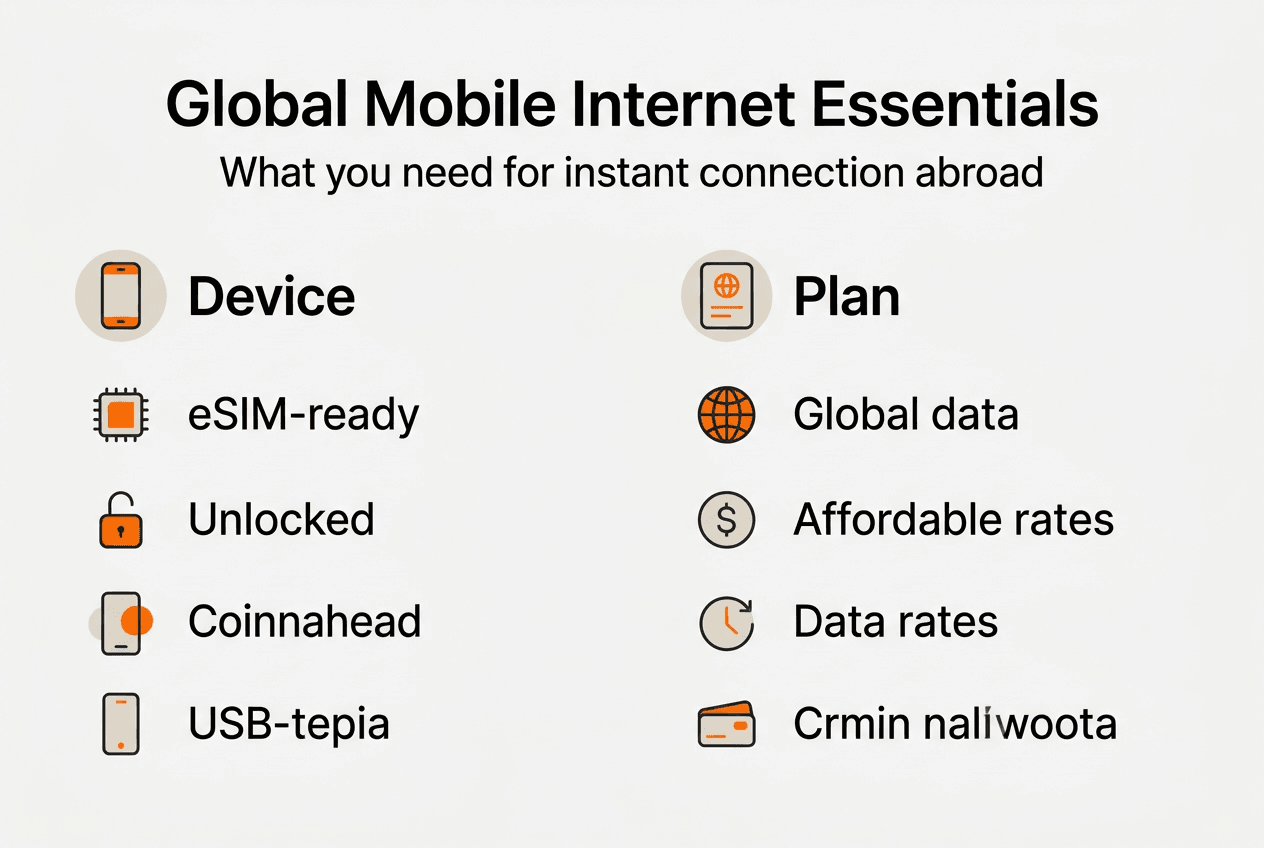
Pro Tip: Check your device’s eSIM compatibility by going to Settings, looking for Cellular or Mobile Data options, and confirming whether “Add eSIM” or “Add Data Plan” appears. If you see these options, you’re ready to go.
Here’s a quick comparison of global data plan types:
| Plan Type | Coverage | Best For | Typical Cost |
|---|---|---|---|
| Regional eSIM | Single continent | Focused travel in Europe, Asia, or Americas | $15-40 for 5-10GB |
| Global eSIM | 100+ countries | Multi-destination trips, digital nomads | $25-60 for 5-15GB |
| Country-Specific | Single nation | Extended stays, business assignments | $10-30 for 3-10GB |
Your hardware components include the eUICC chip soldered into your device, which stores and manages multiple eSIM profiles simultaneously. The local profile assistant (LPA) software on your device handles profile downloads and switching. Together, these elements create a flexible system where you can maintain your home carrier profile while adding travel profiles as needed, switching between them instantly through your device settings.

With the right equipment and plans ready, let’s move on to the step-by-step process of getting connected.
Step-by-step guide to activating and managing your global mobile internet
Activating your global mobile internet through eSIM involves five straightforward steps that take less than 10 minutes. Start by purchasing a data plan from a trusted eSIM provider that covers your destination countries. Reputable providers offer transparent pricing, clear coverage maps, and customer support. During checkout, you’ll receive an activation code, typically in QR code format, delivered to your email within minutes of purchase.
-
Scan the activation code. Open your device settings and navigate to the cellular or mobile data section. Select “Add eSIM” or “Add Data Plan,” then choose “Use QR Code.” Point your camera at the code provided by your eSIM provider. Your device will automatically read the code and initiate the download process.
-
Download the eSIM profile. The profile download initiation and authentication process begins once you scan the code. Your device communicates with the subscription manager to verify your purchase and retrieve the correct profile. This typically takes 30-90 seconds and requires an active internet connection, either through WiFi or your existing mobile data.
-
Label and configure your profile. After download completes, assign a recognizable name to your new eSIM profile, such as “Europe Travel” or “Asia Work.” Configure whether this profile should be your default for cellular data, calls, or messages. You can keep your home carrier active for calls while using the travel eSIM exclusively for data.
-
Enable the profile and verify connectivity. Toggle the new eSIM profile to “On” in your cellular settings. Within a few seconds, you should see network bars appear and a carrier name display. Test your connection by opening a web browser or app that requires internet access. Check the guide to global mobile data access if you encounter any delays.
-
Manage multiple profiles as you travel. Modern devices support storing 5-10 eSIM profiles simultaneously, though only one or two can be active at once depending on your device. As you move between countries, simply go to cellular settings, disable the current travel profile, and enable the appropriate one for your new location. Delete expired profiles to keep your settings organized.
Pro Tip: Take a screenshot of your activation QR code and save it to your photos before traveling. If you need to reinstall the profile due to device issues, you’ll have immediate access without searching through emails.
Managing your global mobile internet becomes second nature after the first activation. You can switch between profiles in under 30 seconds, making it easy to optimize for local rates and coverage as you cross borders. Keep your home carrier profile installed but disabled to receive important calls and messages through WiFi calling when available.
After setting up your eSIM profile, it’s important to understand common issues and troubleshooting tips to maintain seamless internet.
Troubleshooting common issues and ensuring secure global connectivity
Even with proper setup, you might encounter connectivity challenges that require quick fixes. Device compatibility issues top the list of problems travelers face. If your eSIM profile won’t download, first verify your device actually supports eSIM technology and isn’t carrier-locked. Some phones sold through carriers have eSIM functionality disabled or restricted to specific networks. Contact your original carrier to request an unlock if you purchased your device through a contract.
Connectivity drops or slow speeds often result from network congestion or incorrect APN settings. Toggle airplane mode on for 10 seconds, then off again to force your device to reconnect to the strongest available tower. If problems persist, manually check your APN (Access Point Name) settings in the cellular menu. Your eSIM provider should supply correct APN details, which tell your device how to connect to the carrier’s data network. Incorrect APN configuration prevents internet access even when you have signal bars.
Profile activation failures usually stem from authentication errors during download. The certification and secure communication protocols require proper handshakes between your device and the subscription manager. Ensure you have a stable internet connection through WiFi when downloading profiles. Weak or intermittent connections interrupt the authentication process, causing downloads to fail partway through. Delete any partially downloaded profiles and restart the process on a reliable connection.
Security concerns require attention when using global mobile internet. Certified eSIM providers implement transport layer security (TLS) and elliptic curve cryptography to protect your profile data during transmission and storage. Verify your provider displays security certifications and follows GSMA standards. Avoid downloading profiles from unknown sources or clicking suspicious links claiming to offer free international data, as these could compromise your device or personal information.
- Update your device software regularly to receive the latest security patches and eSIM functionality improvements.
- Monitor your data usage through your device settings or provider app to avoid unexpected overage charges.
- Keep your eSIM provider’s customer support contact information readily available for quick assistance.
- Test your connection immediately upon arrival in each new country rather than waiting until you urgently need internet access.
- Review the avoiding roaming fees strategies to ensure your settings prevent accidental roaming on expensive networks.
“Security aspects of eSIM include certification, secure communication, TLS, and elliptic curve algorithms for profile protection, ensuring your data remains private across global networks.”
Common error messages and their solutions include “Unable to Complete Cellular Plan Change” (restart device and retry), “Cellular Plan Cannot Be Added” (verify device isn’t carrier-locked), and “No Internet Connection” (check APN settings and data roaming toggle). Most issues resolve within minutes once you identify the root cause. Contact your eSIM provider’s support team if problems persist beyond basic troubleshooting, as they can verify account status and push profile updates remotely.
Understanding how to troubleshoot helps maintain your connection, next let’s overview what you can expect once properly set up.
What to expect: benefits and results of using global mobile internet with eSIM
Switching to eSIM for your global connectivity delivers immediate and lasting advantages that transform how you travel and work remotely. Cost savings rank as the most tangible benefit. Traditional international roaming charges often exceed $10 per megabyte or $100+ per gigabyte, turning a simple map lookup or email check into an expensive mistake. Global eSIM plans typically cost $5-8 per gigabyte, reducing your connectivity expenses by 90% or more compared to roaming. Over a year of frequent travel, these savings easily reach thousands of dollars.
Convenience factors make eSIM technology particularly valuable for digital nomads and business travelers. The seamless switching between carriers globally eliminates airport SIM card kiosks, language barriers with local carriers, and the risk of losing tiny physical cards. You can research and purchase data plans from your hotel room, activate them instantly, and start working within minutes of landing. No more hunting for carrier stores in unfamiliar cities or dealing with incompatible SIM sizes.
Connectivity reliability improves because eSIM providers partner with multiple local networks in each country. If one carrier has weak coverage in your area, you can switch to an alternative profile that uses a different network. This redundancy proves crucial when working from remote locations or traveling through rural areas. Your eSIM for digital nomads setup can include backup profiles for critical connectivity needs.
Device management becomes remarkably simple with eSIM technology. Instead of carrying multiple physical SIM cards and a SIM ejector tool, you store several profiles digitally on one device. Switching takes seconds through your settings menu. This capability particularly benefits people who maintain phone numbers in multiple countries for business purposes or family connections. You can keep your home number active for calls while using local data profiles, all without swapping cards or carrying multiple phones.
- Instant activation means connectivity the moment you land, not after finding a carrier store.
- Flexible plans let you buy exactly the data you need for each trip without long-term contracts.
- Multiple device support extends coverage to tablets and laptops that share your connectivity needs.
- Environmental benefits reduce plastic waste from disposable SIM cards and packaging.
- Network quality often matches or exceeds what locals use, giving you genuine high-speed access.
Here’s what typical users experience across different travel patterns:
| User Type | Monthly Cost | Countries Visited | Data Usage | Primary Benefit |
|---|---|---|---|---|
| Occasional Traveler | $20-40 | 2-3 | 3-5GB | Avoiding roaming fees |
| Digital Nomad | $40-80 | 4-8 | 15-30GB | Reliable work connectivity |
| Business Traveler | $50-100 | 5-10 | 10-20GB | Instant activation |
| Long-term Expat | $30-60 | 1-2 | 20-40GB | Local network rates |
The top global data solutions combine competitive pricing with extensive coverage and responsive customer support. You should expect 4G LTE speeds as a baseline, with 5G available in major cities across developed countries. Video calls, cloud file syncing, and streaming work smoothly on quality eSIM connections. Response times for customer support inquiries typically range from minutes to a few hours, with 24/7 availability from leading providers.
Long-term users report increased productivity because connectivity concerns no longer dominate their travel planning. You can accept last-minute international assignments, extend trips spontaneously, or work from anywhere without connectivity anxiety. The mental freedom of knowing you’ll have reliable internet wherever you go removes a significant travel stressor.
Having explored the outcomes, here’s how you can take the next step towards seamless global connectivity.
Discover Lumo eSIM for instant global data plans
You’ve learned how eSIM technology revolutionizes global connectivity, and now it’s time to experience these benefits firsthand. Lumo provides instant activation eSIM plans covering over 160 countries, designed specifically for travelers and remote workers who refuse to compromise on internet reliability. Our platform eliminates the complexity of international connectivity, offering transparent pricing, flexible data packages, and 24/7 support when you need it most.
Whether you’re planning a two-week vacation or embarking on a year of digital nomadism, Lumo eSIM instant plans deliver the coverage and performance you need. Our QR code activation takes under five minutes, and our competitive rates ensure you’re never paying more than necessary for quality connectivity. Join thousands of travelers who’ve already made the switch to smarter global internet.
Ready to stay connected anywhere? Let’s answer your common questions about global mobile internet next.
Frequently asked questions about getting global mobile internet
Which devices support eSIM for global internet?
Most smartphones released after 2018 support eSIM technology, including iPhone XS and newer, Samsung Galaxy S20 and later, and Google Pixel 3 and up. Many tablets like iPad Pro and iPad Air models also include eSIM capability. Check your device settings under Cellular or Mobile Data for an “Add eSIM” option to confirm compatibility.
How much does global mobile internet cost with eSIM plans?
Global eSIM plans typically range from $15-60 depending on coverage area and data allowance. Regional plans covering single continents cost $15-40 for 5-10GB, while worldwide plans spanning 100+ countries run $25-60 for 5-15GB. These rates represent 80-90% savings compared to traditional roaming charges.
Can I use multiple eSIM profiles on one device?
Yes, modern devices store 5-10 eSIM profiles simultaneously, though only one or two can be active at once depending on your device model. You can switch between profiles in seconds through your cellular settings, making it easy to optimize for different countries or data needs. This flexibility lets you maintain your home carrier while adding travel profiles.
What do I do if my eSIM profile fails to activate?
First, verify you have a stable internet connection through WiFi when downloading the profile. Toggle airplane mode on and off to reset your cellular connection, then try the activation process again. If problems persist, delete any partially downloaded profiles and ensure your device isn’t carrier-locked. Contact your eSIM provider’s support team for assistance with persistent activation failures.
Is my data secure when using global mobile internet via eSIM?
Yes, certified eSIM providers implement transport layer security and elliptic curve cryptography to protect your profile data and connections. The GSMA standards require secure authentication between your device and network operators. Choose providers that display security certifications and follow industry standards. Review the avoiding roaming fees guide for additional security best practices when traveling internationally.
Recommended
Related Topics
Stay Connected Anywhere
Get instant eSIM data plans for 160+ countries. No physical SIM required.