Cross-Device Connectivity Explained for Modern Users

TL;DR:
- Cross-device connectivity enables devices to communicate, share data, and transfer tasks automatically through linked accounts and network protocols. Proper management of connections, permissions, and network conditions is essential to maintain security, battery efficiency, and seamless user experience.
Cross-device connectivity is defined as the technology that lets your phone, tablet, laptop, and other devices communicate, share data, and hand off tasks to each other automatically. The industry term for this broader capability is cross-platform device integration. Understanding how it works gives you real control over your digital setup, whether you’re a remote worker switching between a Chromebook and an Android phone or a traveler managing data across multiple devices. This article covers the core mechanisms, the leading platforms, the real security trade-offs, and the practical steps to get the most from your multi-device setup.
Cross-device connectivity explained: how it actually works
Two distinct methods power cross-device tracking: deterministic and probabilistic. Deterministic tracking uses authenticated login data, meaning your Google Account or Apple ID confirms which devices belong to you. Probabilistic tracking infers connections from shared signals like IP address, device type, and behavior patterns. Most consumer platforms use deterministic methods because they are more accurate and easier to secure.

Bluetooth and Wi-Fi are the physical layer underneath all of this. Wi-Fi routers broadcast beacon frames roughly every 100 milliseconds, which is how your devices detect and join networks automatically. Bluetooth Low Energy (BLE) handles short-range device discovery, letting your phone find nearby tablets or earbuds without draining the battery heavily.
Background services tie everything together. These are lightweight processes that run continuously, watching for nearby devices and coordinating data transfers. Without them, your phone would not know your Chromebook is on the same network.
Key technologies that make cross-device communication work:
- Account authentication: A shared Google Account or Apple ID links devices at the software level.
- Bluetooth Low Energy: Handles short-range discovery and pairing without heavy battery use.
- Wi-Fi networking: Provides the bandwidth for actual data transfer between devices.
- Background services: Persistent processes that monitor device presence and trigger connections.
- Beacon frames: Wi-Fi signals broadcast every 100 ms that devices use to detect available networks.
Pro Tip: Keep Bluetooth enabled even when you are not actively using it. Many cross-device features like Android’s Instant Hotspot rely on BLE for initial device discovery before switching to Wi-Fi for data transfer.
How do Android Cross Device Services compare to Apple Handoff?
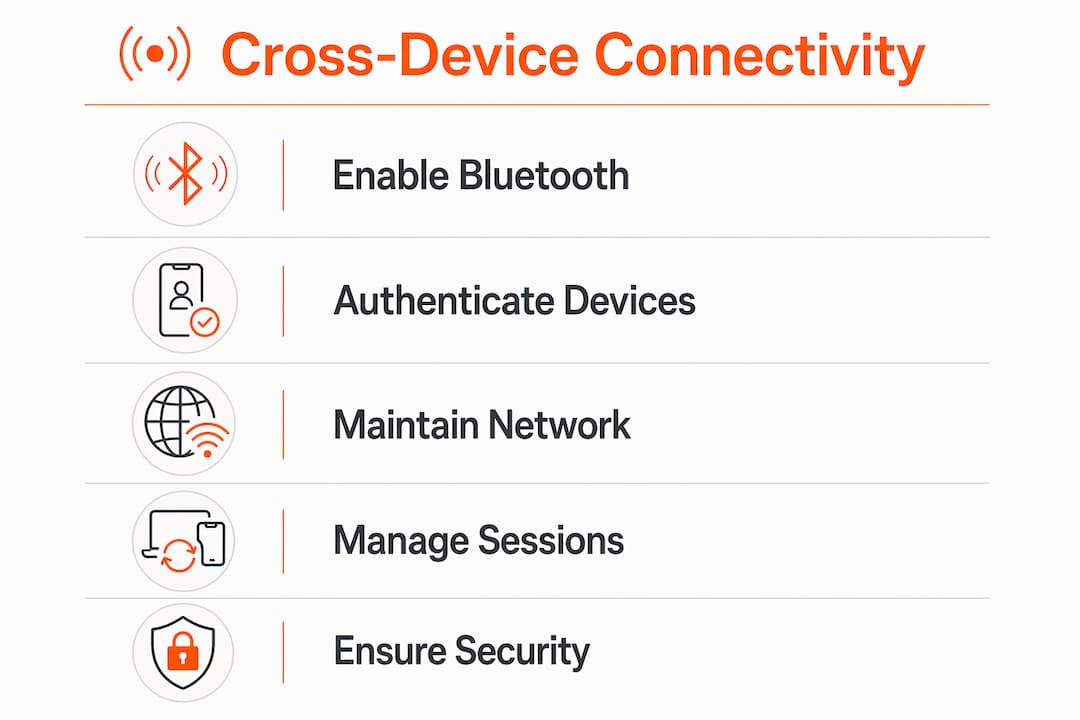
Android Cross Device Services is the clearest example of cross-platform device integration done at scale. The service lets phones, tablets, and Chromebooks on the same Google Account share phone calls, internet connections, and upcoming task handoffs across devices. Apple’s Handoff feature does something similar within the Apple ecosystem, letting you start an email on an iPhone and finish it on a Mac.
The table below compares the two systems on the features that matter most to professionals and travelers.
| Feature | Android Cross Device Services | Apple Handoff |
|---|---|---|
| Call casting | Yes, phone calls route to Chromebook or tablet | Yes, via iPhone Cellular Calls on Mac |
| Instant hotspot | Yes, automatic tethering without manual setup | Yes, via iPhone Personal Hotspot |
| Task handoff | Upcoming feature in development | Active, works across Safari, Mail, Maps |
| Device types supported | Android phones, tablets, Chromebooks | iPhone, iPad, Mac, Apple Watch |
| Account requirement | Google Account | Apple ID |
| Daily battery impact | 1–3% background usage | Not publicly listed |
The battery figure for Android Cross Device Services is worth noting. A 1–3% daily drain for a background process that manages all device detection and service coordination is a reasonable trade-off for most users.
Pro Tip: If your Android battery is draining faster than expected, check whether Instant Hotspot is enabled. It scans frequently for nearby devices and is the most battery-intensive feature in the suite. Disable it in settings when you are not using it.
What are the security risks of cross-device data sharing?
Cross-device data sharing introduces real security considerations that most users overlook. The biggest risk is not hacking. It is misconfiguration. If a device on your account is lost or stolen, it can still receive calls, messages, and hotspot access until you revoke it from your account settings.
Bluetooth Low Energy devices depend on mobile apps as gateways. If the app is not running in the background, the device cannot sync data with the cloud. This creates a gap: you may think your devices are connected when they are not actively exchanging data.
Wi-Fi connectivity adds another layer of complexity. A device showing as “connected” to Wi-Fi does not guarantee internet access. Correct DHCP and DNS operation at the network layer are required for actual data flow. Wireless interference from microwaves, overlapping Wi-Fi channels, and other Bluetooth devices can degrade performance even when the connection indicator looks fine.
Key security practices for multi-device setups:
- Review connected devices regularly: Check your Google Account or Apple ID for devices you no longer use and remove them.
- Enable screen locks on all devices: A connected device without a lock is an open door.
- Use encrypted networks: Public Wi-Fi without a VPN exposes cross-device traffic to interception.
- Keep apps running in the background selectively: Only grant background permissions to apps that genuinely need them for connectivity.
Cross-device security is not a one-time setup. It requires periodic audits of which devices have access to your account and which apps have background permissions.
How to manage cross-device connectivity for a better experience
Consistent setup across all devices is the foundation of reliable cross-platform device integration. All devices must use the same Google Account or Apple ID, and Bluetooth must be enabled on each one. Without both conditions, most cross-device features simply will not activate.
- Sign in to the same account on every device. Google Account or Apple ID is the authentication layer. Mismatched accounts break the link entirely.
- Keep devices on the same Wi-Fi network when possible. Many features like call casting and task handoff require local network proximity, not just account linkage.
- Disable Instant Hotspot when not traveling. This single change reduces background scanning and extends battery life without losing any other cross-device feature.
- Grant background app permissions deliberately. Apps need background operation to act as BLE gateways for connected hardware. Limit this to apps you actively use for connectivity.
- Use session continuity tools for work tasks. Decoupling session state from the transport connection means you can switch from your phone to your laptop mid-task without losing context. Tools built on publish-subscribe channels handle this automatically.
For travelers, the network layer matters even more. Switching between local carrier networks while abroad can interrupt cross-device services that depend on a stable IP address. Understanding multi-device connectivity for travelers helps you anticipate and avoid these gaps before they disrupt your workflow.
Key Takeaways
Cross-device connectivity works best when account authentication, Bluetooth, and a stable network are all active simultaneously across every device you own.
| Point | Details |
|---|---|
| Two tracking methods exist | Deterministic uses login data; probabilistic infers connections from IP and behavior patterns. |
| Android and Apple lead the market | Android Cross Device Services and Apple Handoff both require a shared account and local network proximity. |
| Battery drain is manageable | Android Cross Device Services uses 1–3% battery daily; disabling Instant Hotspot reduces this further. |
| Security requires active management | Review connected devices and app permissions regularly, not just at initial setup. |
| Session continuity needs its own strategy | Decoupling session state from the transport connection prevents data loss when switching devices mid-task. |
Why I think most people are managing this backwards
Most professionals I talk to treat cross-device connectivity as a set-it-and-forget-it feature. They sign into their Google Account on three devices and assume everything will work perfectly forever. That assumption is where the problems start.
The real skill is understanding session management, not just device pairing. Knowing that a “connected” Wi-Fi status does not guarantee internet access, or that a BLE device goes dark the moment its companion app loses background permission, changes how you troubleshoot. You stop blaming the network and start checking the right layer.
Privacy is the other side of this. Every device you add to your account expands the surface area for data exposure. Convenience and privacy pull in opposite directions here. The right balance is not maximum connectivity on every device. It is deliberate connectivity, where you know exactly which devices share what, and you audit that list every few months.
The FIDO Alliance’s Credential Exchange Protocol is the development worth watching. It will eventually let passkeys sync across ecosystems without locking you into Google or Apple. That is the moment cross-device connectivity becomes genuinely platform-neutral.
— Bogdan
Global connectivity for multi-device travelers with Lumo
Managing cross-device connectivity gets harder the moment you cross a border. Carrier switching, roaming charges, and unstable local networks all disrupt the account-based services your devices depend on.
Lumo’s instant global data plans cover over 160 countries and activate via QR code in minutes, giving your phone, tablet, and laptop a consistent, high-speed connection without the disruption of swapping physical SIM cards. A stable, single-carrier connection keeps your cross-device features running as expected, whether you are casting calls to a Chromebook in Tokyo or handing off tasks between devices in Berlin. Lumo also supports multiple eSIM profiles, so you can manage connectivity across devices from one account. For professionals and travelers who rely on multi-device eSIM connectivity, Lumo removes the network layer as a variable.
FAQ
What is cross-device connectivity?
Cross-device connectivity is the technology that lets multiple devices, such as phones, tablets, and laptops, communicate and share data through shared accounts, Bluetooth, and Wi-Fi. It is also called cross-platform device integration in technical contexts.
How does Android Cross Device Services work?
Android Cross Device Services runs a background process that detects nearby devices on the same Google Account and enables features like call casting, instant hotspot, and task handoff across Android phones, tablets, and Chromebooks.
Does cross-device connectivity drain battery?
Android Cross Device Services uses 1–3% battery per day during standard background operation. The Instant Hotspot feature causes the most drain because it scans continuously for nearby devices and can be disabled in settings when not needed.
Is cross-device data sharing secure?
Cross-device data sharing is generally secure when devices use encrypted networks and accounts are properly managed. The main risk is misconfiguration, such as leaving old devices connected to your account or granting unnecessary background permissions to apps.
Why do my devices lose connection even when Wi-Fi shows as connected?
A connected Wi-Fi status does not guarantee internet access. Actual data flow requires correct DHCP and DNS operation at the network layer. Interference from microwaves, overlapping channels, or other Bluetooth devices can also degrade performance without dropping the connection indicator.
Recommended
Related Topics
Stay Connected Anywhere
Get instant eSIM data plans for 160+ countries. No physical SIM required.