Multi-device connectivity explained: seamless data for travelers

TL;DR:
- Multi-device connectivity uses a single eSIM to reliably share internet across all devices during travel.
- eSIM technology offers higher uptime and lower costs compared to traditional roaming services.
- Setting up multiple eSIM profiles and automations ensures seamless switching and consistent connectivity worldwide.
Travelers waste hundreds of dollars every year on roaming fees, only to end up with sluggish connections and dropped video calls at the worst possible moments. Managing a laptop, phone, tablet, and smartwatch across multiple countries feels like juggling live grenades. The good news is that a growing number of frequent travelers and remote workers have figured out a smarter system, one that keeps every device reliably online without the bill shock. This guide breaks down exactly how multi-device connectivity works, what the data actually shows, and how you can set it up before your next trip.
Table of Contents
- What is multi-device connectivity and why does it matter?
- How eSIM technology enables seamless multi-device use
- Real-world performance: Reliability, uptime, and cost benchmarks
- Practical setup: Making your devices work together, anywhere
- Why most travelers still struggle—and what actually works
- Explore seamless global connectivity with Lumo eSIM
- Frequently asked questions
Key Takeaways
| Point | Details |
|---|---|
| Central device as hub | Use your smartphone with eSIM as a single hotspot to keep all your devices online worldwide. |
| Dramatic cost savings | Switching to eSIM cuts roaming costs by up to 75 percent, making travel data plans more affordable. |
| Superior reliability | Top eSIM solutions deliver near-100 percent uptime and stable connections for even remote locations. |
| Easy multi-country switching | With multiple profiles, change plans with a tap rather than swapping out physical SIMs abroad. |
What is multi-device connectivity and why does it matter?
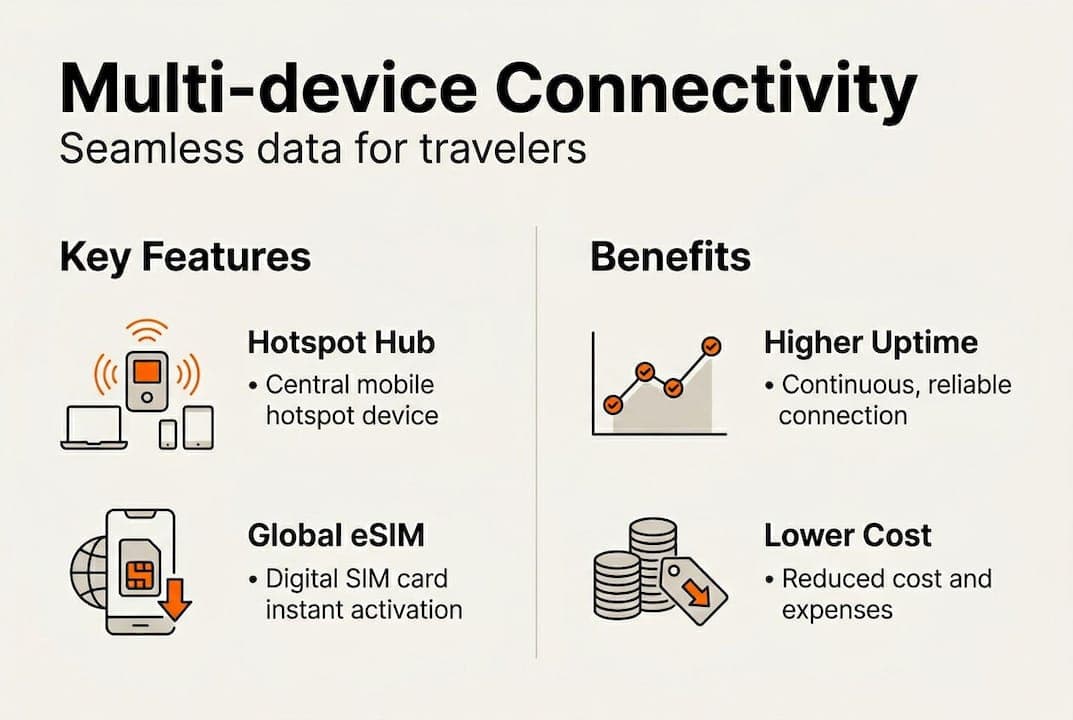
Multi-device connectivity simply means keeping several devices connected to the internet through a single, centralized data source while you travel. Think of your smartphone as the command center, feeding internet access to your laptop, tablet, and wearables through a shared hotspot or paired connection.
For remote workers and frequent travelers, the devices in play typically include:
- Smartphone (primary hub)
- Laptop (work and video calls)
- Tablet (content and secondary work)
- Smartwatch or wearables (notifications and health tracking)
- Portable hotspot or router (optional backup)
Losing connectivity mid-meeting or during a critical file upload is not just frustrating. It costs real money and damages professional credibility. A dropped call with a client in Tokyo or a failed upload in a Berlin café can set back an entire workday.
“Reliable connectivity is no longer a luxury for remote workers. It is the infrastructure their income depends on.”
The smartest approach, as covered in our multi-device eSIM explained guide, is to use your phone as the central hub. eSIM technology enabling dual/multiple SIM setups on smartphones lets them serve as hotspots for laptops, tablets, and wearables simultaneously. For more on managing data wisely across borders, our global data tips are worth bookmarking.
How eSIM technology enables seamless multi-device use
An eSIM (embedded SIM) is a digital SIM card built directly into your device. You do not insert a physical card. Instead, you download a carrier profile over the air in minutes, often by scanning a QR code.
Here is how a typical multi-device setup comes together:
- Purchase a regional or global eSIM plan before or after landing.
- Scan the QR code and install the profile on your smartphone.
- Enable Personal Hotspot on your phone to share data with your laptop and tablet.
- Set a backup eSIM profile from a secondary carrier for failover coverage.
- Configure automations (on iOS Shortcuts or Android routines) to switch profiles based on location.
The difference between a classic SIM and a multi-profile eSIM setup is significant. A physical SIM locks you to one carrier. A multi-device eSIM setup lets you store and switch between multiple carrier profiles without touching the hardware.
| Feature | Physical SIM | Single eSIM | Multi-profile eSIM |
|---|---|---|---|
| Carrier switching | Manual swap | App-based | Instant, automated |
| Profiles stored | 1 | 1-2 | Up to 8-10 |
| Hotspot sharing | Yes | Yes | Yes |
| Failover support | No | Limited | Yes |
| Travel readiness | Low | Medium | High |
Multiple eSIM profiles (up to 8-10 on iOS), with varying limits on Android, allow a primary-backup failover model. The iPhone 16, for example, supports two active eSIMs simultaneously with automatic switching. Our guide on managing multiple eSIMs walks through profile organization in detail.

Pro Tip: Label each eSIM profile by region (e.g., “EU Work,” “Asia Backup”) in your phone settings. This makes switching fast and eliminates confusion when you cross borders.
Real-world performance: Reliability, uptime, and cost benchmarks
Understanding the tech is one thing. Seeing real results helps cement the value. Here is what the numbers show.
Most travelers assume roaming from their home carrier is the safe, reliable choice. The data disagrees. eSIMs achieve 99.8% uptime in multi-country tests, compared to just 87% for traditional home roaming. That gap translates directly into dropped calls, failed uploads, and frustrated clients.
The cost difference is equally striking:
- eSIM regional plan: Approximately $29.90 fixed for 10GB across EU countries
- Home carrier roaming overage: Often exceeds $112 for equivalent usage
- Latency on top eSIM providers: A stable 40 to 120ms, comparable to home broadband
“Paying roaming rates in 2026 is like paying for overnight mail when email exists. The alternative is faster, cheaper, and more reliable.”
Here is a quick side-by-side comparison:
| Metric | Home roaming | eSIM (regional plan) |
|---|---|---|
| Uptime | 87% | 99.8% |
| Cost per 10GB (EU) | ~$112 | ~$29.90 |
| Latency | Variable | 40-120ms |
| Setup time | Pre-set | Under 5 minutes |
| Coverage countries | Carrier-dependent | 150-160+ |
For a deeper breakdown, our roaming vs eSIM costs comparison and eSIM cost savings guide cover the math across different regions and plan types.
Practical setup: Making your devices work together, anywhere
Now let’s translate understanding and evidence into clear action. Here is how to build a reliable multi-device setup before your next trip.
Step-by-step setup:
- Check eSIM compatibility on your phone, laptop, and tablet before traveling.
- Buy a primary eSIM plan covering your main destination or region.
- Install a backup eSIM from a different carrier for failover resilience.
- Set your phone as the hotspot hub, connecting your laptop and tablet.
- Use automations to switch profiles when you enter a new country.
67% of remote workers and digital nomads face connectivity failures during travel. Dual eSIM failover with regional plans covering 39 or more EU countries, or broader plans spanning 150 to 200 countries, dramatically reduces that risk.
Common pitfalls to avoid:
- Forgetting to pre-install profiles before landing (some regions have poor app store access)
- Using only one eSIM with no backup when coverage drops
- Leaving hotspot on 24/7, which drains battery and burns through data
- Not checking device compatibility for the destination’s network bands
Pro Tip: Pair a primary regional eSIM with a global backup plan. If your main connection drops in a remote area, your phone automatically switches to the backup. Your laptop and tablet never notice the difference.
For budget-conscious setups, our affordable travel data plans resource compares the best options by region and trip length. The eSIM basics from Apple Support also clarify which iPhone models support simultaneous dual-eSIM hotspot sharing.
Why most travelers still struggle—and what actually works
Here is the uncomfortable truth: most connectivity advice tells you to buy a local SIM at the airport or find café Wi-Fi. Both are outdated strategies that introduce real risk. Airport SIMs lock you into a single carrier with no failover. Public Wi-Fi exposes your work data to serious security threats.
What we consistently see across hundreds of user scenarios is that travelers who centralize everything through a single eSIM-enabled phone, with a backup profile and automated switching, almost never experience meaningful downtime. Those who juggle multiple physical SIMs or rely on venue Wi-Fi report the most frustration.
The shift in mindset is simple but powerful. Treat your phone as the single control point for all your devices. Everything else connects through it. This approach, covered in depth in our multi-device eSIM insights, removes the variables that cause most connectivity failures abroad.
Explore seamless global connectivity with Lumo eSIM
If you are ready to stop overpaying for unreliable roaming and start traveling with every device reliably connected, Lumo makes it straightforward. With coverage across more than 160 countries, instant QR code activation, and flexible data plans built for frequent travelers and remote workers, getting online anywhere is genuinely simple.

Browse Lumo eSIM global plans to find the right fit for your next trip, or check all destinations covered to confirm your countries are included. No SIM swaps, no surprise bills, no dead zones.
Frequently asked questions
How can I use one data plan across all my devices while traveling?
Use your eSIM-enabled smartphone as a hotspot hub, connecting your laptop, tablet, or wearables to its data wherever you are. eSIM-enabled smartphones serving as hotspots for multiple devices is the most reliable and cost-effective approach available today.
Is eSIM better than traditional roaming for remote workers?
Yes. eSIMs deliver 99.8% uptime versus 87% for home roaming, at a fraction of the cost, making them the clear choice for anyone who depends on reliable connectivity for work.
How many eSIM profiles can I have on my iPhone or Android?
You can store up to 8-10 eSIM profiles on most iOS devices, with Android limits varying by manufacturer, and the latest iPhones support two active eSIMs simultaneously.
Do I need to swap SIMs when moving countries?
No. With a multi-profile eSIM device, you simply activate the appropriate plan for your destination digitally. Multiple eSIM profiles with failover mean no physical SIM swap is ever necessary.
Recommended
- 6 main types of travel connectivity for seamless trips | Lumo eSIM Store
- Global Data Plans: Seamless Travel Connectivity | Lumo eSIM Store
- The ultimate international travel tech checklist for 2026 | Lumo eSIM Store
- Lumo eSIM - Instant Global Data Plans for Travelers
- Digitalize Employee Relocation - xpath.global
Related Topics
Stay Connected Anywhere
Prepaid eSIM data plans for 180+ countries and territories. No physical SIM required.