6 main types of travel connectivity for seamless trips

Picking the right way to stay online while traveling internationally is one of the most underrated decisions a digital nomad makes. Get it wrong and you’re staring at a $300 roaming bill or hunting for a coffee shop with decent WiFi in the middle of a work call. The six main connectivity types for travelers include traditional roaming, local SIM cards, travel eSIMs, pocket WiFi, public WiFi, and satellite internet. Each has real trade-offs in cost, speed, and convenience. This guide breaks all of them down so you can make a confident, informed choice before your next trip.
Table of Contents
- How to evaluate travel connectivity options
- Traditional international roaming
- Local physical SIM cards
- Travel eSIMs: The digital nomad’s favorite
- Pocket WiFi and mobile hotspots
- Satellite internet for remote areas
- Public and hotel WiFi networks
- Connectivity comparison: Speed, cost, and best use cases
- Pro tips for seamless global connectivity
- Ready for hassle-free travel connectivity?
- Frequently asked questions
Key Takeaways
| Point | Details |
|---|---|
| eSIMs offer best value | For most international travelers, eSIMs provide cost-effective and flexible connectivity without swapping SIM cards. |
| Roaming is costly | International roaming may be convenient but is usually expensive and slower than local or digital choices. |
| Layer connections for reliability | Combining cellular, WiFi, and satellite ensures you stay connected in nearly any situation. |
| Know your device limits | Device compatibility and local regulations may impact your connectivity options, so always check before departure. |
| Public WiFi needs safeguards | Public and hotel WiFi can supplement but require VPNs for safe use—never rely on them for sensitive work. |
How to evaluate travel connectivity options
Before diving into each option, it helps to have a clear framework. Not every traveler needs the same thing. A solo digital nomad hopping between five countries in a month has completely different needs than a couple on a two-week beach vacation.
The core factors to weigh are:
- Speed and reliability: Can you handle video calls and large file uploads without interruption?
- Cost: What are the upfront and ongoing data costs, including hidden fees?
- Ease of activation: Can you get connected in minutes, or does it require paperwork and a local store visit?
- Device compatibility: Does your phone, tablet, or laptop support the solution?
- Coverage: Does the option work in every country or region on your itinerary?
- Security: Is the connection encrypted and safe for sensitive work?
Layering connections is a smart move. Using a cellular eSIM as your primary connection and supplementing with WiFi or satellite for backup gives you the kind of redundancy that keeps you online even when one method fails. As roaming vs. local SIM comparisons show, roaming is convenient but avoided due to bill shock, local SIMs are cheapest for single countries but a hassle for multiple destinations, and public WiFi is unreliable and unsafe as a primary source.
Pro Tip: Before any international trip, review your travel tech tips checklist and confirm your primary and backup connectivity methods are both tested and ready.
Traditional international roaming
Roaming is the path of least resistance. Your home SIM works abroad automatically, no setup required. For a quick weekend trip where you barely use data, it can be perfectly fine.
But the costs are brutal for heavy users. Roaming rates can hit $5 to $20 per megabyte on some carriers, and even “international plans” often throttle your speeds after a small data cap. Digital nomads who rely on video calls, cloud storage, or VPNs will burn through those caps fast.
Key pros and cons:
- Pro: Zero setup, works the moment you land
- Pro: One bill, one account to manage
- Con: Extremely high costs for data-heavy users
- Con: Frequent throttling after small data thresholds
- Con: Poor value for trips longer than a few days
“Roaming is best treated as an emergency backup, not a primary connectivity strategy for anyone who works or communicates heavily while traveling.”
For a detailed breakdown of what roaming actually costs versus alternatives, the comparison of roaming fees vs eSIM is eye-opening. If you want a full strategy for avoiding roaming fees, there are proven methods that save hundreds per trip.
Local physical SIM cards
Buying a local SIM on arrival is the classic budget move. In most countries, you can grab a prepaid SIM at the airport or a convenience store for a few dollars and get solid local data rates.
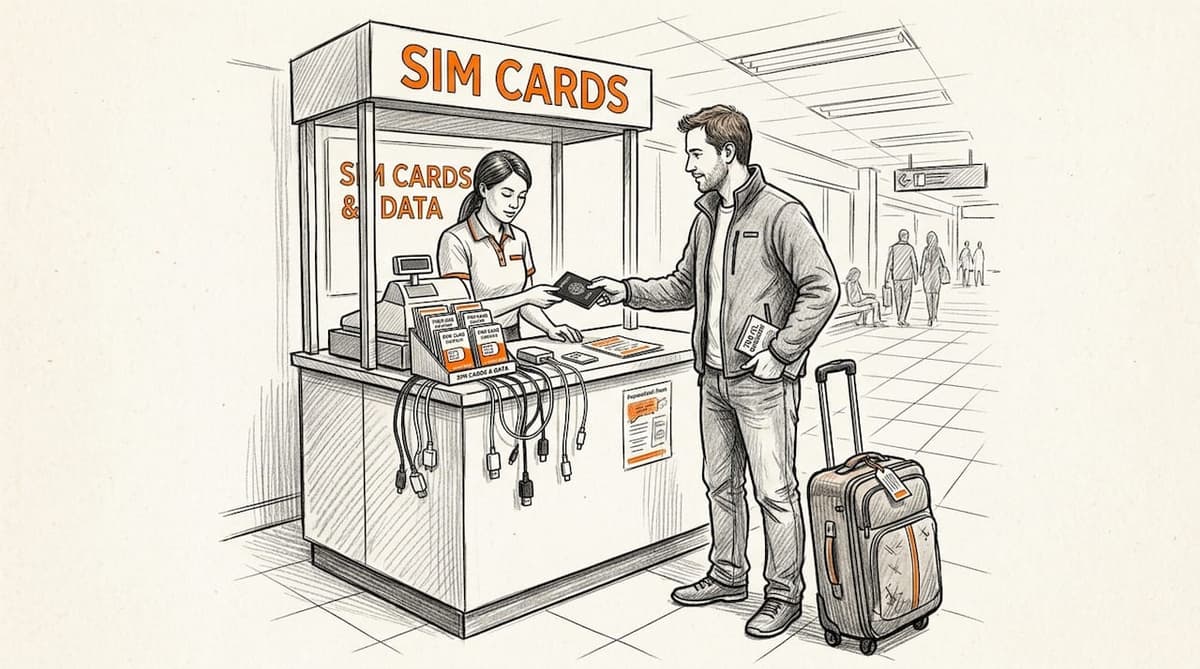
The savings are real. Local SIMs are the cheapest single-country option, but they become a hassle when you’re crossing multiple borders. Every new country means a new SIM, a new number, and sometimes a registration process requiring your passport.
Pros and cons at a glance:
- Pro: Lowest cost for data in a single country
- Pro: Widely available in most destinations
- Con: Requires physical SIM swap every time you change countries
- Con: Some countries require local ID or passport registration
- Con: Not compatible with eSIM-only or carrier-locked devices
Pro Tip: If you’re visiting just one country for more than a week, a local SIM is hard to beat on price. But if your itinerary spans three or more countries, the time and friction of switching carriers abroad adds up fast.
Travel eSIMs: The digital nomad’s favorite
eSIMs (embedded SIMs) are digital profiles you download directly to your device. No physical card, no store visit, no SIM tray. You scan a QR code, activate the plan, and you’re online, often before you even board your flight.
For frequent travelers, the eSIM benefits are hard to ignore. You get local-like data rates across dozens of countries, instant activation, and the ability to keep your home number active on the same device. Data costs for eSIMs typically run $5 to $30 per 10GB, which is a fraction of roaming rates.
Key advantages and watch-outs:
- Pro: Instant digital activation, no physical swap needed
- Pro: Seamless global connectivity with local-like pricing
- Pro: Keep your home number active simultaneously
- Con: Requires an eSIM-compatible device
- Con: Some carriers lock eSIM functionality
- Con: Certain countries (like Vietnam) have ID requirements or restrictions
“eSIMs are the closest thing to a universal travel connectivity solution, especially when paired with a satellite backup for truly remote destinations.”
For travelers who want to compare providers, checking out the top travel eSIMs for globetrotters is a great starting point. And if you’re focused on budget, the guide to saving on roaming charges shows exactly how much you can save by switching.
Pocket WiFi and mobile hotspots
Pocket WiFi devices are small, battery-powered routers that create a personal WiFi network using a local SIM or eSIM inside. You connect your phone, laptop, and tablet all at once, which makes them popular for groups and multi-device travelers.
Pocket WiFi is a portable device that creates a shared WiFi network, ideal for groups or multi-device setups, but it requires charging and battery management. Rental costs typically run $5 to $15 per day, with speeds averaging 10 to 50 Mbps.
| Feature | Pocket WiFi |
|---|---|
| Cost | $5 to $15 per day |
| Speed | 10 to 50 Mbps |
| Devices supported | Multiple (5 to 10+) |
| Setup | Rental pickup or delivery |
| Best for | Groups, multi-device travelers |
| Main drawback | Requires charging, return logistics |
For WiFi hotspot strategies that work across different travel styles, pairing a pocket WiFi with a personal eSIM gives you both shared and private connectivity options.
Satellite internet for remote areas
When you’re in a mountain cabin, on a sailing route, or driving through rural regions with zero cellular signal, satellite internet is the only real option. Services like Starlink Roam use low-earth orbit (LEO) satellites to deliver broadband speeds almost anywhere on the planet.
Starlink Roam delivers speeds of 25 to 150 Mbps download and 5 to 15 Mbps upload, with latency of 25 to 60 milliseconds, coverage across 150+ countries, and costs ranging from $50 to $200 per month. The hardware runs $599 or more upfront, and you need a clear view of the sky for it to work.
Key considerations:
- Pro: Works in locations with zero cellular coverage
- Pro: Impressive speeds in open-sky conditions
- Con: High hardware and subscription costs
- Con: Requires power source and physical setup
- Con: Not practical for use while moving
For satellite connectivity tips and how to integrate satellite as a backup rather than a primary connection, the layered approach works best for most nomads.
Public and hotel WiFi networks
Public WiFi is everywhere, airports, hotels, cafes, coworking spaces. It’s tempting to rely on it, especially when it’s free. But public WiFi is unreliable and unsafe as a primary connection, and that’s not an exaggeration.
Speeds vary wildly. Security is often nonexistent. And during peak hours at a busy hotel, you might get 1 Mbps shared across hundreds of guests. That’s not a foundation for remote work.
How to use public WiFi safely:
- Always connect through a reputable VPN before accessing any accounts
- Use it only for low-stakes tasks like streaming or casual browsing
- Never access banking, client data, or sensitive work files on public networks
- Treat hotel WiFi the same as any other public network
For public WiFi safety best practices, a VPN is non-negotiable. Think of public WiFi as a supplement, never a replacement for your primary cellular or eSIM connection.
Connectivity comparison: Speed, cost, and best use cases
Here’s a side-by-side look at all six options so you can match the right tool to your travel style.
| Method | Speed | Cost | Best for |
|---|---|---|---|
| International roaming | Often throttled | $5 to $20/MB | Emergency backup |
| Local SIM | 20 to 100 Mbps | Very low | Single-country trips |
| Travel eSIM | 20 to 100+ Mbps | $5 to $30/10GB | Multi-country nomads |
| Pocket WiFi | 10 to 50 Mbps | $5 to $15/day | Groups, multi-device |
| Public WiFi | Unpredictable | Free | Casual supplemental use |
| Satellite (Starlink) | 25 to 150 Mbps | $50 to $200/mo | Remote, off-grid travel |
Based on travel style, here’s the quick decision guide:
- Single-country trip: Get a local SIM for the lowest data cost
- Multi-country travel: Use a travel eSIM for instant, flexible coverage
- Group travel or multi-device: Rent a pocket WiFi device
- Remote or off-grid: Add satellite as a backup or primary
- Any trip: Layer eSIM plus WiFi for redundancy
For a deeper look at cost savings with eSIM versus other methods, the numbers are compelling. And if you’re new to the technology, brushing up on eSIM terminology helps you shop smarter.
Pro tips for seamless global connectivity
Knowing your options is step one. Executing flawlessly is step two. Here are the moves that separate experienced digital nomads from frustrated travelers.
- Test before you fly: Activate your eSIM at home and confirm it connects. Airport WiFi is notoriously unreliable for eSIM activation.
- Choose regional over global eSIMs: Regional eSIMs offer better value than global plans for most multi-country itineraries.
- Layer your connections: Use a cellular eSIM as your primary and satellite or WiFi as backup for true redundancy.
- Install a VPN: Essential for any public WiFi use and for accessing region-locked services.
- Know the local rules: Some countries like Vietnam require ID for SIM registration, and China has VPN restrictions that affect connectivity.
- Fix eSIM errors fast: If your eSIM stops working, toggle airplane mode, manually select your network carrier, or adjust your APN settings. These three steps resolve most eSIM failures abroad.
Pro Tip: For troubleshooting eSIM issues on the fly, screenshot your APN settings and carrier details before you travel. Having that reference offline saves serious time when you’re troubleshooting in a foreign country with no connection.
Ready for hassle-free travel connectivity?
You now have a complete picture of every major connectivity option, what each costs, where each shines, and where each falls short. For most frequent travelers and digital nomads, a travel eSIM is the smartest starting point.

Lumo makes that starting point effortless. With instant activation, coverage across 160+ countries, and flexible plans built for people who actually travel, Lumo’s eSIM instant data plans are designed to match your itinerary, not the other way around. Whether you need a country-specific plan for a focused work trip or a regional plan for a multi-stop adventure, you can find the right fit by exploring the best travel eSIMs available through Lumo. No SIM cards, no roaming surprises, no wasted time at airport kiosks.
Frequently asked questions
What type of travel connectivity is best for frequent international trips?
Travel eSIMs offer the best combination of flexibility, cost, and convenience for most international travelers, and eSIMs are ideal for seamless global connectivity with no physical swap required. Pairing an eSIM with WiFi or satellite extends your coverage even further.
Why avoid international roaming for data abroad?
International roaming is avoided due to bill shock and frequent speed throttling, making it a poor choice for data-heavy travelers. It works fine for emergencies but not as a daily connectivity strategy.
Do all phones support travel eSIMs?
No. Device incompatibility and carrier locks are real barriers, so always verify your phone supports eSIM and that your carrier hasn’t restricted the feature before purchasing a plan.
Is public WiFi safe for sensitive tasks?
Public WiFi is unreliable and unsafe for sensitive work unless you’re connected through a trusted VPN. Treat it as a supplement, not a secure work environment.
When is satellite internet necessary for travelers?
Satellite internet via LEO is essential when you’re in remote regions with no cellular signal, such as mountain areas, open ocean routes, or off-grid van life setups where no other option reaches.
Recommended
- Types of global connectivity: smart travel options 2026 | Lumo eSIM Store
- International travel tech tips for seamless connectivity | Lumo eSIM Store
- Business travel tech essentials for global connectivity | Lumo eSIM Store
- Top 4 Travel eSIMs for Globetrotters in 2026 | Lumo eSIM Store
- Traveling – Sitpack
Related Topics
Stay Connected Anywhere
Prepaid eSIM data plans for 180+ countries and territories. No physical SIM required.