Must-Have Travel Connectivity Features in 2026

TL;DR:
- In 2026, effective travel connectivity depends on layered tools like eSIMs, power banks, travel routers, and satellite devices. These technologies ensure security, power, and backup options, enabling remote work and safe, seamless travel. Proper testing and understanding of each layer are crucial for maintaining reliable connections worldwide.
Staying connected abroad used to mean paying outrageous roaming fees or hunting for a café with decent Wi-Fi. In 2026, the must-have travel connectivity features you pack before a trip determine whether you work productively from a beach in Bali or scramble for a signal in a Prague airport. The stakes are real: missed client calls, drained batteries, and unsecured hotel networks can derail any trip. This list covers the top connectivity tools and features that tech-savvy travelers and remote workers actually need, ranked by impact.
Table of Contents
- Key takeaways
- 1. Must-have travel connectivity features start with eSIM technology
- 2. High-capacity power banks to keep every device alive
- 3. Travel routers and pocket hotspots for private, secure networks
- 4. Satellite communication devices for off-grid backup
- 5. VPN solutions and layered data security
- 6. Offline mode apps as your silent safety net
- My take on building a connectivity stack that actually works
- Stay connected everywhere with Lumo eSIM
- FAQ
Key takeaways
| Point | Details |
|---|---|
| Layer your connectivity | Build a three-tier plan: primary mobile data, backup hotspot, and last-resort satellite. |
| eSIMs save money and time | Activating a regional eSIM before departure avoids roaming fees and physical SIM swaps. |
| Power management matters | Carrying two power banks with different charging interfaces prevents dead devices mid-trip. |
| VPNs protect your data | Never connect to public or hotel Wi-Fi without an encrypted VPN layer. |
| Offline tools are backup | Pre-download maps and tickets so a connectivity gap never stops your trip cold. |
1. Must-have travel connectivity features start with eSIM technology
eSIM adoption is mainstream in 2026, and most flagship phones now support it natively. Unlike a physical SIM that requires a local store visit, an eSIM lets you activate a regional data plan before you even board the plane.
The practical advantages are significant. You keep your home number active while running a local data plan simultaneously, a setup that used to require carrying two phones. For multi-country trips, regional eSIM plans cover multiple destinations under one purchase.
Key things to look for in any eSIM plan:
- Hotspot and tethering support so you can share the connection with a laptop or tablet
- No-expiry data rollovers for extended stays
- Transparent data caps with top-up options
- Coverage across your specific destinations, not just major cities
For a deeper look at how these options compare, the smart travel options guide at Lumo breaks down which plan types suit different traveler profiles.
2. High-capacity power banks to keep every device alive
Dead battery, dead connection. It’s that simple. High-capacity power banks of 20,000mAh and above are the standard for tech-savvy travelers in 2026, and for good reason. A single charge cycle from a 20,000mAh unit can refill a phone four to five times and a tablet once.
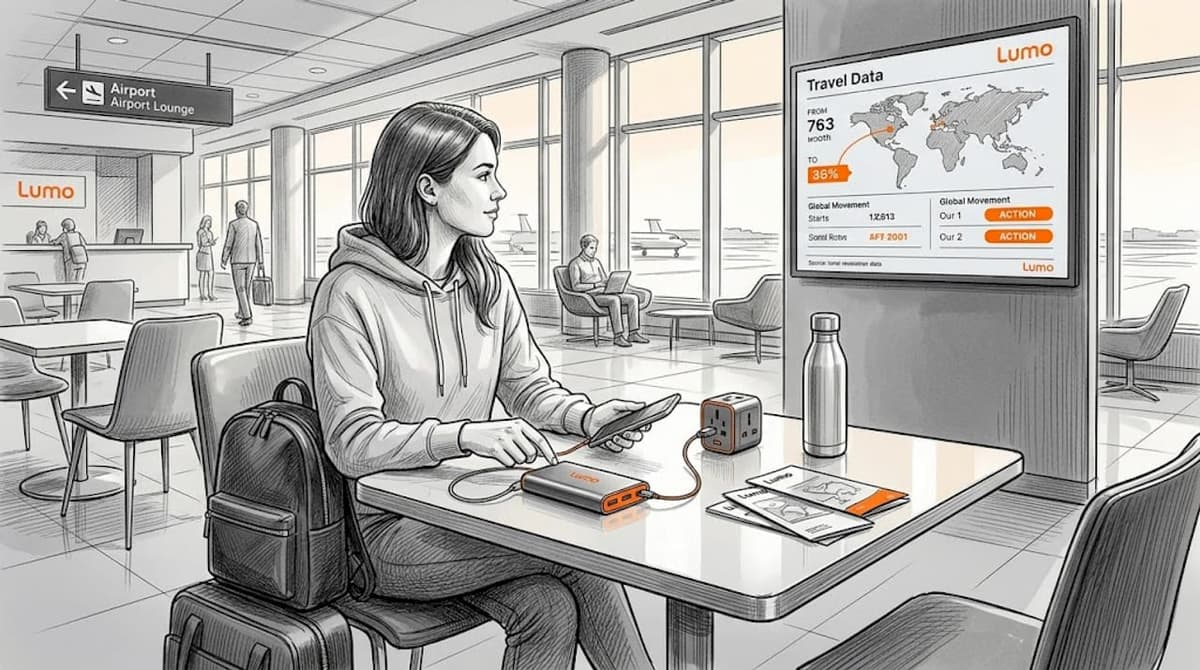
The smarter move is the dual power bank strategy. Carrying two units with different charging interfaces maximizes both convenience and reliability. One MagSafe-compatible unit stays in your bag for wireless top-ups on the go. The second USB-C unit charges in your hotel room as a full backup. You never start a day with less than 100% reserve.
Pro Tip: Check airline battery regulations before packing. Most carriers allow power banks up to 100Wh (roughly 27,000mAh) in carry-on bags, but nothing above that threshold in checked luggage.
Pair your power banks with a universal adapter supporting 65W to 70W Power Delivery charging. These compact GaN adapters charge laptops, phones, tablets, and smartwatches from a single outlet without a bag full of individual chargers.
3. Travel routers and pocket hotspots for private, secure networks
Hotel Wi-Fi is not your friend. The network is shared, often unencrypted, and travel routers create WPA3-encrypted private networks that isolate your devices from other guests. For remote workers sending sensitive files or joining video calls, that distinction matters enormously.
Modern travel routers also handle captive portal logins automatically and can route all traffic through a VPN at the router level. That means every device on your network gets protected without configuring each one individually.
| Feature | Travel router | Pocket hotspot |
|---|---|---|
| VPN integration | Built-in at router level | Requires app-level setup per device |
| Multi-device support | 10 to 15 devices | 5 to 10 devices typically |
| Setup complexity | Moderate | Very simple |
| Best for | Remote workers, families | Solo travelers, quick setups |
| eSIM compatibility | Some models | Many support eSIM directly |
Pro Tip: Run your travel router through its full setup at home before the trip. Test the VPN passthrough, captive portal handling, and your eSIM data source together. A hotel lobby is the wrong place to troubleshoot firmware.
4. Satellite communication devices for off-grid backup
Cellular networks cover most cities. They do not cover open ocean, remote mountain trails, or large swaths of sub-Saharan Africa and Central Asia. Satellite devices serve as a communication lifeline in exactly these environments, offering two-way text messaging, SOS alerts, and basic data where no tower exists.
Consumer satellite services now offer pay-as-you-go subscription tiers tailored for travelers who need this capability only occasionally. You are not locked into a monthly fee for something you use twice a year.
Use cases where satellite devices earn their weight:
- Multi-day backcountry hikes with no cell coverage
- Sailing or yacht trips beyond coastal cellular range
- Overland travel through regions with unreliable infrastructure
- Emergency SOS capability as a standalone lifeline
Pair any satellite device with a high-capacity power bank or a small solar panel. A satellite messenger running active tracking mode drains its internal battery fast, and recharging options in remote locations are scarce.
5. VPN solutions and layered data security
Public Wi-Fi is fundamentally hostile to your data. A VPN acts as encrypted armor between your device and every network you touch, whether that’s an airport lounge, a co-working space, or a hotel lobby.
The security setup that actually works for travelers looks like this:
- A VPN with a verified no-logs policy and jurisdiction outside surveillance alliances
- A password manager so you are never typing credentials on unfamiliar keyboards
- Encrypted cloud storage for documents and backups
- A hardware security key for accounts that support it
One critical detail that most travelers miss: VPN use is restricted in some countries, including China, Russia, and the UAE. Research local laws before you travel, and identify alternative secure access methods in advance.
The question is never whether you need a VPN while traveling. The question is which one, and whether you have a plan B in the countries where it’s blocked.
For a practical checklist of public network risks and protections, the public laptop security guide at Clarmuse covers the full threat surface for 2026.
6. Offline mode apps as your silent safety net
The best connectivity tool for travelers is sometimes no connectivity at all. Pre-downloading maps, boarding passes, and tickets before departure removes single-point failures entirely. When your eSIM glitches at immigration or your hotel Wi-Fi goes down at 2 a.m., offline tools keep you moving.
Google Maps, Spotify, and most major airline apps have offline modes that work without any internet access. Download content on your home Wi-Fi the night before travel, not in the airport.
My take on building a connectivity stack that actually works
I’ve watched travelers spend a fortune on connectivity gear and still end up stranded because their entire plan depended on a single data source. The mindset shift that changes everything is thinking in layers, not solutions.
Your primary layer is your eSIM with a regional data plan. Your second layer is a travel router or hotspot as a backup path. Your third layer, for remote or high-risk travel, is satellite. Offline tools act as the fourth layer, functioning when all live connections fail.
I’ve also seen remote workers underestimate battery management until it costs them a client call. Two power banks, tested before travel, are not overkill. They are table stakes for anyone whose income depends on staying online.
The mistake I see most often is buying gear but skipping the test run. Spending one hour configuring and testing your full stack at home will prevent three hours of panicked troubleshooting abroad.
— Bogdan
Stay connected everywhere with Lumo eSIM
If you want global data without SIM swaps or surprise roaming bills, Lumo is built for exactly that.

Lumo’s global eSIM plans cover 160+ countries with instant QR code activation, meaning you can be connected before your flight lands. Plans are flexible, with no contracts and straightforward top-up options, making them practical for weekend trips and month-long remote work stints alike. You can explore coverage by destination at the Lumo destinations page and pick a plan that matches your specific itinerary. For business travel data tips, Lumo’s blog covers the nuances of staying productive internationally without overspending on connectivity.
FAQ
What are the most important travel connectivity features?
The top must-have travel connectivity features are a regional eSIM plan, a VPN, a high-capacity power bank, and offline mode apps. Together, these cover primary data access, security, power, and backup when connectivity fails.
Is an eSIM better than a local SIM card for travel?
For most travelers in 2026, yes. eSIMs activate instantly, support multiple profiles, and work across many countries on a single plan. Local SIMs are still useful for extended stays in one country where very cheap local rates apply.
Do I really need a travel router if I have an eSIM?
An eSIM gives you mobile data. A travel router gives you a secure, private network shared across multiple devices with VPN protection at the router level. For remote workers or anyone using a laptop regularly, a travel router adds meaningful security and stability.
When should I use a satellite communicator?
Use satellite communication devices for travel in remote areas, at sea, or in regions with unreliable cellular infrastructure. They provide SOS capability and basic messaging when no cell signal exists, making them critical for safety in high-risk or off-grid environments.
How do I protect my data on public Wi-Fi abroad?
Use a VPN with a verified no-logs policy every time you connect to public or hotel Wi-Fi. Pair it with a password manager and encrypted cloud storage for full coverage. Research local VPN laws before you travel, as some countries restrict or block VPN services.
Recommended
Related Topics
Stay Connected Anywhere
Prepaid eSIM data plans for 180+ countries and territories. No physical SIM required.