Step-by-Step Guide to Global Data Plans for Travelers

Juggling work calls from a café in Paris and streaming navigation in San Francisco means your smartphone’s connectivity is as important as your passport. With modern devices from Apple and Google offering built-in eSIM support, travelers are finding more ways to skip high roaming fees and confusing SIM swaps. This guide shows how to assess your device, compare global data plans, and set up seamless eSIM technology so you stay connected across Europe and North America without disruption.
Table of Contents
- Step 1: Assess Your Device Compatibility For eSIM
- Step 2: Compare Data Plan Options For Your Travel Region
- Step 3: Activate Your Selected Global Data Plan Instantly
- Step 4: Configure Multiple eSIM Profiles For Flexible Use
- Step 5: Verify Connectivity And Avoid Roaming Charges
Quick Summary
| Key Message | Explanation |
|---|---|
| 1. Check Your Device’s eSIM Compatibility | Determine if your smartphone supports eSIM by checking the model and specifications in settings or technical documentation. |
| 2. Compare Global Data Plans Thoroughly | Evaluate coverage areas, pricing, data limits, and plan validity before selecting a data plan to meet your travel needs. |
| 3. Activate eSIM Quickly | Use the provided QR code for fast eSIM activation, ensuring your data plan is operational before your trip. |
| 4. Manage Multiple eSIM Profiles | Configure various eSIM profiles to switch between different mobile plans based on your location, enhancing flexibility while traveling. |
| 5. Avoid Roaming Charges | Disable data roaming on your home SIM and test your new eSIM connectivity to prevent unexpected charges during international travel. |
Step 1: Assess your device compatibility for eSIM
Let’s determine whether your smartphone is ready for a global eSIM adventure. eSIM adoption has increased significantly for travelers, making it crucial to understand your device’s capabilities before heading abroad. Modern smartphones from major brands like Apple and Google now include built-in eSIM support, particularly for models released since 2017.
To check compatibility, start by identifying your device model and checking its specifications. Look for explicit eSIM support in your phone’s technical documentation or settings menu. Most recent flagship smartphones from Apple iPhone (X and newer), Google Pixel (2 and newer), and Samsung Galaxy (S20 and newer) series support eSIM technology. For older devices, you might need to verify with your specific manufacturer or wireless carrier about eSIM capabilities.
Carry out a quick compatibility check by navigating to your phone’s cellular settings. Search for options like “Add Cellular Plan” or “eSIM” which indicate native support. If these options are present, your device is likely ready for global eSIM connectivity. Confirm with your specific carrier or a professional if you have any uncertainty about your device’s capabilities.
Pro tip: Before traveling, screenshot your eSIM compatibility information and keep a digital backup for quick reference during your international journey.
Here’s a quick comparison of eSIM compatibility by major smartphone brand:
| Brand | eSIM Support Starts With | Notable Exceptions |
|---|---|---|
| Apple iPhone | iPhone X (2017) | iPhone SE (2nd/3rd gen only) |
| Google Pixel | Pixel 2 (2017) | U.S. carrier lock limitations |
| Samsung Galaxy | Galaxy S20 (2020) | Not all A/M series supported |
| Huawei | P40 (2020) | Western market limitations |
| Motorola | Razr (2019) | Limited global rollout |
Step 2: Compare data plan options for your travel region
International data plans have evolved to offer flexible roaming options for modern travelers seeking seamless connectivity. Your goal is to find a data plan that matches your specific travel needs across multiple countries. Global SIM cards and eSIM solutions now provide diverse options including postpaid and prepaid bundles that cover extensive geographical regions.
When comparing data plans, focus on key evaluation criteria: coverage areas, pricing structures, data limits, and plan validity periods. Look for providers offering regional or global coverage with transparent pricing. Some plans specialize in specific continents or regions like Europe, North America, or Asia Pacific, while others provide truly worldwide connectivity. Consider your exact travel destinations, expected data usage, and duration of travel when selecting a plan.
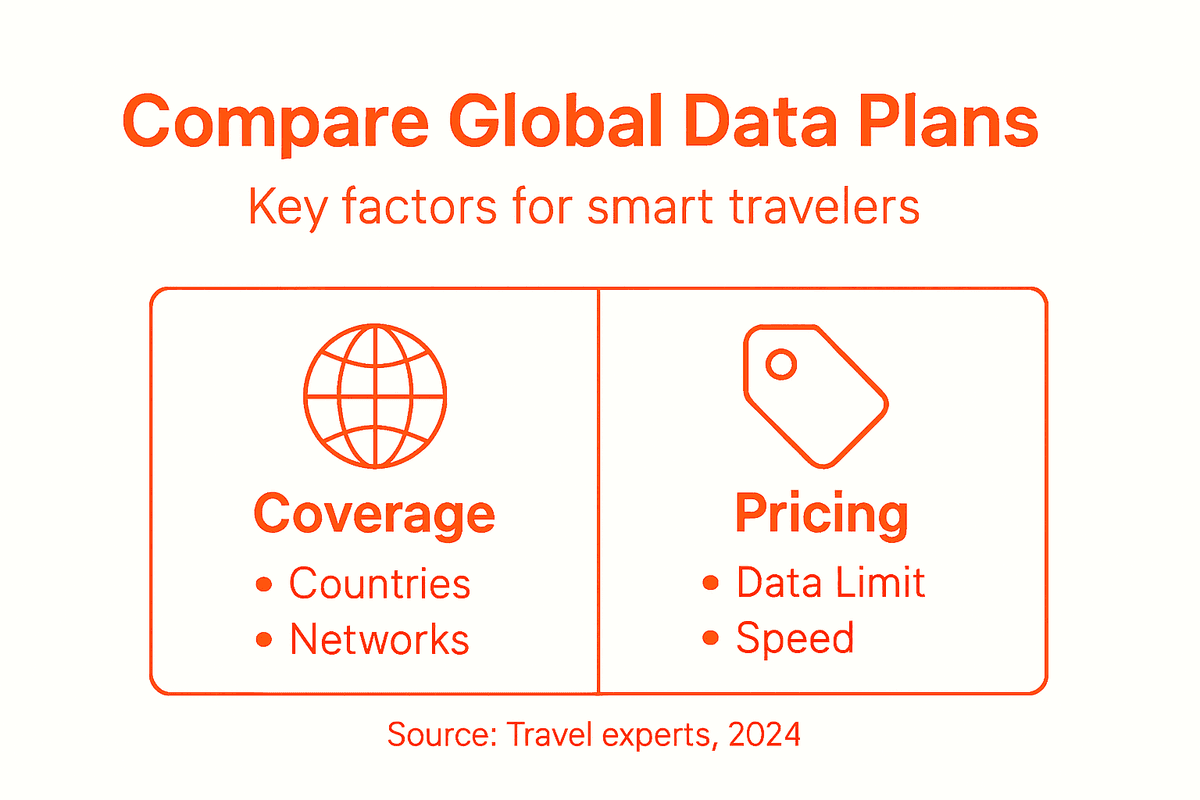
Pay close attention to the details of each plan. Some providers offer unlimited data with speed restrictions, while others provide tiered data packages. Check for additional features like rollover data, the ability to pause or modify plans, and compatibility with multiple devices. Read the fine print regarding data speeds, additional charges, and coverage limitations to avoid unexpected expenses during your international journey.
Pro tip: Create a spreadsheet comparing different data plan options before your trip to visualize and compare key features side by side.
This summary highlights key factors to consider when choosing a global data plan:
| Evaluation Factor | Why It Matters | What to Look For |
|---|---|---|
| Coverage Area | Ensures your destinations connect | Multi-country or regional plans |
| Data Speed/Limit | Impacts streaming & browsing | 4G/5G, clear data limits |
| Pricing Structure | Controls your travel costs | Upfront fees, no hidden charges |
| Plan Validity | Matches travel duration | Flexible start/end dates |
| Device Compatibility | Guarantees seamless activation | eSIM support, device list |
Step 3: Activate your selected global data plan instantly
Now that you have chosen the perfect global data plan, it is time to activate your instant eSIM connectivity for seamless travel. The activation process is typically straightforward and can be completed within minutes using your smartphone or tablet. Modern eSIM technology allows you to download and install your digital mobile plan without physically swapping SIM cards.

To begin activation, locate the QR code provided by your selected mobile plan provider. Navigate to your device settings under cellular or mobile data options. Select the option to add a new cellular plan and use your device’s camera to scan the QR code. Follow the on screen prompts to confirm installation and complete the setup. Some providers offer additional mobile apps that can streamline this process and provide additional management features for your global data plan.
After successful activation, verify your new data plan is working correctly. Check your cellular settings to confirm the new plan is active and displaying the correct data allocation. Test your connectivity by sending a message or browsing the internet to ensure smooth operation before your travel begins. If you encounter any issues during activation, contact your provider’s customer support for immediate assistance.
Pro tip: Always screenshot your activation confirmation and keep your provider’s support contact information easily accessible during international travel.
Step 4: Configure multiple eSIM profiles for flexible use
Digital travelers can now enjoy unprecedented connectivity by managing multiple eSIM profiles seamlessly. This innovative approach allows you to switch between different mobile plans and networks without carrying multiple physical SIM cards. Modern smartphones support storing several eSIM profiles simultaneously, giving you unprecedented flexibility during international travel.
To configure multiple eSIM profiles, start by accessing your device settings under cellular or mobile network options. Most modern smartphones allow you to add and store several eSIM profiles, which you can toggle between as needed. Each profile can represent a different mobile plan from various providers, enabling you to select the most cost effective or best performing network based on your current location. Carefully label each profile with a distinct name to easily identify and manage your global connectivity options.
When switching between eSIM profiles, ensure you understand each plan’s specific terms and data limitations. Some profiles might have regional restrictions or different expiration dates. Take time to understand how to activate, deactivate, and switch between profiles before your travel begins. This preparation will help you maintain uninterrupted connectivity and avoid unexpected roaming charges or service interruptions.
Pro tip: Always keep a screenshot of your eSIM profile configurations and activation codes as a backup in case you need to reinstall a profile during your travels.
Step 5: Verify connectivity and avoid roaming charges
Navigate international mobile connectivity with confidence by understanding essential roaming strategies before your trip. Avoiding unexpected charges requires strategic planning and careful configuration of your mobile settings. Your primary goal is to maintain seamless internet access while preventing bill shock from international data usage.
Start by disabling data roaming on your home SIM card and enabling it only for your travel eSIM profile. Access your smartphone settings and verify each cellular plan’s specific configurations. Most modern devices allow you to select which SIM or eSIM handles mobile data. Carefully choose your eSIM for international connectivity and ensure that your home carrier plan remains inactive while traveling. Create a checklist of critical settings including cellular data selection, roaming permissions, and data limit alerts to maintain complete control over your mobile expenses.
Before departing, conduct a comprehensive connectivity test by sending a message, making a brief call, and browsing the internet using your new eSIM profile. Verify signal strength and data performance in your destination country. Monitor your data consumption closely during the initial days of travel and be prepared to adjust your plan if needed. Some providers offer real time usage tracking through mobile apps, which can help you manage your international data efficiently.
Pro tip: Download your mobile carrier’s international roaming app before traveling to access instant usage tracking and immediate support options.
Experience Seamless Global Connectivity with Lumo Today
Travelers often struggle with complicated global data plans, unexpected roaming charges, and the hassle of managing multiple physical SIM cards. This article highlights common challenges like assessing device compatibility for eSIM, comparing diverse data plans, and activating global plans quickly while maintaining flexible control over multiple profiles. Your goal is clear: stay connected anywhere in the world without frustration or surprise costs.

Simplify your travel experience with Lumo, an all-in-one eSIM solution designed by travelers for travelers. Enjoy instant activation of high-speed 4G and 5G data plans covering over 160 countries. Easily switch between local carriers to avoid roaming fees and manage multiple eSIM profiles across smartphones, tablets, and laptops. Avoid the stress of confusing setups or costly international plans and embrace freedom of seamless global connectivity with Lumo.
Start your journey today and discover how effortless staying connected can be by visiting https://lumo.to. Take control of your travel data now and eliminate roaming worries for good.
Frequently Asked Questions
How can I check my smartphone’s compatibility for eSIM?
To check your smartphone’s compatibility for eSIM, identify your device model and look in the settings for options like “Add Cellular Plan” or “eSIM.” If you find these options, your device is likely compatible. Confirm with your manufacturer if you have any doubts.
What factors should I consider when comparing global data plans?
When comparing global data plans, focus on coverage areas, pricing, data limits, and plan validity periods. Evaluate each plan’s details to ensure it meets your travel needs, and create a comparison chart for clarity.
How do I activate my chosen global data plan?
Activating your global data plan typically involves scanning a QR code provided by your service provider within your device’s settings. Follow the on-screen prompts to confirm installation and ensure your new data plan is functional before your trip.
Can I manage multiple eSIM profiles on my device?
Yes, you can manage multiple eSIM profiles on most modern smartphones, allowing you to switch between different mobile plans. Access your device settings to configure and label each profile for easy identification, ensuring seamless connectivity while traveling.
How can I avoid unexpected roaming charges while traveling?
To avoid unexpected roaming charges, disable data roaming on your home SIM and enable it only for your travel eSIM profile. Verify each cellular plan’s settings and create a checklist to manage your data usage effectively during your trip.
Recommended
- What Is a Data Plan and Why It Matters Abroad | Lumo eSIM Store
- 7 Essential Steps for a Travel Data Management Checklist | Lumo eSIM Store
- Affordable Travel Data Plans: Smart Global Connectivity | Lumo eSIM Store
- Travel Data Setup Guide for Seamless Global eSIM Use | Lumo eSIM Store
- Travel | Artificial Intelligence
Related Topics
Stay Connected Anywhere
Prepaid eSIM data plans for 180+ countries and territories. No physical SIM required.