Mobile Network Compatibility Explained for Travelers

TL;DR:
- Mobile network compatibility depends on your phone supporting the correct frequency bands, being unlocked, and having a clean IMEI. Even fully unlocked phones may not work if their band support doesn’t match the carrier’s spectrum or if IMEI restrictions exist. Always verify your device’s model number, band support, and IMEI status before switching carriers or traveling internationally.
Mobile network compatibility is the ability of your phone to fully connect and operate on a carrier’s network, determined by hardware frequency bands, carrier lock status, and IMEI verification. Explaining mobile network compatibility matters most when you’re switching carriers or traveling internationally, because a phone that works perfectly at home can fail completely abroad. The gap between “unlocked” and “fully compatible” is wider than most people realize. This guide breaks down every technical and practical factor you need to check before you swap a SIM or board a flight.
What factors determine mobile device compatibility?
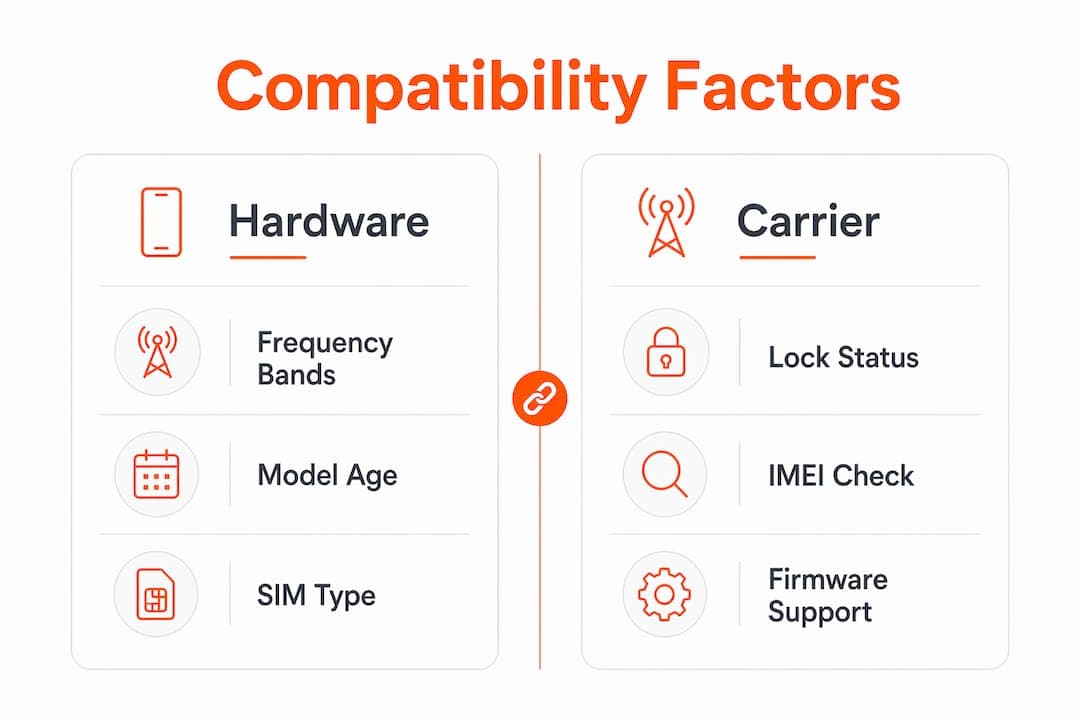
Mobile network compatibility hinges on three things: your phone’s hardware, its lock status, and whether the carrier accepts its IMEI. Miss any one of these, and you may get no signal, slow data, or blocked activation. Understanding all three is the foundation of any solid mobile network compatibility guide.

Frequency bands: the hardware core
Phones connect to carriers using specific radio frequency bands. LTE and 5G networks each use dozens of these bands, and your phone must support the ones your target carrier uses. Unlocked phones may lack critical 5G mid-bands like n41 or n77, causing spotty coverage even when the phone is fully unlocked. That means real compatibility depends on spectrum overlap, not just unlock status.
Regional phone variants make this even trickier. Manufacturers produce regional variants with different band configurations, so a North American iPhone 15 model may not fully connect to European 5G networks despite being unlocked. The model number, not the marketing name, determines true band support.
- LTE bands: Required for 4G data and voice calls on most carriers
- 5G sub-6GHz bands (n41, n77, n78): Needed for mid-band 5G speed
- 5G mmWave bands: Required for ultra-fast urban 5G (rare outside major cities)
- VoLTE support: Needed for HD voice calls over LTE; without it, calls may fail entirely
- Wi-Fi Calling: A useful fallback when cellular signal is weak, but requires carrier provisioning
Post-2022 US networks no longer support 3G CDMA, making phones from 2017 or earlier largely incompatible with major carriers. If you’re traveling with an older device, check its 4G LTE band list carefully.
Pro Tip: Search your exact model number (not just the brand name) on GSMArena.com to see its full band list, then compare it against your target carrier’s published band plan.
How do carrier locks and IMEI checks affect compatibility?
Even a phone with perfect band support can be blocked from a network by carrier restrictions. Two separate gates exist: the SIM lock and the IMEI database.
A carrier lock prevents your phone from accepting SIM cards from other carriers. Being unlocked removes that restriction, but being unlocked alone does not guarantee full compatibility because band support and IMEI status are separate issues entirely. In 2026, most phones sold directly by manufacturers are unlocked out of the box, but carrier-purchased devices often require a formal unlock request after contract completion.
The IMEI blacklist is the second gate. Carriers maintain databases of blocked IMEIs tied to reported theft, loss, or unpaid device financing. Device compatibility in 2026 requires SIM-unlocked status, correct band support, and a clean IMEI. A phone with an outstanding balance on a financing plan will be blocked even if it’s technically compatible.
Here’s how to run a proper carrier compatibility check before switching:
- *Dial #06# on your phone to retrieve your 15-digit IMEI number.
- Visit your target carrier’s BYOD page and enter your IMEI into their online checker.
- Review the result. Most tools return one of three statuses: compatible, incompatible, or blocked.
- Cross-check band support by comparing your model’s specs against the carrier’s network band list.
- Contact carrier support if the result is inconclusive or shows “incompatible” for a newer device.
IMEI checkers are the gold standard but sometimes lack updated data on newly released models. If your brand-new phone shows as incompatible, it may simply be pending a whitelist update. Calling the carrier directly can resolve this in minutes.
Pro Tip: Run the IMEI check on the carrier’s official website, not a third-party tool. Third-party databases update less frequently and may return outdated results.
Physical SIM vs. eSIM: what’s the compatibility difference?
SIM type is now a distinct compatibility layer that travelers and carrier switchers must check separately from band support and IMEI status.
| Feature | Physical SIM | eSIM |
|---|---|---|
| Form factor | Removable plastic card | Built into device hardware |
| Activation speed | Requires physical swap | Instant via QR code or app |
| Multiple profiles | One at a time | Multiple stored simultaneously |
| International use | Requires buying local SIM | Switch carriers remotely |
| Compatibility risk | Carrier lock, wrong size | Regional firmware restrictions |
A physical SIM is straightforward: if your phone is unlocked and the carrier supports your bands, it works. An eSIM adds complexity. eSIM activation depends on device hardware, carrier, and regional provisioning, meaning a phone with eSIM hardware is not automatically able to activate any eSIM profile. Regional carrier firmware restrictions can block eSIM profiles on specific device models, even when the hardware is present and functional.
Dual SIM phones, which combine a physical SIM slot with an eSIM, give you the most flexibility. You can keep your home number active while running a local data plan on the eSIM. For travelers, this setup avoids roaming charges without losing your primary number. Lumo’s eSIM benefits for travelers guide covers how to use this setup effectively across more than 160 countries.
Key things to verify before relying on eSIM:
- Your device model explicitly lists eSIM support in its specs
- Your target carrier supports eSIM activation for your specific device model
- Your device is not carrier-locked to a physical SIM only
- You are not in a region where the carrier has restricted eSIM provisioning
How to check phone network support before you travel or switch
A five-minute compatibility check before you travel or switch carriers can prevent days of troubleshooting. Here’s the exact process to follow.
- Find your model number. Go to Settings > About Phone. Write down the exact model number, not just the brand name. A Samsung Galaxy S24 has multiple regional variants with different band support.
- Get your IMEI. Dial *#06# or find it in Settings > About Phone. Verifying device compatibility takes about 30–60 seconds using a carrier BYOD IMEI checker.
- Run the BYOD check. Enter your IMEI on your target carrier’s website. T-Mobile, AT&T, and Verizon all offer free online BYOD tools.
- Compare band lists. Look up your model number on GSMArena.com and compare its LTE and 5G bands against the carrier’s published spectrum list. Even one missing critical band can mean reduced speeds or no coverage in rural areas.
- Confirm SIM type support. Check whether the carrier supports eSIM activation for your specific model if you plan to use an eSIM.
- Check for coverage issues from band gaps if your phone shows intermittent signal after switching. Missing bands are a common cause of unexplained connectivity problems.
Pro Tip: For international travel, search “[destination country] + LTE bands” to find which frequencies local carriers use, then compare them against your phone’s spec sheet before you leave home.
If a carrier’s BYOD tool returns a borderline result, call their support line and ask for a manual IMEI provisioning check. This step resolves most false negatives on newer devices.
Key takeaways
Mobile network compatibility requires band support, a clean IMEI, and the right SIM type working together. Being unlocked is necessary but not sufficient on its own.
| Point | Details |
|---|---|
| Band support is the real test | Your phone must support your carrier’s specific LTE and 5G frequency bands to get full service. |
| Unlocked does not mean compatible | Carrier unlock removes the SIM lock only; band support and IMEI status are separate checks. |
| IMEI verification is mandatory | Run your IMEI through the carrier’s BYOD tool before switching to catch blacklisting or financing blocks. |
| eSIM adds a software layer | eSIM hardware support does not guarantee activation; regional firmware restrictions can block profiles. |
| Model number beats marketing name | Regional phone variants differ in band support; always check the exact model number, not the product name. |
The compatibility mistake i see travelers make every time
Most travelers I talk to assume “unlocked” means “works everywhere.” That assumption causes more avoidable service outages than any other single mistake. I’ve seen people land in Tokyo or Berlin with a perfectly unlocked phone that connects to nothing faster than 3G, simply because the North American variant they bought lacks the mid-band 5G frequencies those markets rely on.
The second mistake is trusting the word “global” in a phone’s marketing. The term “global phone” is oversimplified. No single device supports every band in every country. You have to check the actual spec sheet.
eSIM catches people off guard too. The rise of eSIM introduces compatibility layers beyond hardware, including carrier firmware and regional restrictions that most users never anticipate. I always recommend checking eSIM compatibility with the specific carrier in the specific country, not just assuming it works because your phone has eSIM hardware.
My practical advice: run at least two checks before you travel or switch. Use the carrier’s BYOD tool and manually compare band lists. If results conflict, call support. Five minutes of research beats two days without data. You can also review Lumo’s guide to avoiding roaming fees for a practical framework on staying connected without surprises.
— Bogdan
Stay connected anywhere with Lumo eSIM
If checking band lists and IMEI databases sounds like more work than you want before every trip, Lumo removes most of that friction. Lumo’s eSIM plans activate instantly via QR code and cover more than 160 countries, so you can switch to a local data plan the moment you land without hunting for a SIM card kiosk.

Lumo supports 5G and 4G LTE connectivity across its network, with flexible data plans that scale from a weekend trip to a multi-month assignment abroad. Multiple eSIM profiles mean you keep your home number active while running local data. For travelers and remote workers who need reliable connectivity without carrier lock-in, Lumo’s global eSIM plans are worth exploring before your next departure.
FAQ
What does mobile network compatibility actually mean?
Mobile network compatibility means your phone can fully connect to a carrier’s network based on hardware band support, SIM unlock status, and a clean IMEI. All three factors must align for the phone to work correctly on that network.
Does an unlocked phone work on any carrier?
Not automatically. Being unlocked removes the SIM restriction, but your phone still needs to support the carrier’s specific LTE and 5G frequency bands to get full service. Band support determines real compatibility, not unlock status alone.
How do i check if my phone is compatible with a new carrier?
Dial *#06# to get your IMEI, then enter it into the carrier’s online BYOD checker. Cross-reference your phone’s band list on GSMArena.com against the carrier’s published spectrum to confirm full compatibility.
Can i use eSIM on any carrier when traveling internationally?
No. eSIM activation requires carrier and regional firmware support for your specific device model. Check that both your device and the destination carrier explicitly support eSIM activation before you travel.
Why does my phone show incompatible on a BYOD checker?
Your phone may be blacklisted due to unpaid financing, reported loss, or theft. It could also be a database lag on a newer model. Contact the carrier’s support team for a manual IMEI provisioning check to resolve the issue.
Recommended
- Smart mobile connectivity solutions for travelers: 35% savings | Lumo eSIM Store
- Enterprise mobile data explained: global connectivity for travelers | Lumo eSIM Store
- Mobile Data Roaming: Costs, Risks, and Smarter Choices | Lumo eSIM Store
- Global Coverage Explained: Seamless Mobile Data for Travelers | Lumo eSIM Store
Related Topics
Stay Connected Anywhere
Prepaid eSIM data plans for 180+ countries and territories. No physical SIM required.