Travel Data Management Guide for Easy eSIM Use Abroad

Every modern traveler knows the stress of arriving in a new country only to scramble for reliable mobile data. Constant connectivity is non-negotiable for Canadian, American, and European digital nomads managing work and leisure across borders. By focusing on finding the right eSIM plan for your unique itinerary, you can stay productive on the go while avoiding data surprises and expensive roaming fees.
Table of Contents
- Step 1: Choose the Right eSIM Plan for Your Trip
- Step 2: Set Up and Activate eSIM Profiles Efficiently
- Step 3: Monitor Data Usage Across All Devices
- Step 4: Optimize Data Settings to Avoid Overuse
- Step 5: Verify International Connectivity Before Departure
Quick Summary
| Key Message | Explanation |
|---|---|
| 1. Choose the Right eSIM Plan | Assess your travel needs to select an appropriate eSIM plan without overspending. |
| 2. Efficient eSIM Activation | Verify device compatibility and ensure smooth activation before traveling to avoid issues. |
| 3. Monitor Data Usage | Track data consumption across devices to prevent unexpected charges while abroad. |
| 4. Optimize Data Settings | Manage device settings to minimize data usage and avoid unnecessary overages. |
| 5. Verify Connectivity Ahead | Confirm eSIM functionality and network coverage before departure for seamless communication. |
Step 1: Choose the Right eSIM Plan for Your Trip
Selecting the perfect eSIM data plan is crucial for seamless international travel connectivity. Your goal is to find a plan that matches your specific travel needs without overpaying or experiencing unexpected data limitations.
Start by thoroughly analyzing your trip’s connectivity requirements. Travel data plan strategies require understanding several key factors:
- Travel Destination: Determine the specific countries you’ll visit
- Data Usage Patterns: Estimate your daily internet consumption
- Duration of Trip: Calculate total days of required coverage
- Phone Compatibility: Verify your device supports eSIM technology
When comparing plans, look beyond just raw data volume. Consider critical plan features like:
- Network coverage quality
- Data rollover options
- Speed throttling thresholds
- Activation and expiration policies
Pro tip: Choose a plan that offers flexibility and matches your precise travel itinerary, not just the cheapest option available.
Most travelers benefit from regional or global plans that provide broader coverage. Assess whether you need constant connectivity or can rely on occasional WiFi access. Some plans offer tiered data packages that let you adjust mid-trip, providing ultimate flexibility.
Here’s a comparison of common eSIM plan types travelers can consider:
| Plan Type | Coverage Scope | Best For | Flexibility |
|---|---|---|---|
| Local | Single country | Short stays or one nation | Low—fixed to one country |
| Regional | Multiple countries | Multi-country itineraries | Moderate—covers region |
| Global | Worldwide zones | Frequent international trips | High—multiple regions |
Pro tip: Always download and activate your eSIM before departing to ensure smooth international connectivity.
Step 2: Set Up and Activate eSIM Profiles Efficiently
Activating your eSIM profile is a straightforward process that requires careful preparation and attention to detail. Your primary goal is to ensure seamless digital connectivity before embarking on your international journey.
Start by checking your device’s compatibility and preparing for eSIM activation methods. Most modern smartphones support multiple profile management, allowing you to switch between local and international data plans with ease:
- Check Device Compatibility: Verify your smartphone supports eSIM technology
- Gather Necessary Information: Collect carrier details and activation codes
- Ensure Strong Internet Connection: Have reliable WiFi available during setup
- Backup Existing Cellular Settings: Protect your current mobile configuration
The activation process typically involves these key steps:
- Access your device’s cellular settings
- Select “Add Cellular Plan” or “Add eSIM”
- Scan the QR code provided by your carrier
- Follow on-screen verification prompts
Successful eSIM setup requires preparation and understanding of your specific device’s configuration.
Most carriers offer multiple activation methods, including QR code scanning, carrier website registration, or direct mobile app configuration. Choose the method most convenient for your technical comfort level. Some travelers prefer pre-configuring their eSIM before departure to minimize potential connectivity issues abroad.

Pro tip: Test your eSIM profile locally before international travel to confirm seamless functionality and resolve any potential setup challenges.
Step 3: Monitor Data Usage Across All Devices
Managing your data consumption during international travel requires strategic tracking and proactive monitoring across multiple devices. Your goal is to optimize connectivity while avoiding unexpected overages and unnecessary expenses.
Leveraging multi-device eSIM connectivity allows you to centralize and control your data usage efficiently. Modern digital travelers need comprehensive strategies to track consumption:
- Enable Built-in Tracking: Use device-specific data monitoring tools
- Set Data Usage Alerts: Configure warnings before reaching plan limits
- Utilize Carrier Mobile Apps: Access real-time consumption statistics
- Consider Unified Management Platforms: Explore integrated tracking solutions
Track your data consumption through these systematic methods:
- Check individual device settings
- Review carrier mobile applications
- Analyze detailed usage reports
- Compare across different eSIM profiles
Effective data management requires consistent monitoring and proactive planning.
Most smartphones and tablets offer native data tracking capabilities that provide granular insights into your consumption patterns. Some travelers prefer dedicated third-party applications that offer cross-platform tracking and advanced analytics.
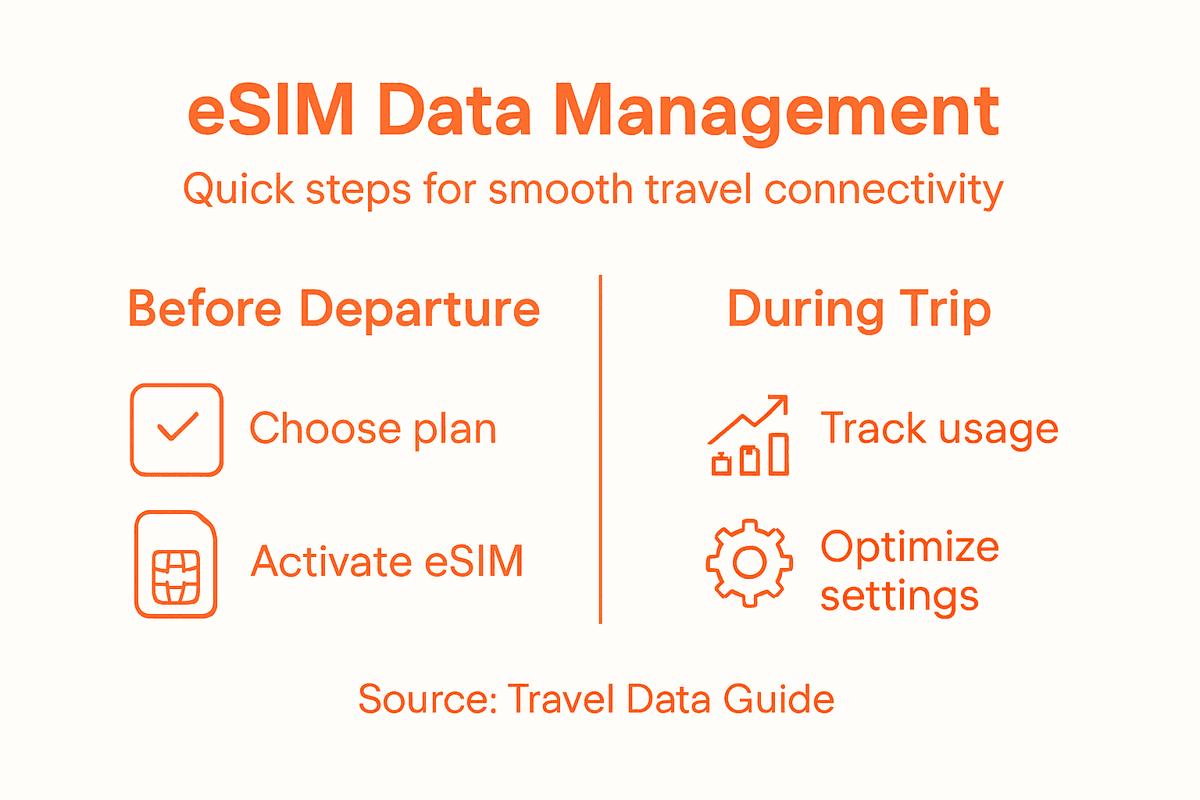
Below is a reference for data tracking tools and their benefits:
| Tool Type | Example | Benefit |
|---|---|---|
| Built-in device tool | iOS Data Usage | No extra install needed |
| Carrier mobile app | T-Mobile App | Real-time usage tracking |
| Third-party analytics | My Data Manager | Cross-device reporting features |
| Unified management | Google Fi Portal | Multi-device, all-in-one view |
Pro tip: Download a comprehensive data tracking app before your trip to maintain precise control over your international connectivity expenses.
Step 4: Optimize Data Settings to Avoid Overuse
Maximizing your mobile data efficiency requires strategic settings management and proactive consumption control. Your objective is to prevent unnecessary data drain while maintaining essential connectivity during international travel.
Understanding your device’s data management capabilities is crucial for preventing unexpected overages. Modern smartphones offer multiple built-in features to control and optimize data consumption:
- Restrict Background Data: Limit apps consuming data when not actively used
- Enable Data Saver Mode: Reduce overall cellular data consumption
- Manage Automatic Updates: Prevent large downloads over cellular networks
- Disable High-Bandwidth Services: Turn off automatic video streaming
- Use WiFi Whenever Possible: Prioritize wireless network connections
Implement these strategic data optimization steps:
- Review application-specific data permissions
- Configure cellular data restrictions
- Set bandwidth consumption thresholds
- Identify and disable data-intensive background processes
Smart data management begins with understanding your device’s consumption patterns.
Intelligent data settings can dramatically reduce your overall mobile data expenditure. Travelers should approach connectivity with a mindset of deliberate, controlled access rather than unrestricted consumption.
Pro tip: Create a pre-travel checklist of data-saving settings to review on all your devices before international departure.
Step 5: Verify International Connectivity Before Departure
Ensuring seamless connectivity begins with comprehensive pre-travel preparation and strategic verification of your mobile communication capabilities. Your mission is to eliminate potential connectivity roadblocks before stepping foot in a new country.
Travel connectivity preparation demands meticulous attention to multiple technical and logistical details. Digital travelers must systematically validate their communication infrastructure:
- Check Device Compatibility: Confirm your smartphone supports international eSIM technology
- Verify Network Coverage: Research destination country cellular networks
- Test eSIM Activation: Ensure smooth profile installation before travel
- Update Device Software: Install latest operating system versions
- Review Roaming Restrictions: Understand potential international limitations
Execute these critical pre-departure verification steps:
- Contact your current cellular provider
- Validate eSIM profile functionality
- Download necessary mobile management apps
- Perform final device connectivity test
Successful international connectivity requires proactive planning and technical preparation.
Technical readiness separates smooth travelers from those constantly struggling with communication challenges. Understanding your device’s global capabilities becomes a fundamental travel skill.
Pro tip: Screenshot all critical connectivity information and save offline copies before departing to ensure access during unexpected situations.
Simplify Your International Travel with Lumo’s All-In-One eSIM Solution
Traveling abroad demands careful planning to avoid connectivity headaches like unexpected roaming charges and complex data management. This article’s guide highlights key challenges such as selecting the right eSIM plan, activating profiles smoothly, and monitoring data usage across devices. Lumo understands these pain points and offers a seamless eSIM platform designed to keep you connected effortlessly while you explore over 160 countries. With instant activation, flexible plans, and easy toggling between local carriers you can say goodbye to confusing setups and costly roaming fees.

Ready to experience true global connectivity without the hassle? Visit Lumo now to discover how you can activate your eSIM in minutes and enjoy reliable high-speed 5G/4G service everywhere you go. Don’t wait until departure to struggle with setup. Take control of your travel data management today and unlock a smarter, simpler way to stay connected abroad with Lumo’s comprehensive eSIM solution.
Frequently Asked Questions
How do I choose the right eSIM plan for my trip?
Selecting the right eSIM plan requires evaluating your travel destination, data usage patterns, trip duration, and phone compatibility. Start by comparing features like network coverage quality and data rollover options to ensure your plan meets your specific needs while traveling.
What steps should I take to set up and activate my eSIM?
To set up and activate your eSIM, first verify your device’s compatibility and gather necessary carrier information. Then, access your cellular settings, select “Add Cellular Plan,” and follow the prompts to scan the QR code provided by your carrier for activation.
How can I monitor data usage while traveling internationally?
You can monitor data usage by enabling built-in tracking features on your device, setting usage alerts, and utilizing your carrier’s mobile app for real-time statistics. Regularly check these tools to stay informed about your consumption patterns and avoid unexpected charges.
What data settings should I adjust to optimize my eSIM usage abroad?
To optimize your eSIM data usage, restrict background data for unused apps, enable data saver mode, and manage automatic updates to prevent large downloads. Adjust these settings before departure to help control your data consumption while traveling.
How can I verify that my international connectivity is prepared before I leave?
To verify your international connectivity, confirm your device supports eSIM, check network coverage for your destination, and test your eSIM activation process. Perform these checks a few days before your trip to ensure everything is functioning correctly and to address any issues in advance.
Recommended
- How to Set Up eSIM for Travel: Step-by-Step Success Guide | Lumo eSIM Store
- 7 Essential Steps for a Travel Data Management Checklist | Lumo eSIM Store
- Step-by-Step Guide to Global Data Plans for Travelers | Lumo eSIM Store
- Travel Data Setup Guide for Seamless Global eSIM Use | Lumo eSIM Store
- Mobile Learning Solutions: Everything You Need to Know - Projector Display
Related Topics
Stay Connected Anywhere
Prepaid eSIM data plans for 180+ countries and territories. No physical SIM required.