Digital Nomad Internet Setup: Your 2026 Field Guide

TL;DR:
- A reliable digital nomad internet setup relies on multiple connection layers, including an eSIM, travel router, and backup sources. Proper preparation, like pre-downloading eSIM profiles before arrival, ensures seamless connectivity and reduces stress. Most nomads spend between $15 and $60 monthly on their connection stack, depending on their needs.
A reliable digital nomad internet setup is defined as a layered system of connectivity tools that keeps you online regardless of location, network quality, or hardware failure. The core components are an eSIM or local SIM card, a travel router, a VPN, and at least one backup connection. Remote work requires a minimum of 25 Mbps download speed for standard tasks, with developers needing 100 Mbps or more. Getting this right means you never lose a client call because a hotel router went down.
What devices and tools are essential for a digital nomad internet setup?
The foundation of any mobile remote work tech setup is a carrier-unlocked, eSIM-compatible smartphone. Without carrier unlocking, you cannot switch to local networks abroad, and you will pay steep roaming fees instead. The U.S. State Department confirms that device unlocking and eSIM compatibility are the two non-negotiable prerequisites before any international trip.
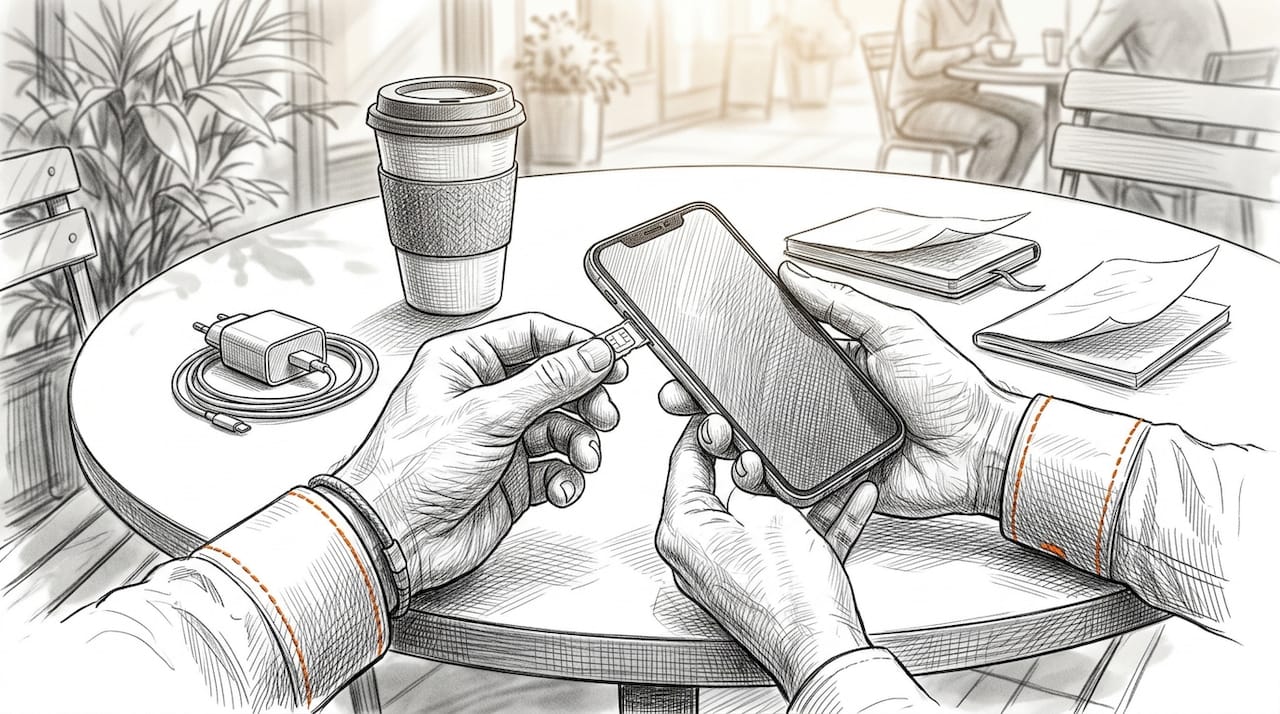
Travel routers are the most underrated tool in a nomad’s kit. A device like a GL.iNet travel router creates a secure, portable WiFi hub from any internet source, whether that’s a hotel ethernet port, a mobile hotspot, or a public network. That matters because it lets you run a VPN at the router level, protecting every device you own without configuring each one separately.
Portable WiFi hotspot devices have largely been replaced by smartphones for solo travelers. Modern smartphones plus travel routers deliver more flexibility and better security than a dedicated hotspot device. The exception is a team of two or more nomads sharing a connection in a location with no reliable cellular signal.
| Tool | Best for | Key limitation |
|---|---|---|
| eSIM | Primary data, fast activation | Requires compatible, unlocked device |
| Physical SIM | Countries with limited eSIM support | Requires local purchase on arrival |
| Travel router | Multi-device security, VPN at router level | Adds hardware to your bag |
| Smartphone tethering | Solo backup connection | Drains phone battery quickly |
Pro Tip: A travel router with USB tethering support lets your phone charge while sharing its connection, solving the battery drain problem entirely.
How to set up a secure connection while abroad
Setting up your connection before you land is the single biggest mistake most nomads skip. Pre-downloading your eSIM profile before departure means you have data the moment your plane touches down, with no airport WiFi queue and no SIM card hunt.
Follow this sequence for every new destination:
- Check eSIM compatibility on your device before booking. Use Lumo’s eSIM compatibility guide to confirm your phone model and carrier lock status.
- Purchase and download your eSIM profile at least 24 hours before departure. Activation takes minutes via QR code.
- Set your eSIM as the primary data line and keep your home SIM active for calls and SMS verification.
- Connect your travel router to your phone via USB tethering or to the accommodation’s ethernet port.
- Enable your VPN at the router level if your travel router supports it, or install a reputable VPN app like ExpressVPN or NordVPN on each device.
- Download offline maps via Google Maps or Maps.me and save key documents locally. Cloud access can fail the moment connectivity drops on arrival day.
Pro Tip: Set your eSIM data plan to activate on a specific date rather than immediately after purchase. This prevents wasting data days while you are still at home.
What are the best backup internet strategies for nomads?
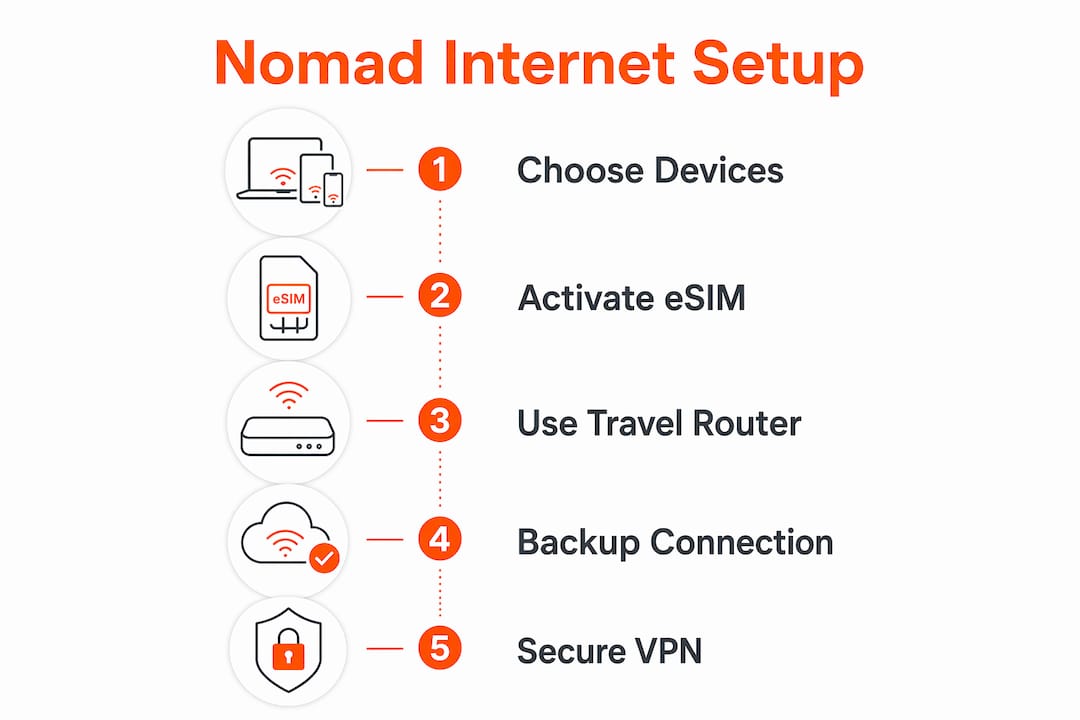
The biggest mistake in any remote work tech setup is relying on a single internet source. A single connection failure can cost you a client, a deadline, or a full workday. The fix is a three-layer approach.
The three layers work like this:
- Layer 1 (Primary): eSIM data plan from a provider like Lumo, active on your phone at all times.
- Layer 2 (Backup): A secondary physical SIM from a local carrier, or a second eSIM profile from a different network.
- Layer 3 (Heavy work): Accommodation WiFi, a coworking space like WeWork or a local independent space, or Starlink for remote locations.
Most experienced nomads treat hotel and Airbnb WiFi as a bonus layer, not a primary connection. That mindset shift alone prevents most connectivity crises. Starlink is worth considering for rural destinations in Southeast Asia, Latin America, or Eastern Europe where cellular coverage is thin, but it is expensive and requires planning around equipment shipping.
Pro Tip: Keep a local SIM from your most recent destination active until you confirm your new eSIM works. Overlapping coverage costs almost nothing and saves hours of troubleshooting.
Budget for your connection stack realistically. A professional setup costs $30–$60 per month, while a premium setup with Starlink or multiple high-data plans can reach $250 per month. Most nomads land comfortably in the $15–$60 range with an eSIM plus VPN combination.
How to troubleshoot common connectivity problems on the road
Signal loss and slow speeds are the two most common problems, and both have fast fixes. The table below covers the most frequent issues and their solutions.
| Problem | Likely cause | Fix |
|---|---|---|
| No signal on arrival | eSIM not pre-downloaded | Pre-install profile before departure |
| Slow hotel WiFi | Shared bandwidth, weak signal | Connect travel router to ethernet port |
| Captive portal blocking VPN | Network requires browser login first | Disable VPN, log in, then re-enable |
| Phone battery draining fast | Tethering without USB connection | Use USB tethering via travel router |
| VPN connection dropping | Unstable base network | Switch to a different VPN protocol (WireGuard is fastest) |
Captive portals are the most frustrating problem for nomads using VPNs. Coffee shops, airports, and hotels often require a browser-based login before granting internet access. Your VPN blocks that login page. The fix is simple: disable the VPN, complete the login, then re-enable it immediately.
VPNs running at the router level protect all connected devices automatically, which removes the need to toggle VPN settings on each device every time you switch networks. For nomads managing multiple devices, this is the most practical security setup available.
Key Takeaways
A reliable nomad internet setup requires at least three independent connection layers, with eSIM as the primary source and a travel router securing all devices.
| Point | Details |
|---|---|
| Layer your connections | Use eSIM as primary, a backup SIM as secondary, and coworking or accommodation WiFi as a third option. |
| Pre-download your eSIM | Activate your eSIM profile before departure to avoid connectivity gaps on arrival day. |
| Use a travel router | A travel router runs VPN for all devices at once and stabilizes unstable hotel or café networks. |
| Meet minimum speed targets | Remote work needs at least 25 Mbps download; developers should target 100 Mbps. |
| Budget realistically | A professional nomad connection stack costs $30–$60 per month on average. |
What I’ve learned after years of getting this wrong
The conventional advice is to find the “best” single connection for each country. That framing is the problem. No single connection is best everywhere, and chasing one wastes time you could spend working.
The shift that changed everything for me was treating internet like power. You would not travel with only one way to charge your laptop. You carry a cable, an adapter, and a power bank. Your internet stack should work the same way. An eSIM covers most situations. A travel router handles the rest. A backup SIM is your power bank.
I also stopped underestimating travel routers. Most nomads skip them because they add weight. A GL.iNet Beryl or similar device weighs under 100 grams and fits in a jacket pocket. The remote work benefits of having a stable, VPN-secured network in every location far outweigh the minor inconvenience of carrying one more small device.
The last thing I would tell any nomad starting out: arrival day is the worst time to figure out your connection. Sort it before you board. Download your eSIM, test it at home, and know exactly which backup you will use if it fails. That 20 minutes of preparation eliminates 90% of the stress.
— Bogdan
Lumo eSIM: global data without the setup headache
Lumo provides instant eSIM activation across 200+ countries, with flexible data plans built for nomads who move between destinations frequently. You scan a QR code, activate your plan, and have 5G or 4G data running in minutes, with no physical SIM card required.
Lumo supports multiple eSIM profiles on a single device, so you can hold a regional plan for Southeast Asia and a global backup simultaneously. Plans are available at lumo.to, with 24/7 support if activation hits a snag. For nomads who want to learn the full setup process before committing, Lumo’s eSIM travel setup guide walks through every step from compatibility check to first connection.
FAQ
What is the minimum internet speed for remote work?
Remote work requires at least 25 Mbps download and 10 Mbps upload for standard tasks. Developers and video-heavy roles should target 100 Mbps download.
Do I need a travel router as a digital nomad?
A travel router is not required for solo nomads, but it is the most practical way to run a VPN across all your devices at once and stabilize unreliable hotel or café networks.
How do I stay connected abroad on arrival day?
Pre-download your eSIM profile before your flight departs. This gives you active data the moment you land, without relying on airport WiFi or finding a local SIM vendor.
Is hotel WiFi reliable enough for remote work?
Hotel WiFi works as a third-layer backup but not as a primary connection. Most experienced nomads use cellular data via eSIM or a local SIM as their main source.
How much does a nomad internet setup cost per month?
A professional setup costs $30–$60 per month. Budget setups using an eSIM and basic VPN run $10–$30 per month, while premium setups with Starlink can reach $250 per month.
Recommended
- The ultimate international travel tech checklist for 2026 | Lumo eSIM Store
- Your Global Connectivity Checklist for International Travel | Lumo eSIM Store
- Secure mobile data guide: Stay connected globally, risk-free | Lumo eSIM Store
- How to Optimize Digital Connectivity Abroad in 2026 | Lumo eSIM Store
Related Topics
Stay Connected Anywhere
Get instant eSIM data plans for 160+ countries. No physical SIM required.