How to switch mobile networks abroad: a step-by-step guide

TL;DR:
- eSIM technology allows quick, hassle-free network switching for international travelers.
- Preparation includes verifying device compatibility, unlocking the phone, and pre-loading profiles.
- Building redundancy and understanding plan limits help ensure reliable connectivity abroad.
You’re in a café in Lisbon, trying to pull up your client’s address, and your phone shows zero data. Your carrier is charging $15 per day for international roaming, and you’re already three days into a two-week trip. There’s a better way. eSIM technology lets you switch mobile networks instantly, without hunting for a local SIM card or visiting a carrier store. This guide covers everything: what you need, how to activate in under two minutes, how to fix common issues, and the expert strategies that frequent travelers actually use.
Table of Contents
- What you need to switch mobile networks abroad
- Step-by-step: How to switch to a new mobile network using eSIM
- Troubleshooting and common mistakes to avoid
- Expert tips for seamless travel connectivity
- Why most guides miss the hidden risks of eSIM network switching
- Connect worldwide with instant eSIM solutions
- Frequently asked questions
Key Takeaways
| Point | Details |
|---|---|
| eSIM simplifies network switching | Install and activate eSIM plans to change mobile providers instantly without swapping physical SIMs. |
| Know your phone’s compatibility | Check that your device is unlocked and supports eSIM before purchasing a travel plan. |
| Follow critical activation steps | Using QR codes and settings, you can switch networks in under two minutes on most phones. |
| Prepare for edge cases | Pre-install backup eSIMs and turn on data roaming to avoid connectivity issues in foreign countries. |
| Expert tips boost reliability | Carrier selection, awareness of data limits, and redundancy are essential for digital nomads staying online abroad. |
What you need to switch mobile networks abroad
To switch networks successfully, you must start with the right setup. Jumping straight to activation without checking these requirements is the number one reason travelers get stuck with no data on arrival.
Here’s what you need before you start:
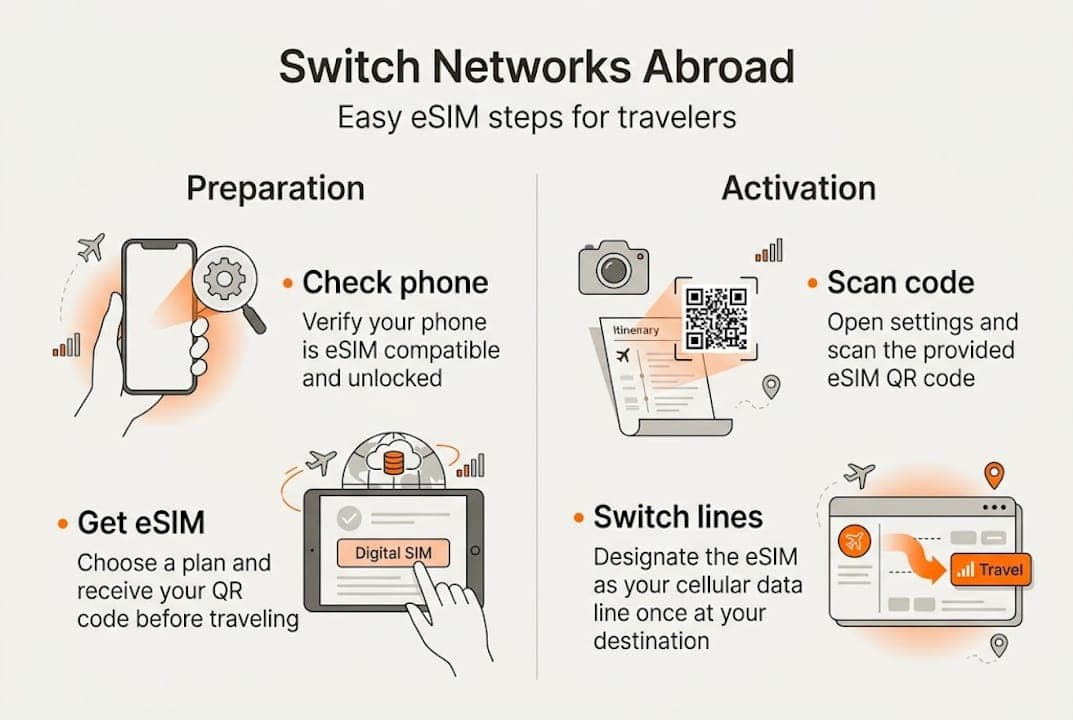
- An eSIM-compatible phone that is fully unlocked from your home carrier
- A stable Wi-Fi connection for the initial download and installation
- A purchased eSIM plan from your chosen provider, which will include a QR code sent to your email
- Your device’s IMEI number handy in case manual entry is required
The difference between an eSIM and a regular SIM matters here. A physical SIM is a small chip you slide into your phone. An eSIM is a digital profile embedded directly in your device, meaning you can switch carriers without touching a card. Most phones launched after 2018 support eSIM, including the iPhone XS and later, Google Pixel 3 and later, and Samsung Galaxy S20 and later.
| Device type | eSIM support | Physical SIM still needed? |
|---|---|---|
| iPhone XS and newer | Yes | No |
| Google Pixel 3 and newer | Yes | No |
| Samsung Galaxy S20 and newer | Yes | No |
| Older budget Androids | Often no | Yes |
To confirm your phone is compatible, go to Settings > General > About on iPhone, or check your IMEI online against your carrier’s unlocking records. If your phone is still locked to your home carrier, contact them to unlock it before your departure date. Many carriers unlock for free once your contract term is complete.
Pro Tip: Before leaving home, pre-load two or three eSIM profiles from different regional providers. If one carrier has poor coverage in a rural area, you can flip to another in seconds without scrambling for Wi-Fi.
For a broader look at the best eSIM solutions across different regions and use cases, research your destination’s network infrastructure in advance. Urban areas in Europe, Southeast Asia, and Latin America generally have excellent 4G and growing 5G coverage, while rural areas may require a provider with stronger local partnerships.
Step-by-step: How to switch to a new mobile network using eSIM
Once you’ve gathered your gear, here’s how to actually switch networks. The full process, from scanning a QR code to browsing on a new carrier, typically takes between 60 and 90 seconds.
For iPhone users:
- Purchase your eSIM plan online and wait for the QR code email
- Connect to Wi-Fi (hotel, café, or airport)
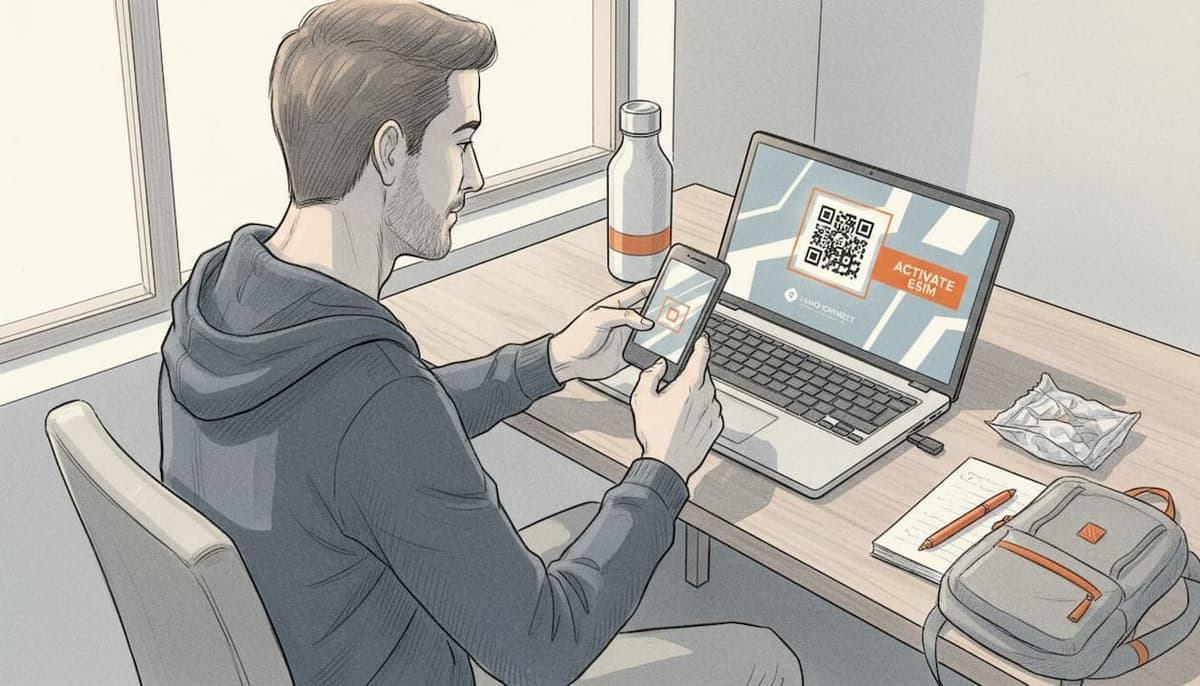
- Go to Settings > Cellular > Add eSIM
- Tap Use QR Code and scan the code from your email
- Label the new plan (e.g., “Europe Trip”)
- Set it as your Primary or Secondary line
- Turn on Data Roaming under the new plan’s settings
- Select it as your active data line under Cellular Data
For Android users:
- Purchase your eSIM plan and save the QR code
- Connect to Wi-Fi
- Go to Settings > Connections > SIM Manager > Add eSIM
- Scan the QR code or enter the activation code manually
- Name the profile for easy identification
- Set it as the Default Data SIM
- Enable Data Roaming under mobile network settings
This step-by-step guide to eSIM activation also walks through device-specific variations in more detail.
| Step | iPhone path | Android path |
|---|---|---|
| Open settings | Settings > Cellular | Settings > Connections > SIM Manager |
| Add plan | Add eSIM > Use QR Code | Add eSIM > Scan QR |
| Set active line | Cellular Data > Choose plan | Default Data SIM |
| Enable roaming | Cellular > Plan > Data Roaming ON | Mobile Networks > Data Roaming ON |
If you’re prompted for manual entry instead of a QR scan, look for the SM-DP+ address and activation code in your confirmation email. Type them in exactly as shown, including capitalization. Most providers include both options for exactly this reason.
Pro Tip: Keep a screenshot of your QR code saved offline before you land. If you lose internet access at the airport, you can still pull up the code from your photo library.
Troubleshooting and common mistakes to avoid
If you run into hiccups during the process, here’s how to get back on track. The most common frustration is activating a plan correctly but still seeing no data signal.
Start with this checklist:
- Confirm your phone is unlocked. A carrier-locked phone will reject any eSIM from a competing provider, even after a successful install.
- Turn Data Roaming ON. This is the single most overlooked step. Many phones default to Data Roaming OFF, which blocks all data on a foreign network even if the eSIM is active.
- Manually select your data line. After installation, some phones don’t automatically switch the active data line. Go into your cellular settings and confirm the new eSIM is selected.
- Restart your device. A full restart after activation resolves roughly 80% of connectivity issues by forcing the device to re-register on the new network.
One critical edge case: some regional plans require you to be physically present in the destination country before the plan activates. This is especially common in the Balkans, where non-EU countries like Serbia, North Macedonia, and Bosnia often require separate, country-specific plans rather than broader European regional plans.
Important: If you’re traveling through the western Balkans, don’t assume a European eSIM plan will cover you. Purchase a dedicated plan for each non-EU country you’re visiting, and wait until you arrive in-country before expecting activation.
Device compatibility is another common blocker. The iPhone XS or newer and comparable recent Android flagship models are the minimum requirement. Budget Android phones, even recent ones, sometimes lack eSIM hardware entirely. Check your phone’s spec sheet under “SIM” before purchasing any eSIM plan.
For a deeper dive into resolving these issues, you can troubleshoot eSIM issues using a structured diagnostic approach based on your specific device and region.
Expert tips for seamless travel connectivity
To stay truly connected, build these expert habits into your network-switching routine. The travelers who never lose connectivity aren’t just lucky. They plan deliberately.
Coverage and provider selection:
When choosing a provider, match the plan to your specific route. For example, Holafly covers 42 European countries with an unlimited plan, while Nomad offers a 50GB plan for $29 over 30 days, which represents strong value for medium-to-heavy users. Maya is worth considering for longer trips because it supports auto-renewal over 180 days, removing the hassle of manually rebooking every month.
- Prioritize providers that list local carrier partnerships, not just generic regional coverage
- For Southeast Asia, look for providers with partnerships on AIS (Thailand), Singtel (Singapore), or Smart (Philippines) for the strongest urban speeds
- In Latin America, Claro and Telcel partnerships tend to deliver the most consistent 4G coverage
Understanding data caps:
The word “unlimited” on eSIM plans almost always means “unlimited at high speed up to a daily cap, then throttled.” Holafly, for instance, throttles after 4.5GB per day. That’s enough for a full day of Maps, Slack, emails, and video calls. However, if you’re downloading large files or streaming 4K video in the evening, you’ll want to connect to hotel Wi-Fi.
Benchmark data shows reliable urban 4G and 5G performance across Europe and East Asia for common nomad tasks like Zoom calls, map navigation, and mobile hotspots. Speeds typically range from 20 Mbps to over 100 Mbps in major cities on modern carriers.
Building redundancy:
- Pre-install two to three eSIM profiles from different providers before departure
- Keep one global plan and one regional plan active simultaneously for failover
- Use eSIM plans for digital nomads that offer longer validity windows to avoid mid-trip expiration
- Set calendar reminders three days before any plan expires so you can renew before running out
Why most guides miss the hidden risks of eSIM network switching
Most eSIM tutorials stop at “scan QR code, done.” That’s fine for a weekend trip. For serious travelers, it misses the point entirely.
The real risk isn’t technical failure. It’s false confidence. “Unlimited” sounds like a promise, but it’s actually a ceiling. If you don’t know your daily cap, you’ll hit it during a critical work call and wonder why your connection died. Similarly, the phrase “works in 150 countries” often obscures the fact that coverage quality varies wildly between city centers and anywhere outside them.
The mindset shift that matters most is this: treat network connectivity the way you treat travel insurance. You don’t buy one policy and assume it covers everything. You understand what it covers, know its limits, and have a backup. Pre-loading multiple profiles and closely reading country-specific activation rules, particularly for advanced mobile carrier switching scenarios, is what separates travelers who stay connected from those who don’t.
Connect worldwide with instant eSIM solutions
Ready to travel smarter? The right eSIM can make all the difference between a productive trip and a frustrating one.

Lumo’s eSIM global data plans cover over 160 countries with flexible options built for the way frequent travelers actually move: fast activation via QR code, no physical SIM swaps, and 24/7 support when you need it. Whether you’re managing a multi-country itinerary or just want affordable, reliable data without roaming fees, you can explore top eSIMs and find the plan that fits your next trip.
Frequently asked questions
Do I need to be in my destination country to activate an eSIM plan?
Not always, but some country-specific plans only activate once you’re physically in that country, so always confirm activation requirements before purchasing.
Can I switch between multiple eSIM plans on one phone?
Yes, modern eSIM-compatible phones let you store and switch between multiple eSIM profiles, selecting whichever is active at any given time.
What do I do if my eSIM data isn’t working after switching networks?
Confirm your phone is unlocked and compatible, make sure Data Roaming is turned ON, manually select the correct data line, and restart your device.
How much data do unlimited eSIM plans really offer before throttling?
Most unlimited plans provide a fixed high-speed daily allotment, and Holafly caps at 4.5GB/day before reducing speeds, which covers typical nomad workloads comfortably.
Recommended
Related Topics
Stay Connected Anywhere
Prepaid eSIM data plans for 180+ countries and territories. No physical SIM required.