Can a Locked Phone Use an eSIM? Your 2026 Travel Guide
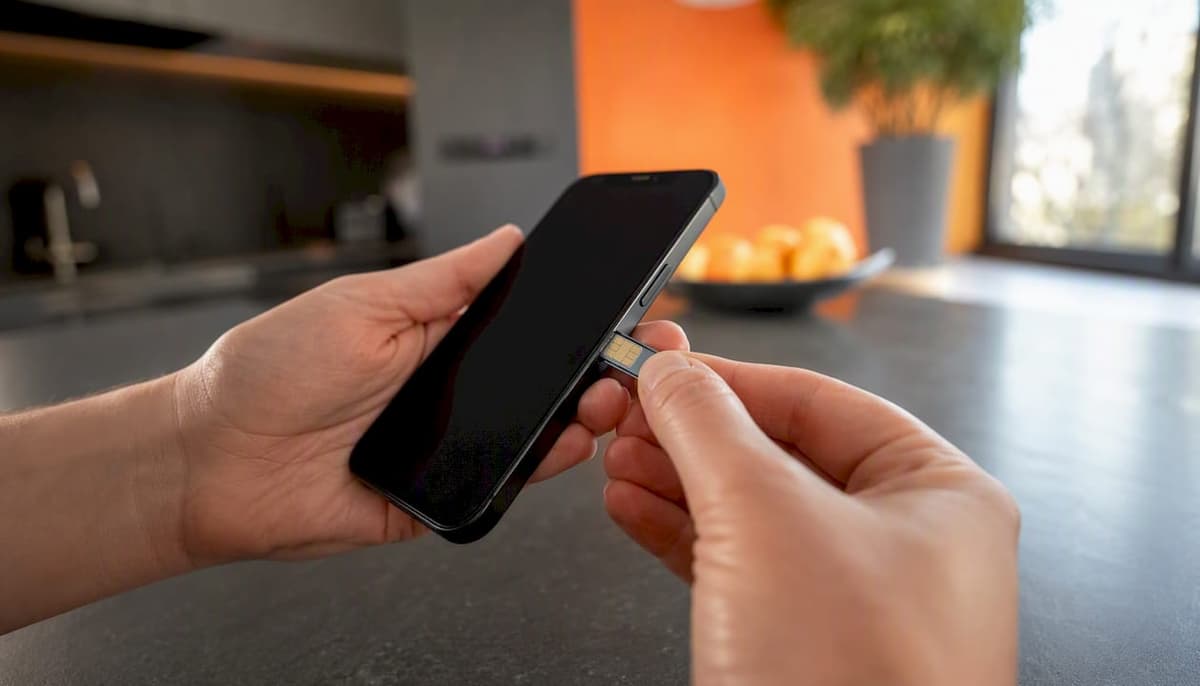
A carrier-locked phone can install an eSIM profile, but it will almost always fail to register on a network that isn’t your carrier’s — so for practical purposes, a locked phone eSIM from a third-party or travel provider won’t work. The restriction lives in the modem firmware, not in the eSIM chip itself.
Three things to do right now:
- Check your lock status before buying any travel eSIM (steps below for iPhone and Android).
- Confirm your carrier supports eSIM on your specific account type — prepaid accounts sometimes have restrictions even after unlocking.
- Request an unlock if you need a third-party or travel eSIM; FCC guidance requires participating carriers to unlock eligible devices, but you have to ask.
Pro Tip: Don’t wait until the airport. Carrier unlock requests can take 2–5 business days to process, and some carriers require the device to be paid off first.
Key Takeaways
A carrier-locked phone will block any eSIM from a non-approved carrier at the modem level, making unlocking the only reliable fix for travelers who need a third-party or travel eSIM.
| Point | Details |
|---|---|
| Locked phones block travel eSIMs | The modem refuses non-approved operator codes, even after a clean eSIM profile install. |
| Check lock status first | iPhone: Settings > General > About > Carrier Lock. Android: IMEI check plus carrier call. |
| Unlocking is the clean fix | FCC policy requires carriers to unlock eligible devices; prepaid unlock window is up to one year after activation. |
| Unlock timelines vary by carrier | Verizon’s 2026 waiver extended lock periods for new activations — confirm your carrier’s current policy. |
| Lumo eSIM for unlocked devices | Once unlocked, Lumo’s prepaid plans cover 160+ countries with instant QR activation and no contracts. |
Table of Contents
- How carrier locks block eSIMs on your phone
- How to check if your phone is carrier-locked
- What actually works on a locked phone
- How to unlock your phone in the US and Canada
- Workarounds when you can’t unlock before travel
- How to install an eSIM and read common activation errors
- Pre-travel checklist for locked-phone owners
- The part most travelers get wrong
- Lumo eSIM: instant travel data once your phone is unlocked
- Sources
- FAQ
How carrier locks block eSIMs on your phone
The lock isn’t a software setting you can toggle. It’s enforced at the modem level, meaning the radio hardware itself checks the network operator code of any SIM — physical or eSIM profile — against an approved list. If the code doesn’t match, the modem refuses to register, and you get no service.
This matters specifically for eSIMs because the installation step and the registration step are separate. You can scan a QR code, download a profile, and see it appear in your settings — and still end up with “No Service” because the modem blocked registration. Testing confirms that a locked phone will refuse any SIM from a non-approved carrier at the network level, even after a clean profile install.
How the eUICC interacts with carrier locks:
- The eUICC (embedded Universal Integrated Circuit Card) is the chip that stores eSIM profiles. It has no lock of its own.
- The carrier lock sits in the modem firmware, one layer below the eUICC.
- A travel eSIM profile installs fine onto the eUICC; the modem then checks the operator code and blocks registration if it doesn’t match.
- Result: the profile shows in your settings but the phone shows “No Service” or “Invalid SIM.”
Policy variation in North America matters too. Postpaid customers generally qualify for an unlock once their device financing or contract is complete. Prepaid customers face a different timeline: FCC policy sets the prepaid unlock window no later than one year after activation, consistent with provider policies. Some carriers unlock automatically; others require a request. The FCC’s proposed rulemaking explored a uniform 60-day unlock window, but that rule hasn’t been finalized — and in early 2026, the FCC granted Verizon a waiver allowing it to lock handsets for longer than the previous 60-day standard, which means unlock timelines are genuinely carrier-specific right now.
| Carrier type | Typical unlock eligibility | Automatic or request-based? |
|---|---|---|
| Postpaid (device paid off) | After contract/financing complete | Usually request-based |
| Postpaid (on installment plan) | After final payment | Request-based |
| Prepaid | No later than 1 year after activation | Varies by carrier |
| Verizon (2026 waiver) | Extended lock period possible | Request-based |
How to check if your phone is carrier-locked
Running this check takes under two minutes and saves you from buying a travel eSIM that won’t work.
iPhone:
- Open Settings > General > About.
- Scroll to Carrier Lock.
- “No SIM restrictions” means the phone is unlocked. Any other text (typically your carrier’s name) means it’s locked.
Apple’s support page confirms this is the definitive check — only your carrier can change that status.
Android (varies by manufacturer):
- Open Settings > About Phone > SIM Status (Samsung) or Settings > Network & Internet > SIM cards (Pixel). Wording differs across brands.
- Look for “Network locked” or “SIM lock status.” Some Android builds don’t show this directly.
- Dial *#06# to get your IMEI, then call your carrier’s customer service line and ask them to confirm lock status using that IMEI.
IMEI lookup:
- Dial *#06# — your IMEI appears on screen.
- Call your carrier or use their online account portal to check lock status.
- Some third-party IMEI checkers exist, but carrier confirmation is the most reliable.
The physical SIM swap test:
Insert a SIM card from a different carrier. If the phone shows “SIM not supported,” “Invalid SIM,” or asks for an unlock code, it’s locked. If it connects normally, it’s unlocked.
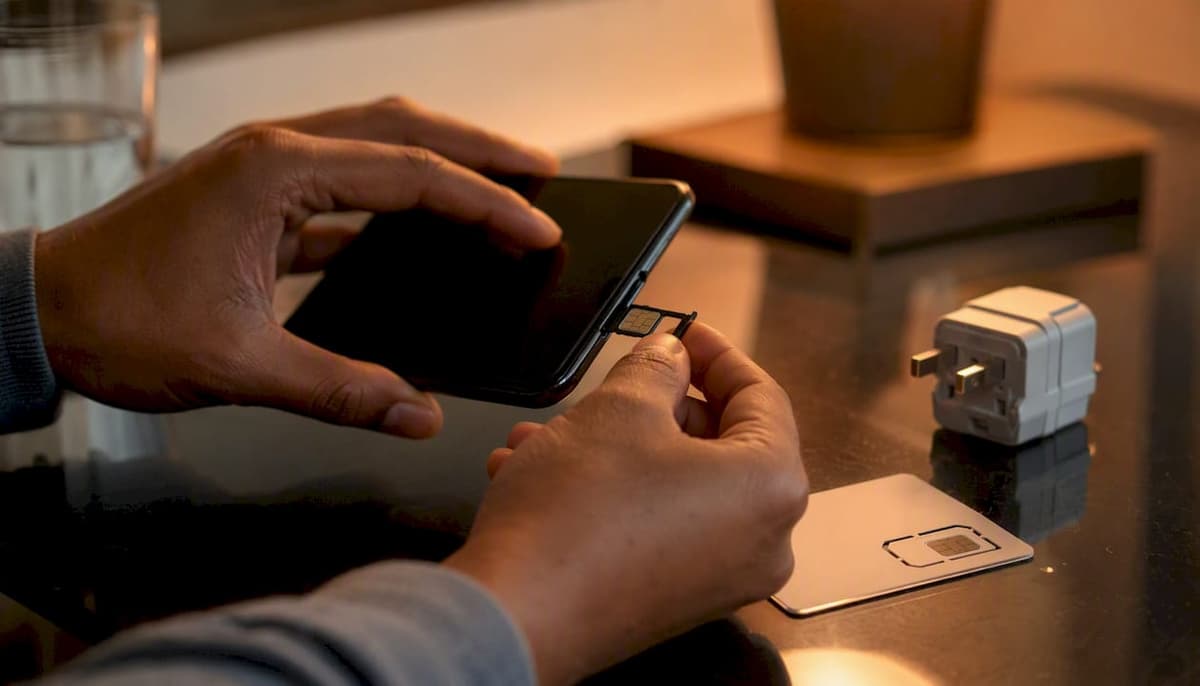
Pro Tip: Run the SIM swap test at home with a cheap prepaid SIM from a different carrier before you travel. It’s the fastest confirmation, and it costs less than $5.
What actually works on a locked phone
Knowing what’s possible on a locked device helps you set realistic expectations before you spend money on a plan.
What works:
- Same-carrier eSIM. Converting your existing physical SIM to an eSIM on the same carrier works fine — the operator code matches.
- Same-carrier roaming. Your carrier’s international roaming plan runs on your existing account, so the lock doesn’t interfere. Roaming rates can be steep, but it works.
- Carrier partner roaming. Some carriers have domestic partner agreements; a device locked to Carrier A may register on Carrier B if they share a roaming agreement. This is not guaranteed and varies by plan.
- Dual-SIM with same-carrier eSIM. If your device supports dual SIM, you can keep your physical SIM and add a same-carrier eSIM — useful for separating personal and work lines.
What usually fails:
- Third-party travel eSIMs (the kind you’d buy for a trip abroad).
- Local SIMs purchased at your destination.
- Any eSIM from a carrier your phone isn’t locked to.
The carrier exception caveat. Some U.S. carriers have historically allowed limited foreign-SIM use on locked phones while traveling internationally — T-Mobile and AT&T have shown this behavior in testing. Verizon has historically shipped many devices unlocked. But these exceptions are inconsistent and can change without notice. Don’t build a travel plan around them.
One practical upside of same-carrier eSIM on a locked phone: if you’re staying domestic and just want a dual-SIM setup, converting to eSIM with your current carrier keeps your home number active for MFA codes and iMessage while you add a second line.
How to unlock your phone in the US and Canada
Unlocking is the clean fix. Here’s how to do it without wasting time.
Eligibility checklist before you call:
- Device is fully paid off (no remaining installment balance).
- Account is in good standing (no unpaid bills, no fraud flags).
- For prepaid: the device has been active for the required period (up to one year per FCC policy).
- The device hasn’t been reported lost or stolen.
- You are the account holder or an authorized user.
Step-by-step unlock request:
- Find your IMEI (dial *#06#).
- Log into your carrier’s account portal or call customer service.
- Request an unlock, providing your IMEI, account number, and billing ZIP code.
- Wait for confirmation — most carriers send an email or SMS.
- Follow the carrier’s instructions to complete the unlock (often requires a restart or a brief connection to Wi-Fi).
- Recheck Settings > General > About > Carrier Lock on iPhone to confirm “No SIM restrictions.”
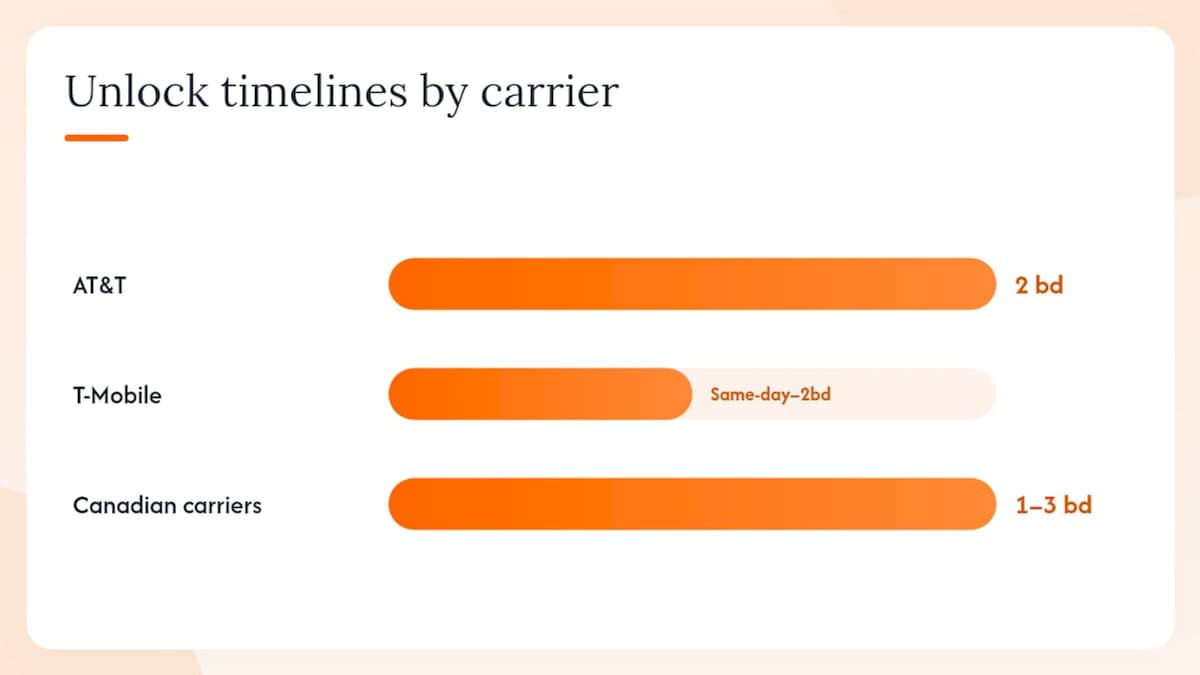
Typical timelines:
- AT&T: 2 business days for eligible postpaid devices.
- T-Mobile: often same-day for eligible accounts; up to 2 business days.
- Verizon: varies; the 2026 waiver means new activations may have extended lock periods — confirm directly.
- Canadian carriers (Bell, Rogers, Telus): the CRTC requires carriers to unlock devices on request at no charge; timelines are typically 1–3 business days.
When a request gets denied:
- Outstanding device balance: pay it off first.
- Account not in good standing: resolve any billing issues.
- Fraud flag: contact carrier fraud department directly.
- Device reported lost/stolen: this cannot be unlocked.
The FCC’s proposed 60-day uniform unlock window hasn’t become a binding rule, and the Verizon waiver in early 2026 shows the policy environment is still shifting. Check your specific carrier’s current policy the week before you travel — don’t assume last year’s timeline still applies.
Workarounds when you can’t unlock before travel
Sometimes the unlock request is pending, the device isn’t paid off yet, or there simply isn’t enough time. These options keep you connected.
- Pocket Wi-Fi device. Rent or buy a dedicated mobile hotspot (GlocalMe-style devices are widely available). Your locked phone connects via Wi-Fi, bypassing the SIM lock entirely. Rental rates vary by destination; airport kiosks and online rental services both work.
- Buy a cheap unlocked phone at your destination. A basic Android handset at a local carrier store costs $30–$80 in most markets. Pop in a local SIM, use it for data, and keep your locked phone for calls and MFA on Wi-Fi.
- Hotel Wi-Fi plus VoIP. For short trips where you mostly need calls and messaging, hotel Wi-Fi combined with apps like Google Voice or WhatsApp covers most communication needs. Not ideal for navigation or data-heavy tasks.
- Borrow or rent an unlocked device. Some travelers borrow a spare unlocked phone from a friend or family member. Short-term device rental services exist in major cities and airports.
- Check trade-in value first. If your locked phone is aging, it may be worth selling it and buying an unlocked replacement before the trip. Tools like BuyBackBear’s trade-in calculator can give you a quick estimate of what your device is worth.
Pro Tip: On arrival, buy the cheapest prepaid SIM available at the airport or a convenience store and test it in an unlocked spare device or pocket Wi-Fi. This confirms local network coverage before you commit to a longer plan.
For a full breakdown of avoiding roaming fees with eSIM, the cost math between roaming and a local plan is usually decisive within the first day of travel.
How to install an eSIM and read common activation errors
Once your phone is unlocked, installation is straightforward. The method depends on your device.
Installation methods:
- QR code (most common). Your eSIM provider sends a QR code. On iPhone: Settings > Cellular > Add eSIM > Use QR Code. On Android: Settings > Network & Internet > SIMs > Add eSIM, then scan. Each QR code is single-use.
- Carrier app. Some carriers push eSIM profiles directly through their app. T-Mobile and AT&T both support this.
- Manual entry (SM-DP+ address). If the QR code fails, you can enter the activation code manually. iPhone: Settings > Cellular > Add eSIM > Enter Details Manually. Pixel and Samsung have equivalent paths.
- Quick Transfer (iPhone to iPhone). iOS supports transferring an eSIM directly between two iPhones held near each other — no QR code needed.
Common activation errors and what they mean:
| Error message | Probable cause | First action |
|---|---|---|
| “Invalid SIM” | Lock mismatch — device still locked | Confirm unlock completed; recheck Carrier Lock setting |
| “No Service” after install | Lock or band incompatibility | Test with physical SIM first; check destination band support |
| “SIM not supported” | Device locked to different carrier | Request unlock before retrying |
| “Could not activate eSIM” | Profile already used or server error | Contact eSIM provider for a new QR code |
| “eSIM activation failed” | Network registration blocked | Restart device; if persists, likely a lock issue |
eSIM profiles often install successfully but fail at network registration — the modem checks the operator code after the profile is loaded, not during download. So “Invalid SIM” after a clean install almost always points to a lock issue, not a provider problem.
Dual-SIM management note. If your device supports multiple eSIM profiles, keep your home carrier eSIM active for MFA codes and iMessage. Set the travel eSIM as your default data line. This way, authentication texts still reach you even when you’re running on a foreign network. For mobile network compatibility details by destination, check band support before you leave — unlocking removes the firmware restriction but doesn’t change your phone’s hardware bands.
Pre-travel checklist for locked-phone owners
Run through this the week before departure.
- 7 days out: Check lock status (Settings > General > About > Carrier Lock on iPhone; IMEI check + carrier call on Android). If locked, submit the unlock request immediately.
- 7 days out: Confirm your device supports eSIM (not all budget Android phones do). Check the manufacturer’s spec page.
- 5 days out: Verify your destination’s LTE/5G bands against your phone’s hardware specs. A US model may lack bands common in Europe or Asia. Network compatibility guides can help here.
- 3 days out: Confirm the unlock went through. Recheck the Carrier Lock setting. If it’s still locked, call your carrier — don’t assume the request processed.
- 3 days out: Purchase your travel eSIM plan. Save the QR code to your camera roll and email — QR codes are single-use, so protect the original.
- 2 days out: Install and test the eSIM at home while still on Wi-Fi. Confirm the profile appears in settings. You won’t be able to register on the foreign network yet, but you can catch installation errors before you’re at the gate.
- Day of travel: Switch your data line to the travel eSIM after landing. Keep your home eSIM active for calls and MFA.
- On arrival: Test data immediately. If you see “No Service,” run through the error table above before assuming the plan is faulty.
Pro Tip: Screenshot your eSIM activation QR code and email it to yourself. If you lose your phone or need to reinstall, some providers can reissue a code — but having a backup saves a support call at 2 AM in a foreign airport.
For a complete walkthrough on switching mobile networks abroad, the step-by-step process covers everything from confirming APN settings to managing dual profiles.
The part most travelers get wrong
The conventional advice is “just unlock your phone before you travel.” That’s correct, but it misses the real problem: most people discover their phone is locked at the airport, not a week before departure.
The unlock process isn’t instant. Carrier processing takes days, and some carriers require the device to be fully paid off — which means if you’re 10 months into a 24-month installment plan, you won’t unlock anything before your flight. The Verizon waiver situation in early 2026 made this worse for new Verizon customers, who may now face extended lock periods they didn’t anticipate when they signed up.
There’s also a subtler issue: unlocking removes the carrier restriction, but it doesn’t fix band incompatibility. A US-market iPhone or Android device may not support the specific LTE bands used in parts of Southeast Asia or Eastern Europe. Travelers who unlock their phone, buy a local eSIM, and still get weak or no signal often blame the eSIM provider — when the real issue is hardware. Check band support for your destination before you buy any plan.
The practical takeaway: treat the unlock request like a passport renewal. Start early, confirm it completed, and have a backup plan ready. A pocket Wi-Fi device or a cheap unlocked spare phone costs less than a missed connection caused by a connectivity failure.
Lumo eSIM: instant travel data once your phone is unlocked
Once your device clears the carrier lock, the next question is which eSIM plan actually delivers reliable data abroad without locking you into a contract or a roaming bill that surprises you at month-end.
Lumo offers prepaid eSIM plans with instant QR code activation, coverage across 160+ countries, and no registration required. You pick a plan, scan the code, and you’re live. Plans are flexible by duration and data volume, so a three-day city trip and a three-month work stint abroad both have options that fit. 4G/5G connectivity and 24/7 support mean you’re not troubleshooting alone at midnight in a foreign time zone.
The setup is two steps: confirm your phone shows “No SIM restrictions,” then browse Lumo’s travel eSIM plans and activate at checkout. That’s it.
Sources
- Cell Phone Unlocking | Federal Communications Commission
- Promoting Consumer Choice and Wireless Competition Through Handset Unlocking Requirements and Policies (FCC NPRM)
- If you have an iPhone: Check whether it’s carrier-locked or unlocked - Apple Support
- Can a Locked Phone Use an International SIM or eSIM? - MobileTracker
- Verizon to stop automatic unlocking of phones as FCC ends 60-day unlock rule - Ars Technica
FAQ
Can a locked phone still use an eSIM?
Yes, but only from the same carrier the phone is locked to. A locked phone will block any eSIM from a different carrier at the modem level, even if the profile installs successfully.
How do you unlock a locked eSIM phone?
Contact your carrier directly with your IMEI and account details. Eligible postpaid customers can request an unlock after paying off the device; prepaid customers are eligible no later than one year after activation per FCC policy. Processing typically takes 1–5 business days.
What does it mean if an iPhone is eSIM locked?
It means the iPhone is carrier-locked and will only register eSIM profiles from that specific carrier. Apple confirms that “No SIM restrictions” in Settings > General > About > Carrier Lock is the only status that allows third-party eSIM activation.
Can I use an eSIM on an AT&T-locked phone?
You can use an AT&T eSIM on an AT&T-locked phone, but not a travel or third-party eSIM. To use a non-AT&T eSIM, you need to request an unlock from AT&T first — eligible postpaid customers can do this after the device is paid off and the account is in good standing.
Does unlocking my phone guarantee my travel eSIM will work?
Unlocking removes the carrier restriction, but your phone still needs to support the LTE/5G bands used at your destination. A US-market device may lack bands common in other regions, so confirm hardware compatibility before buying a plan.
Recommended
Related Topics
Stay Connected Anywhere
Prepaid eSIM data plans for 180+ countries and territories. No physical SIM required.