Morocco eSIM: How to Pick, Install and Use One
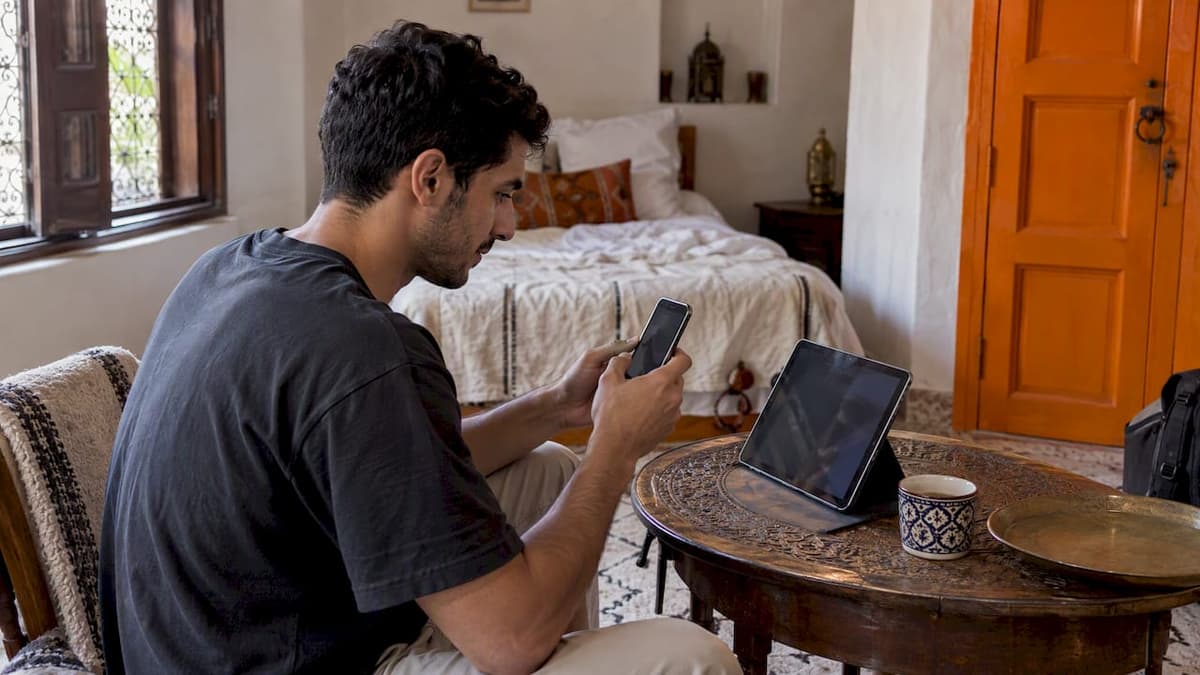
A Morocco eSIM lets you land in Casablanca, Marrakech or Tangier with mobile data already working, without queuing for a SIM card or paying your U.S. carrier’s roaming rates. You buy a prepaid data plan online, install it by scanning a QR code before you fly, and switch it on when you arrive. It works well for most city, coast and day-trip itineraries. It is not the right tool for every trip, and this guide shows you where the line falls.
TL;DR
- A travel eSIM is the easiest way to get data in Morocco, but it is data-only: no local phone number and no calls over the cellular network.
- Your phone must be eSIM-compatible and carrier-unlocked. Check before you buy, not at the airport.
- Confirm that Morocco is named in the plan’s country list. Many regional passes skip North Africa.
- Install before you leave, but wait to turn the line on until you land, because the validity clock can start at first connection.
- For the Sahara, the Atlas Mountains or a long stay, plan for coverage gaps and consider a local SIM as a backup.
Table of Contents
- Do you need an eSIM in Morocco?
- Check your phone before you buy
- Make sure Morocco is actually in the plan
- How much data will you use?
- What a travel eSIM will not give you
- Install early, activate late
- Coverage in cities, deserts and mountains
- eSIM or local SIM: which fits your trip?
- Our perspective: why we keep the setup simple
- Get a Morocco eSIM from Lumo
- Staying safe and healthy while you are connected
- Common mistakes to avoid
- FAQ
- Sources
Do you need an eSIM in Morocco?
No, you do not strictly need one. Prepaid SIM cards are sold in Morocco, and prepaid SIMs are widely available and need only a valid passport for foreigners. What an eSIM changes is the first hour. You skip the kiosk, the passport copy, the language barrier and the hunt for an open shop after a late flight. Your maps, ride apps and hotel messages work from the arrivals hall.
For most Americans on a one- to two-week trip hitting Marrakech, Fes, Chefchaouen and the coast, that convenience is the whole point. Roaming through a U.S. carrier is usually the costly alternative. Our guide to roaming fees versus eSIM walks through why, and avoiding roaming fees with an eSIM covers the settings that keep surprise charges off your bill.
The case for a local SIM gets stronger when the trip is long, remote or work-heavy. One local guide notes that for long stays or remote travel, a Maroc Telecom SIM is often superior thanks to rural coverage and flexible top-ups. We come back to that below.
Check your phone before you buy
Two things decide whether a Morocco eSIM will work on your device: eSIM support and carrier lock.
- eSIM support. Dial *#06# on your phone. If you see an EID number, the hardware supports eSIM, as Apple’s support guidance explains.
- Carrier lock. On an iPhone, go to Settings > General > About and look at Carrier Lock. It should read “No SIM Restrictions.” Phones still locked to a U.S. carrier will not accept a travel eSIM, so ask your carrier to unlock the device before you travel. Apple’s page covers the check, and our piece on whether a locked phone can use an eSIM goes further.
Do this at least a week before departure. Unlock requests with some carriers are not instant, and a financed phone may have conditions attached.
Make sure Morocco is actually in the plan
This is the most common mistake. Travelers buy a regional plan and assume it covers the whole map. One 2026 Morocco guide warns that many European or Middle Eastern regional passes exclude North Africa. Morocco sits in Africa, not Europe, even though a ferry from Spain gets you there in a couple of hours.
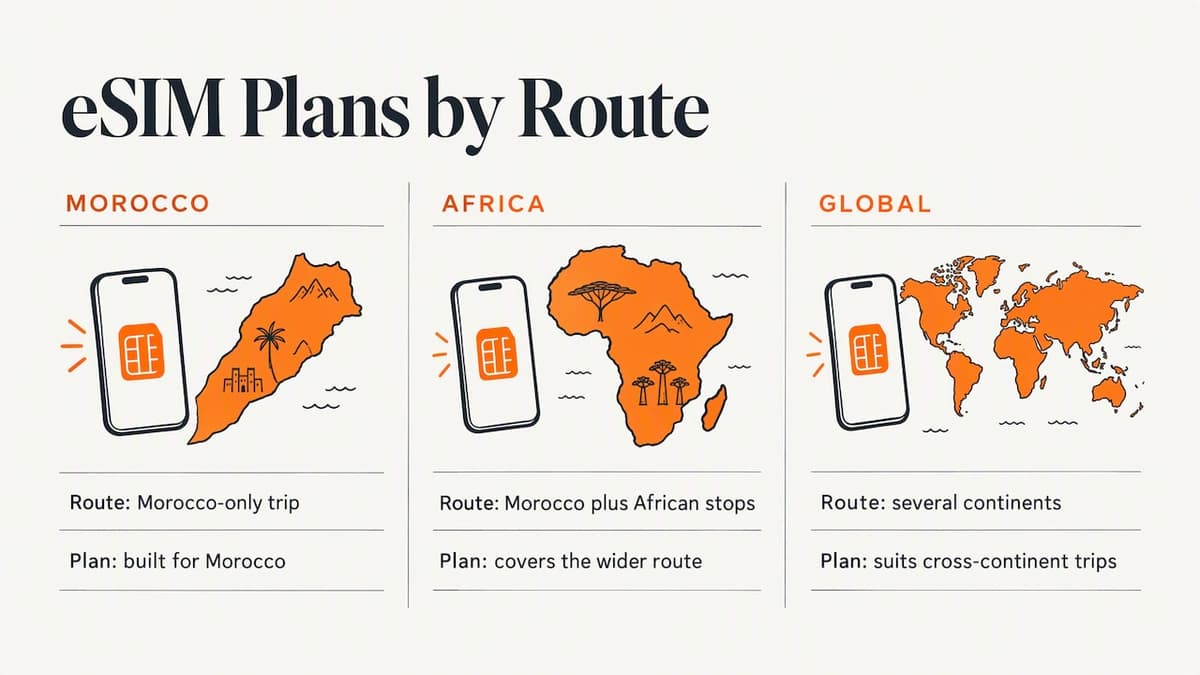
Before paying, open the plan’s country list and look for Morocco by name. Our Morocco eSIM plans are built for the country. If you are combining Morocco with other African stops, the Africa eSIM plans cover the wider route, and the Global eSIM plans suit a trip that crosses several continents. You can check which networks we use in each country on the coverage page.
How much data will you use?
There is no single answer, but a rough sense of habits helps you avoid paying for data you will not use, or running dry in a medina.
| Trip style | What you do online | Plan size to consider |
|---|---|---|
| Long weekend, city only | Maps, messages, a few photos | Small plan, a few GB |
| One to two weeks, several cities | Maps, ride apps, social media, translation | Mid-size plan |
| Remote work from cafés | Video calls, cloud files, laptop tethering | Large plan with confirmed hotspot support |
| Multi-week stay | Everything, daily | Large plan, or eSIM plus a local SIM |
Start a little higher than your estimate if you navigate by phone all day. Offline maps reduce that load, which we cover in the remote-travel section below.
Watch the word “unlimited”
Many plans sold as unlimited block or throttle tethering. A review of Moroccan options points out that hotspot restrictions can make such plans unusable for laptop work. If you will share data with a laptop or a travel companion, confirm tethering terms in the plan description before you check out.

What a travel eSIM will not give you
Most international eSIMs are data-only. That means no Moroccan phone number. If a bank, delivery app or local service needs to text you a one-time code, a data plan will not receive it. In that case, a local SIM from Maroc Telecom, Orange or inwi is the route, and you will need to show your passport at a physical kiosk.
There is a practical fix for U.S. travelers who rely on their home number for two-factor codes: keep your primary SIM active, turn off cellular data on it, and use the eSIM for data only. Your home number can still receive SMS codes over the primary line where your carrier allows it, and you pay nothing extra if roaming data stays off. Our guide to roaming settings with an eSIM shows exactly which toggles to flip, and the iMessage with eSIM guide helps if your messages go quiet after the switch.
For calls, use WhatsApp, FaceTime audio or another app over data. These work fine on a good connection.
Install early, activate late
The timing trips up a lot of people. You can scan the QR code at home on Wi-Fi, which is far easier than doing it on shaky airport internet. But validity usually starts when the plan first connects to a supported network, not when you install it. One Morocco guide advises against turning on the data roaming toggle too early, since it might start the clock before you need the data.
A clean sequence looks like this:
- At home, a few days before: confirm unlock status, buy the plan, install it from the QR code on Wi-Fi, and label the line “Morocco.”
- At the departure airport: leave the Morocco line switched off for data. Keep your home line on only if you want calls or texts before boarding.
- After landing: switch to the Morocco line for cellular data, turn on data roaming for that line only, and turn off data on your home SIM.
- Test: open a map and load a page. If nothing loads, toggle airplane mode, then restart the phone.
For more on this, our post on when to activate an eSIM explains the logic, and a separate walkthrough on avoiding early plan activation covers staying connected while you wait. Also check how long your plan stays valid; our validity period checklist helps you match days to your itinerary, including the arrival and departure days.
Coverage in cities, deserts and mountains
Morocco has three main mobile operators: Maroc Telecom, Orange Morocco and inwi. Travel eSIMs connect to one or more of them behind the scenes. In cities such as Casablanca, Rabat, Marrakech and Tangier, 4G is widespread. Travelers report a very different picture away from the cities.
One local travel guide says that mountain and Sahara regions have significant connectivity gaps. If you are heading to Merzouga for a dune camp, trekking in the High Atlas or driving the long roads south of the mountains, assume you will lose signal for stretches. That is true of any plan, eSIM or SIM.
Prepare for it:
- Download offline maps of the region in Google Maps while you are on Wi-Fi.
- Save your booking confirmations, passport copy and emergency contacts on the phone itself.
- Tell your driver or tour operator where you are going each day.
- Do not plan to join a video call from a desert camp.
eSIM or local SIM: which fits your trip?
Neither is better in every case. This table sets out the trade-offs.
| Factor | Travel eSIM | Local physical SIM |
|---|---|---|
| Setup | Online, before you fly | In person, passport required |
| Works on arrival | Yes | After you find a shop |
| Local phone number | Usually no | Yes |
| Rural coverage | Depends on the network it uses | Often stronger with the main local operator |
| Top-ups | Buy another plan online | At shops or via the operator |
| Best for | Short, city-focused trips | Long stays, remote routes, local-number needs |
The advice from one Morocco guide is that a pre-activated eSIM is hard to beat for short, urban trips, while a local SIM tends to win for long or remote travel. We agree with that split. Some travelers combine both: an eSIM for the first days and a local SIM later, if the itinerary calls for it.
Our perspective: why we keep the setup simple
We built Lumo around a simple observation: the people who struggle with eSIMs are rarely confused by the technology. They are caught out by small things at the wrong moment, like a locked phone, a plan that quietly leaves out the destination, or a roaming toggle flipped too early.
That is why our checkout asks for no registration and works as a guest purchase, and why the QR code arrives right away. Our own measure is setup time: we cite an average of 45 seconds from purchase to a working install. It is also why we publish guides on locked phones, validity windows and roaming settings next to the plans. A plan is only as good as your ability to use it on a Tuesday night in Marrakech with 12% battery.
Our honest view on Morocco is this. For a first trip, a week or two, mostly in cities and on the coast, a prepaid eSIM removes the most friction and saves money over roaming. If you are going deep into the desert, staying for months or need a local number, buy a local SIM as well and do not expect any eSIM to fill every gap. We would rather you travel prepared than disappointed.
— Theo Wheeler
Get a Morocco eSIM from Lumo
If you are ready, our Morocco eSIM plans come with instant QR code delivery, 4G/5G where the network supports it, no contract and 24/7 support from people and AI. You can install on a smartphone, tablet or laptop that supports eSIM, and keep your home SIM in place. For trips that stretch beyond Morocco, see our Africa and Global plans, or start at lumo.to.
Staying safe and healthy while you are connected
Good data helps with logistics, but it does not replace preparation. The State Department’s current advisory for Morocco is Level 2: Exercise Increased Caution because of terrorism, updated in September 2026. It advises staying alert in tourist spots and transport hubs. Read the full page before you book, and enroll in the Smart Traveler Enrollment Program if you want embassy alerts.
On health, the CDC says tap water in many destinations may be unsafe for drinking and brushing teeth, and recommends sealed bottled or properly disinfected water and avoiding ice. Talk to your doctor or a travel clinic four to six weeks before departure about vaccines and any medications. The CDC also lists current health notices for Morocco on its traveler page.
With data on your phone, you can also reach translation apps and your embassy’s contact details quickly. Save those offline too.
Common mistakes to avoid
- Buying a regional plan without checking the list. Morocco must be named.
- Assuming your phone is unlocked. Verify it in Settings.
- Installing and enabling too early. Install early, activate on arrival.
- Expecting a Moroccan number. Data-only plans do not include one.
- Ignoring tethering rules. Check the terms if you need a hotspot.
- Skipping offline maps. Signal drops in the mountains and desert.
- Leaving home-line data on. Switch off cellular data and roaming on your primary SIM.
FAQ
Does a Morocco eSIM work on my iPhone or Android?
It does if the phone supports eSIM and is carrier-unlocked. Dial *#06# and look for an EID, then check Carrier Lock in your settings. Most recent iPhones and flagship Android phones qualify, but check your exact model.
Can I use a regional eSIM for Morocco?
Only if Morocco appears in that plan’s country list. European passes often leave it out, because Morocco is in North Africa. Choose a Morocco, Africa or global plan that names the country.
Will I get a Moroccan phone number?
Usually not. Travel eSIMs are generally data-only, so you use apps for calls and messages. If you need a local number for one-time codes, buy a local SIM from a Moroccan operator with your passport.
When should I install my Morocco eSIM?
Install it at home on Wi-Fi a few days before you fly, but keep it switched off for data until you land. Validity can start when the plan first connects, so turning it on early may use up days you have paid for.
Is an eSIM enough for the Sahara?
Not reliably. Signal in desert and mountain areas is patchy for every provider. Download offline maps and documents first, and consider a local SIM as a backup if the route is remote.
Sources
- Morocco Travel Advisory, U.S. Department of State
- Food and Water Precautions for Travelers, CDC Yellow Book
- Morocco traveler view, CDC Travelers’ Health
- Apple Support: eSIM and carrier lock guidance
- Prepaid SIM Cards in Morocco: Complete Guide
- eSIM Morocco 2026 guide
- Best eSIM for Morocco 2026
- Best eSIM for Morocco (2026) road test
- Morocco SIM Card and eSIM: Current Arrival Guide
Recommended
Related Topics
Stay Connected Anywhere
Prepaid eSIM data plans for 180+ countries and territories. No physical SIM required.