Public Wi-Fi vs. Mobile Data: Which Is Safer When You Travel?
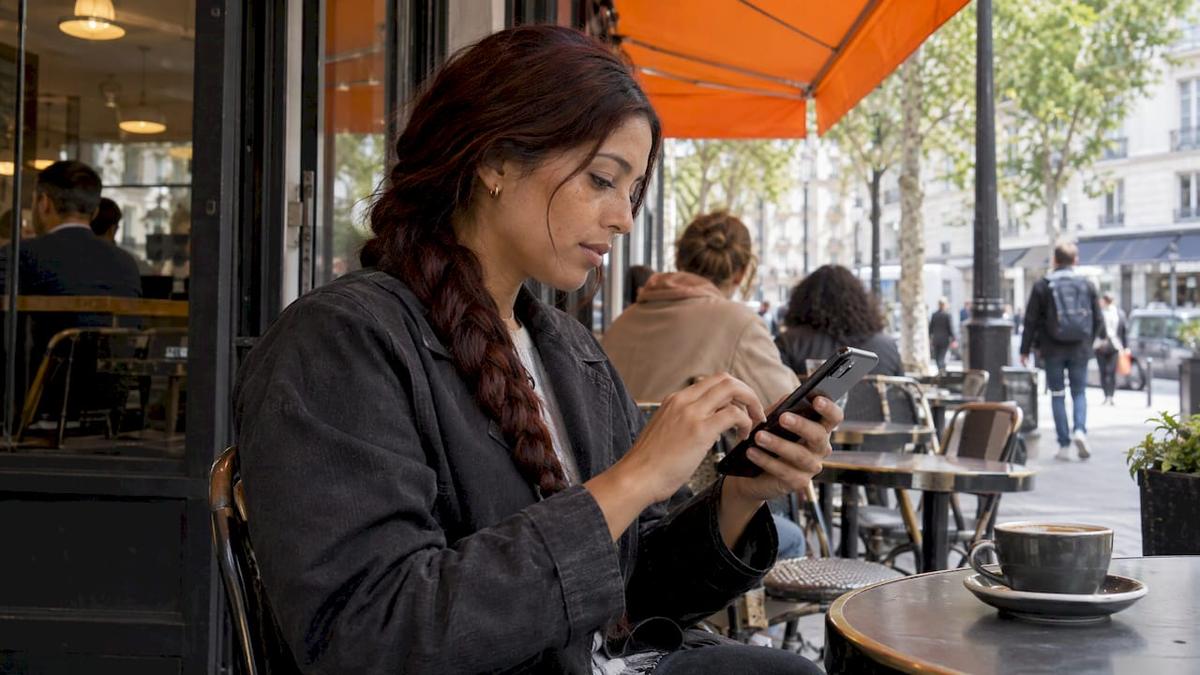
Mobile data is the safer choice for anything sensitive, such as banking, shopping, work logins and email. U.S. cybersecurity agencies say so directly. Public Wi-Fi is fine for low-stakes browsing, but you share it with strangers and you can’t verify who runs it. Abroad, a local eSIM gives you your own cellular connection without roaming charges, so you rarely need to rely on a hotel or airport network.
Below: how the two connections differ, what the risks are at hotels and airports, when Wi-Fi is perfectly good, and how to avoid running out of data.
TL;DR
- Use cellular data, not public Wi-Fi, for banking, shopping and work logins. CISA and the FCC both point travelers that way.
- Hotel and airport Wi-Fi sign-in pages are a known target. Microsoft has reported attacks on hospitality networks that use fake login screens.
- Wi-Fi is still the better pick for big downloads, updates and streaming, because it doesn’t use your data allowance.
- A prepaid eSIM gives you local cellular data abroad without a physical SIM, and it works as a hotspot for your laptop.
- A VPN helps, but it doesn’t make an untrusted network trustworthy.
Table of Contents
- How public Wi-Fi and cellular data actually differ
- Is mobile data safer than public Wi-Fi?
- Hotel Wi-Fi security: where the risk concentrates
- Airport Wi-Fi vs. eSIM
- When public Wi-Fi is fine
- What about a VPN?
- Making cellular data work for you abroad
- Our perspective
- Get online the safe way before you land
- FAQ
- Sources
How public Wi-Fi and cellular data actually differ
The two connections work differently, and that is where the security gap comes from.
Wi-Fi is a short-range link to a router. AT&T’s support documentation puts its range at generally around 150 feet, and Wi-Fi use doesn’t count against your mobile data allowance. Cellular data connects over the air to carrier towers, can reach across miles, and is billed against your plan’s allowance.
That difference shapes who you are connecting to:
| Public Wi-Fi | Cellular data (eSIM or SIM) | |
|---|---|---|
| Who runs it | The venue, or whoever set up a network with the venue’s name | A mobile carrier you chose and paid |
| Who else is on it | Every guest, plus anyone nearby | Your own connection |
| Sign-in | Often a captive portal page | None, it connects on its own |
| Counts toward data allowance | No | Yes |
| Best for | Large downloads, updates, streaming, low-stakes browsing | Banking, work logins, maps, messaging, anything sensitive |
| Range | Roughly 150 feet from the router | Wherever the carrier has coverage |
With public Wi-Fi, you trust a stranger’s router, the person who configured it and every device on the network. With cellular data, you trust one carrier and nobody else on the same room’s network.
Is mobile data safer than public Wi-Fi?
For sensitive activity, yes. The guidance is consistent.
- CISA advises against using open Wi-Fi at airports, coffee shops and other public places for personal business, banking or shopping. It recommends using cellular data for sensitive transactions while traveling.
- CISA’s mobile security one-pager says your mobile network connection is generally more secure than public Wi-Fi. It also says to confirm the network name and login steps with staff before joining a hotspot on a plane, in an airport, hotel, station or café.
- The FCC says that when you send sensitive information, your cellphone data plan may be more secure than Wi-Fi. It also warns about imposter hotspots, which you can spot when more than one network seems to belong to the same business.
To be fair to Wi-Fi, the picture has improved. Widespread HTTPS encryption means that ordinary browsing on a public network is much less exposed than it was years ago. Security researchers still list six threats that survive in 2026: evil twin hotspots, malicious captive portals, DNS hijacking, metadata leakage, auto-connect probes and plaintext app traffic. Most of these depend on you joining a network you can’t verify. That is the step cellular data skips.
Hotel Wi-Fi security: where the risk concentrates
Hotel networks combine the problems above. Hundreds of guests share them, the sign-in page is often old equipment, and you join them in a hurry after a long flight.
Microsoft reported a campaign called CaptiveCrunch that compromised hospitality Wi-Fi networks and captive portals in several countries. Fake login screens and malicious pop-ups were used to steal credentials. Malware could then capture keystrokes, record audio and video, take passwords and control infected devices remotely. The report ties the activity to a sub-cluster claimed to be linked to a Russian state-backed group, and it names hotels, airports and other shared venues as targets. Microsoft’s advice is to use a cellular hotspot or an encrypted private connection, ignore unexpected pop-ups and limit what you share.
The design of captive portals is part of the problem. The Next Web’s analysis argues that the phone has to talk to the local network in clear text before it can build a secure connection. That creates an attack surface and a privacy leak at the same time. It also notes that sign-in pages collect first-party data for advertising, and that most VPN apps struggle at the portal handoff.
Hotel Wi-Fi habits that lower the risk
- Ask the front desk for the exact network name and login steps. Don’t join a similar-looking second network.
- Treat any pop-up that asks you to install something, update software or re-enter a password as hostile.
- Keep banking, payroll and work logins on cellular data.
- Turn off auto-connect for Wi-Fi so your phone doesn’t join a lookalike network by itself. The FCC lists this among its mitigation steps.
- Use the hotel network for the heavy, low-risk jobs: streaming, big downloads and software updates.
Airport Wi-Fi vs. eSIM
Airports add time pressure. You want a connection at the gate, the network list is long, and some names look official. CISA specifically lists airports and airplanes in its advice to confirm the network name with staff before connecting.
An eSIM changes the situation. You install it before you fly, or on the plane before landing, and your phone connects to a local carrier on arrival. There is no sign-in page, no network list to sort through and no shared router. Smart Meetings’ travel security advice says to treat hotel, airport and conference networks as untrusted. It recommends cellular data or a personal hotspot whenever possible, and it says international travelers can consider an eSIM for local data without a physical SIM.
For a quick comparison:
- Gate Wi-Fi: free, but you decide among networks you can’t verify and often pass through a portal.
- eSIM data: paid, but private, immediate on landing and not tied to any venue.
The time saved matters too. Ride-share apps, maps, boarding passes and hotel confirmations all need data the moment you land, and that is when airport networks are most crowded.
When public Wi-Fi is fine
Wi-Fi is not something to avoid completely. It makes sense when:
- You are downloading offline maps, playlists, shows or a large app before a trip.
- You are installing OS and app updates.
- You are streaming video, since Wi-Fi doesn’t touch your allowance.
- You are browsing news or looking up a restaurant, with nothing sensitive typed in.
The best approach is to split your traffic. Sensitive tasks go on cellular data and bulk tasks go on Wi-Fi you trust, such as your own home or a network you know. Wi-Fi usually wins for speed and cost on big transfers, and cellular wins when you are moving or when privacy matters.
What about a VPN?
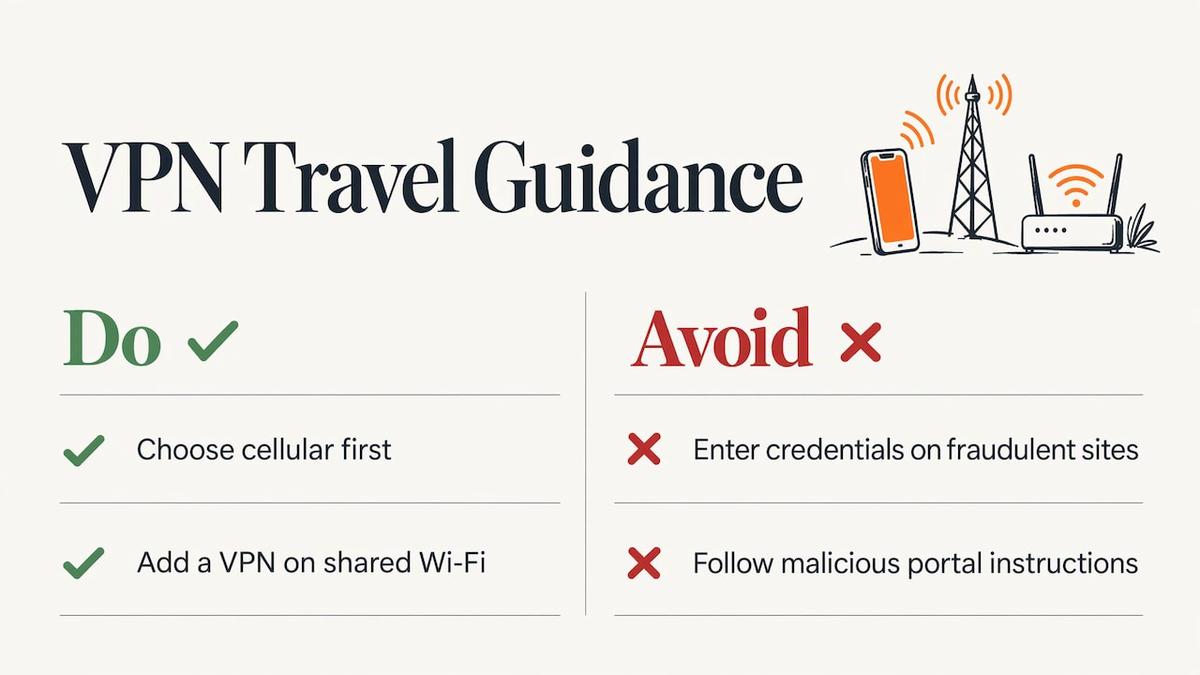
A VPN encrypts traffic between your device and the VPN provider. That is useful on shared networks. It isn’t a cure-all, though. The same security researchers who list the Wi-Fi threats note that a VPN moves your trust from your internet provider to the VPN company. Smart Meetings adds that a VPN won’t protect you if you type credentials into a fraudulent site or follow instructions from a malicious captive portal.
The practical order: pick the safest connection first, which is cellular, and add a VPN as a second layer. If you want to pair the two, our guide to using a VPN with an eSIM covers the setup.
Making cellular data work for you abroad
The usual worry with cellular data is cost and allowance. Roaming charges from a home carrier are the classic surprise. A prepaid local eSIM avoids that: you pay once for a set amount of data and days, and when you use hotel Wi-Fi for streaming, your allowance stays untouched. Our guide to avoiding roaming fees walks through the details.
Pick the right plan size
- Light use (maps, messaging, email, rideshare): a small plan lasts a short trip.
- Mixed use (video calls, social media, some work): choose a mid-size plan and do bulk downloads on trusted Wi-Fi.
- Remote work: choose a larger or longer plan and use your phone as a hotspot for the laptop. Our eSIM hotspot setup guide shows how, and if tethering misbehaves, these four quick checks usually fix it.
Stretch your data without giving up safety
- Download maps, playlists and boarding passes on trusted Wi-Fi before you leave.
- Turn off background app refresh and automatic video playback.
- Set a data warning in your phone’s settings.
- Switch your phone to use cellular for banking and Wi-Fi for large downloads, not the other way around.
For more on staying private on the road, see our pieces on mobile data security for eSIM travelers and eSIM security best practices. If you are moving abroad rather than visiting, this guide to phone and internet setup abroad covers the longer-term options.
Our perspective
We built Lumo because we travel, and the first hour in a new country is when most people make their riskiest connection choice. You land tired, you need a map and a ride, and the airport network is right there.
Our view is simple: your phone’s own cellular connection should be the default for anything that matters, and Wi-Fi should be the bonus for bulk jobs. An eSIM makes that practical, because you can buy and install a plan before you board, scan a QR code and be online in about 45 seconds on average, with no registration and no contract.
We designed our plans around that habit. Pick a regional plan for a multi-country trip or a single-country plan for a short stay, keep your home number for texts, and let hotel Wi-Fi handle the streaming. If you need help at any hour, our support team is there around the clock.
Theo Wheeler
Get online the safe way before you land
If you want a private connection from the moment you arrive, Lumo sells prepaid eSIM plans for 160+ countries, with instant QR code activation and 4G/5G data. Prices are one-off, with no contract. Plans for Europe start from $1, Asia from $2, the United States from $2 and global coverage from $7. Check coverage by country, browse all destinations, or go straight to global eSIM plans if your trip crosses several regions. You can also read more on secure mobile data while traveling.
FAQ
Is mobile data safer than Wi-Fi?
For sensitive activity, yes. CISA and the FCC both say cellular data is generally the more secure option when you handle banking, shopping or personal business away from home. Public Wi-Fi is shared with strangers and can be spoofed by imposter hotspots, while your cellular connection is yours alone.
Is hotel Wi-Fi safe to use?
It is fine for low-risk tasks like streaming, but it is a poor place for logins and payments. Microsoft has reported attacks on hotel networks and sign-in pages that used fake login screens. Confirm the network name with staff, ignore unexpected pop-ups and use cellular data for anything sensitive.
Should I use an eSIM or airport Wi-Fi?
An eSIM is the better pick when you need to log in to accounts, since there is no shared network or sign-in page. Airport Wi-Fi works for a quick, low-stakes search. If you land abroad, an eSIM installed in advance gets you online without hunting for a network.
Does a VPN make public Wi-Fi safe?
It adds a layer, but it doesn’t remove the risk. You still have to trust the VPN company, and a VPN can’t stop you from entering a password on a fake page. Use cellular data for sensitive tasks and a VPN as a backup.
Can I use my eSIM as a hotspot for my laptop?
Yes, on most phones with a data plan that allows tethering. You share your cellular connection with the laptop instead of joining a hotel or café network. Our hotspot guide explains the steps for iPhone and Android.
Sources
- Differences Between LTE Mobile Broadband and Wi-Fi (AT&T)
- Holiday Traveling with Personal Internet-Enabled Devices (CISA)
- Stop Think Connect: Mobile Security (CISA)
- Wireless Connections and Bluetooth Security Tips (FCC)
- Microsoft warns travellers of attacks on hotel Wi-Fi (Times of India)
- The captive portal economy (The Next Web)
- Is Public Wi-Fi Safe in 2026? (SudoTool)
- Cybersecurity on the Road (Smart Meetings)
Recommended
Related Topics
Stay Connected Anywhere
Prepaid eSIM data plans for 180+ countries and territories. No physical SIM required.