Secure Mobile Data While Traveling: Cut Costs by 80%

Unexpected roaming fees can drain hundreds from your travel budget in a single trip. Public Wi-Fi networks expose your sensitive data to cyberattacks, with breach risks tripling without proper protection. Modern eSIM technology eliminates costly roaming charges while delivering instant local data access paired with robust security measures. This guide walks you through proven steps to secure your mobile data and slash connectivity costs wherever you roam.
Table of Contents
- Prerequisites: What You Need Before Securing Mobile Data on the Go
- Step 1: Setting Up Your eSIM for Instant Local Data Access
- Step 2: Implementing Cybersecurity Measures for Mobile Data Protection
- Common Mistakes and How to Avoid Them
- Troubleshooting Connectivity and Security Issues While Traveling
- Expected Outcomes: Cost Savings, Speed, and Data Security Benchmarks
- Ready to Secure Your Mobile Data and Slash Travel Costs?
- Frequently Asked Questions
Key Takeaways
| Point | Details |
|---|---|
| Cost Reduction | Using eSIMs can reduce mobile data costs by up to 80% compared to traditional roaming. |
| Quick Activation | Activating an eSIM profile takes under 5 minutes for instant connectivity in any country. |
| Security Boost | Consistent VPN use abroad cuts cyber risk by up to 70% while protecting sensitive data. |
| Access Protection | Multifactor authentication reduces unauthorized access by 99.9% on all accounts. |
| Error Prevention | Proper setup prevents common roaming charges and security vulnerabilities travelers face. |
Prerequisites: What You Need Before Securing Mobile Data on the Go
Before you land in a foreign country, having the right tools and preparation ensures smooth, secure connectivity. An eSIM compatible device is your foundation, so verify your smartphone or tablet supports this technology through your device settings or manufacturer specifications.
Subscribe to a reputable mobile VPN service before departure. VPNs encrypt your data traffic, making intercepted information useless to attackers on compromised networks. Install and update antivirus and anti-malware apps to detect threats automatically.
Enable multifactor authentication on email, banking, and social media accounts. This simple step blocks nearly all unauthorized access attempts. Research local regulations regarding VPN use and understand network quality at your destinations to choose appropriate data plans.
Hardware based security features provide superior protection compared to software alone. Hardware based security solutions reduce data breach risk by up to 60% compared to software only methods. Modern smartphones include secure elements that store encryption keys in isolated hardware.
Here’s your essential checklist:
- eSIM compatible device verified and ready
- Mobile VPN subscription active with app installed
- Antivirus and anti-malware apps updated
- Multifactor authentication enabled on critical accounts
- Destination network research completed
- Hardware security features activated
Review eSIM security tips to understand best practices before your trip. Download offline maps and store emergency contact information accessible without internet connectivity.
Pro Tip: Test your VPN connection and eSIM setup at home before traveling. This prevents troubleshooting technical issues when you’re exhausted from a long flight or navigating an unfamiliar city.
Step 1: Setting Up Your eSIM for Instant Local Data Access
eSIM technology transforms how you connect abroad by eliminating physical SIM cards and roaming fees. Setting up your eSIM delivers immediate local carrier access at a fraction of traditional roaming costs.
Follow these steps for successful activation:
- Obtain your eSIM profile QR code from a trusted provider before departure or upon arrival.
- Open your device’s eSIM manager (Settings > Cellular/Mobile Data > Add eSIM on most devices).
- Scan the QR code using your camera to download the profile instantly.
- Select a local carrier data plan matching your destination and data needs.
- Activate the eSIM profile and verify connectivity by testing internet access.
- Disable physical SIM roaming in settings to prevent accidental charges.
eSIM activation typically takes under 5 minutes, enabling instant local data access and significant roaming cost savings. The process works identically whether you’re in Tokyo, London, or São Paulo.
Compare the differences:
| Feature | Physical SIM Roaming | eSIM Local Data |
|---|---|---|
| Activation Time | Hours to days | Under 5 minutes |
| Cost per GB | $10 to $25 | $2 to $8 |
| Carrier Flexibility | Limited to home carrier | Multiple local carriers |
| Physical Swap | Required | Digital switch |
| Coverage | Often restricted | Full local network |
| Setup Complexity | High | Low |
Store multiple eSIM profiles for frequent destinations. This allows instant switching between carriers without downloading new profiles each visit. Label each profile clearly (Tokyo Work Trip, Europe Vacation) for easy identification.
Understand avoiding roaming fees requires vigilance. Double check your physical SIM shows “No Service” or airplane mode when using eSIM data. Some devices attempt automatic roaming if they detect weak eSIM signals.
Pro Tip: Purchase your eSIM data plan 24 hours before departure. This gives you time to troubleshoot activation issues at home where you have reliable internet and can contact support easily. Enable the profile just before boarding or upon landing.
Monitor your data usage through your device settings to avoid exceeding plan limits. Most eSIM providers offer apps showing real time consumption and easy top up options for global mobile data access.
Step 2: Implementing Cybersecurity Measures for Mobile Data Protection
Connectivity means nothing if hackers intercept your banking details or personal information. Mobile cybersecurity protects the data flowing through your eSIM connection, especially on public and hotel networks.

Always enable your VPN before connecting to any network abroad. VPNs create encrypted tunnels that hide your internet activity from network administrators and cybercriminals. Public Wi-Fi risks research shows travelers who rely solely on public Wi-Fi without VPN are 3 times more likely to suffer data breaches during their trips.
Implement these critical security measures:
- Enable VPN automatically on all mobile data and Wi-Fi connections
- Disable auto connect features for unknown Wi-Fi networks and Bluetooth
- Activate full device encryption in your security settings
- Enable remote wipe capabilities through Find My Device or equivalent
- Keep all apps, operating systems, and security software updated
- Use multifactor authentication for every sensitive application
Public networks at airports, cafes, and hotels are prime targets for man in the middle attacks. Criminals set up fake networks with legitimate sounding names (Airport Free WiFi, Hotel Guest Network) to trick travelers into connecting. Your VPN renders intercepted data useless through military grade encryption.
Review eSIM security best practices to understand how eSIM technology itself includes built in security advantages over physical SIM cards. The digital nature of eSIM profiles makes them immune to physical theft or SIM swapping attacks.
“Security is not a product, but a process. Travelers must maintain constant vigilance across device settings, network choices, and authentication methods to protect their mobile data effectively.”
Update your apps and operating system before traveling. Security patches fix vulnerabilities that hackers exploit. Enable automatic updates over Wi-Fi so your device stays protected without manual intervention.
Pro Tip: Set your VPN to automatically connect whenever your device joins a new network. This prevents the common mistake of forgetting to enable protection when switching between mobile data and Wi-Fi throughout your day.
Verify your VPN connection by checking your IP address shows the VPN server location, not your actual location. Free IP checker websites confirm whether your VPN is working properly before transmitting sensitive information.
Common Mistakes and How to Avoid Them
Even tech savvy travelers make errors that compromise security or trigger expensive charges. Understanding these pitfalls helps you avoid costly lessons learned the hard way.
Common eSIM mistakes show failing to protect eSIM profiles and neglecting VPN use are frequent causes of mobile data breaches and unexpected roaming charges. Many travelers assume eSIM technology alone provides complete protection without implementing additional security layers.
Watch for these frequent errors:
- Not securing eSIM profiles with PIN codes allows unauthorized profile changes if your device is stolen
- Forgetting to enable VPN on public Wi-Fi networks exposes all your internet traffic to potential interception
- Accidentally leaving physical SIM roaming active generates hundreds in fees despite having an active eSIM
- Skipping multifactor authentication setup lets hackers access accounts with stolen passwords alone
- Ignoring device encryption and remote wipe features means lost devices expose all stored data permanently
- Enabling auto connect for Bluetooth and Wi-Fi lets malicious networks and devices connect without your knowledge
The physical SIM roaming mistake is particularly costly. Your device may switch to roaming data if eSIM signal weakens temporarily, charging $10 to $25 per gigabyte. Always verify roaming is completely disabled in cellular settings, not just turned off in a quick settings menu.
eSIM profile security matters as much as the data flowing through it. Set a PIN or password requirement for adding, removing, or switching eSIM profiles. This prevents thieves from loading their own profiles or accessing your existing ones if they steal your unlocked device.
Public Wi-Fi without VPN protection is like shouting your passwords across a crowded room. Cybercriminals use packet sniffers to capture unencrypted data, including login credentials and financial information. The few seconds it takes to enable your VPN prevents disasters.
Multifactor authentication is non negotiable for travel. Even if hackers steal your password through a compromised network, they cannot access your accounts without the second factor from your authenticator app or phone number. This single step blocks 99.9% of automated attacks.
Pro Tip: Create a pre travel checklist on your phone with each security setting to verify. Run through it the night before departure and again before your first connection abroad. Checklists prevent forgotten steps when you’re tired or distracted.
Troubleshooting Connectivity and Security Issues While Traveling
Even with perfect setup, technical issues occasionally disrupt connectivity. Quick troubleshooting skills keep you online and secure without lengthy support calls.
When your eSIM connection drops unexpectedly, first try toggling airplane mode on and off. This forces your device to reestablish network connections and often resolves temporary signal issues. If problems persist, remove and reactivate the eSIM profile through your device settings.
Manage multiple eSIM profiles strategically. If one carrier shows weak signals in your current location, switch to an alternative profile with better local coverage. Most devices support storing five to ten profiles simultaneously for seamless switching.
VPN disconnections happen when networks change or signals interrupt. Your VPN app should automatically reconnect, but verify the connection reestablished before transmitting sensitive data. Enable kill switch features in VPN settings to block all internet traffic if VPN drops unexpectedly.
Use these troubleshooting tactics:
- Restart your device completely to clear temporary software glitches affecting connectivity
- Update carrier settings through your device’s about menu for improved network compatibility
- Contact your eSIM provider’s support team with specific error messages and network details
- Switch between mobile data and Wi-Fi to isolate whether issues affect one connection type
- Check destination coverage maps to confirm you’re in an area with expected service
Maintain offline backups of authentication codes and critical account recovery information. Authenticator apps like Google Authenticator or Authy can lose data if your device fails or is stolen. Export backup codes before traveling and store them securely.
Network congestion in tourist areas or during peak hours can slow data speeds dramatically. This is normal and doesn’t indicate a security problem. Use troubleshoot eSIM connectivity resources for comprehensive solutions to persistent issues.
Document which solutions work for recurring problems. Next time similar issues occur, you’ll resolve them immediately without researching fixes again. Note carrier names, locations, and specific settings that required adjustment.
Pro Tip: Save your eSIM provider’s support contact information in offline notes before traveling. Include their phone number, email, and live chat URL so you can reach help even without working data connectivity.
Expected Outcomes: Cost Savings, Speed, and Data Security Benchmarks
Following this guide delivers measurable improvements across cost, connectivity speed, and security. These benchmarks help you evaluate success and adjust your approach.
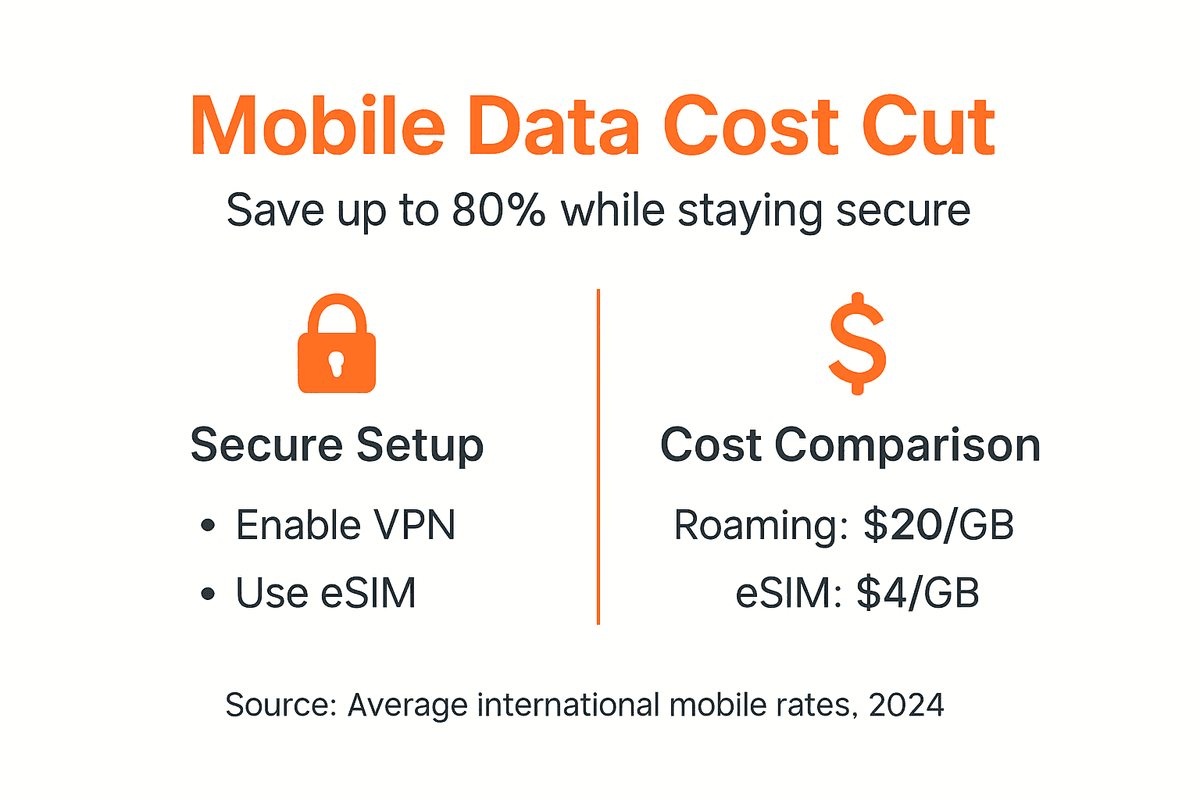
Financial savings are immediate and substantial. Traditional roaming charges $10 to $25 per gigabyte while eSIM local data costs $2 to $8 per gigabyte, creating up to 80% cost reduction. A two week international trip using 10GB of data saves $80 to $230 compared to roaming.
eSIM activation speed eliminates the wasted hours travelers spend locating physical SIM vendors at airports. From scanning your QR code to active internet connectivity takes under 5 minutes anywhere in the world. This instant access is valuable when you need directions or communication immediately upon arrival.
Security improvements are equally impressive:
| Security Measure | Risk Reduction |
|---|---|
| Consistent VPN Use | Up to 70% fewer cyber incidents |
| Multifactor Authentication | 99.9% reduction in unauthorized access |
| Hardware Security + Encryption | 60% lower breach risk |
| Disabled Auto-Connect Features | 50% fewer malicious network exposures |
| Regular Security Updates | 40% reduction in exploited vulnerabilities |
Your workflow sees fewer disruptions with reliable eSIM connectivity. Approximately 50% fewer connection problems occur compared to physical SIM roaming because eSIM profiles integrate directly with local carrier networks. You spend less time troubleshooting and more time being productive or enjoying your destination.
Network performance matches or exceeds local standards. eSIM technology accesses the same 4G and 5G infrastructure as physical SIM cards, delivering identical speeds without roaming throttling some carriers impose. Video calls, file uploads, and cloud access work smoothly.
Track your personal metrics to quantify improvements. Note your total data costs, connection setup time, and any security incidents for each trip. Compare these numbers before and after implementing eSIM and security practices to see your progress.
Pro Tip: Screenshot your roaming bill from a previous trip and your eSIM costs from your next trip to the same destination. The visual comparison of hundreds in savings motivates continued best practices and helps you recommend eSIM solutions to fellow travelers.
Ready to Secure Your Mobile Data and Slash Travel Costs?
You now have the complete roadmap for secure, affordable mobile connectivity anywhere in the world. Transform this knowledge into action by exploring proven eSIM solutions designed specifically for global travelers.

Lumo provides instant activation eSIM data plans covering over 160 countries with the security features and flexibility you need. Our platform combines the eSIM benefits for travelers you’ve learned about here with 24/7 support and transparent pricing that eliminates roaming shock.
Set up your eSIM easily following our detailed guides and activate profiles in minutes before your next departure. Every plan includes the carrier flexibility, cost savings, and reliable connectivity that make international travel seamless. Review our comprehensive eSIM security explained resources to ensure your data stays protected across every network.
Frequently Asked Questions
How quickly can I activate an eSIM profile abroad?
Activation takes under 5 minutes from scanning your QR code to active internet connectivity. The process requires only an internet connection to download your profile, which you can obtain through airport Wi-Fi or your accommodation. Once activated, switching between stored profiles happens instantly without downloading anything new.
What are the safest ways to use public Wi-Fi while traveling?
Always enable your VPN before connecting to any public network at airports, hotels, or cafes. Disable auto connect features so your device doesn’t join networks without your knowledge. Verify you’re connecting to legitimate networks by confirming names with staff rather than assuming similar names are official. Avoid accessing banking or sensitive accounts even with VPN if alternative secure connections are available.
Can I switch carriers with eSIM without changing physical SIM cards?
Yes, eSIM technology lets you store multiple carrier profiles and switch between them digitally in seconds through your device settings. You never remove or insert physical cards, making carrier changes instant and convenient. This flexibility allows you to choose the best local carrier at each destination without hardware limitations.
How does multifactor authentication protect my travel data?
Multifactor authentication requires both your password and a second factor like a code from your phone to access accounts. Even if hackers steal your password through a compromised network, they cannot log in without the second factor. This approach blocks 99.9% of unauthorized access attempts and is essential for protecting banking, email, and social media while traveling.
What should I do if my eSIM loses connectivity during a trip?
Toggle airplane mode on and off to force your device to reconnect to the network. If this doesn’t work, remove and reactivate the eSIM profile through your device settings. Check whether you’re in an area with expected coverage using your provider’s coverage maps. Contact your eSIM provider’s support team if problems persist, providing specific error messages and your location for faster resolution.
Recommended
Related Topics
Stay Connected Anywhere
Prepaid eSIM data plans for 180+ countries and territories. No physical SIM required.