Top Connectivity Tips for Travelers: 12 Quick Fixes
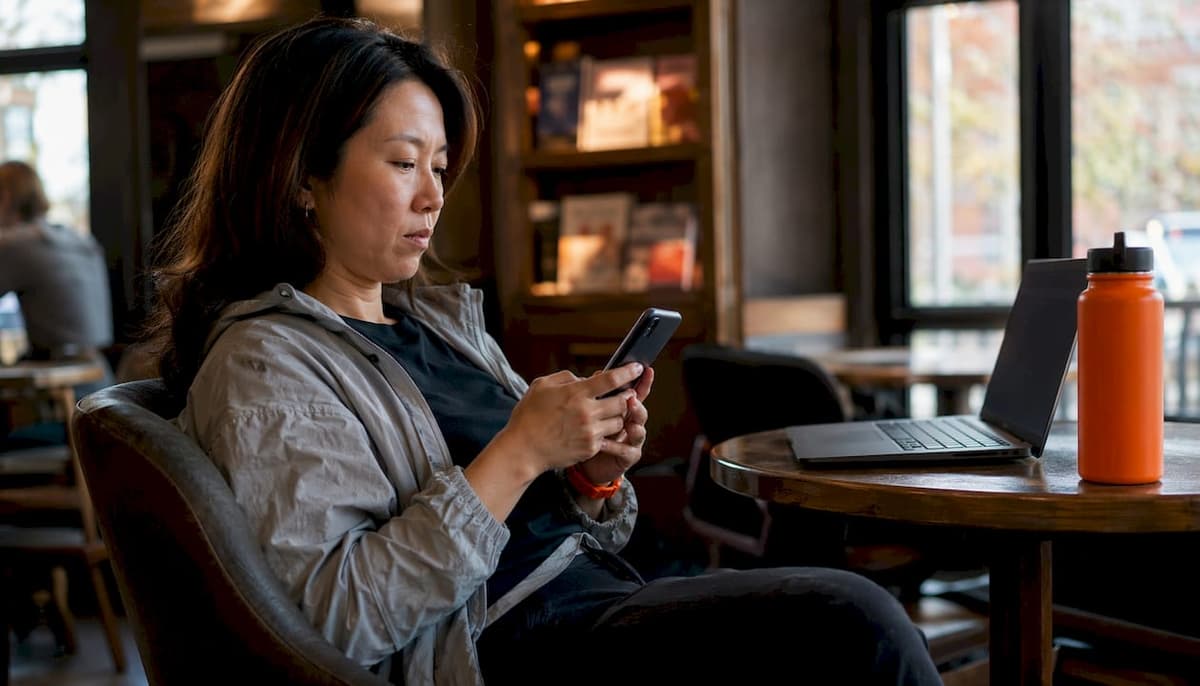
The fastest way to stay reliably connected while traveling is to prepare your devices at home, run a dual-SIM setup with an eSIM for local data, and protect every public-network session with an always-on VPN that has a kill switch configured. Do those three things and you’ve solved the majority of problems that strand travelers at airport gates with dead connections and locked accounts.
Here’s the short version you can act on right now:
- Install your eSIM before you board — activate it in the arrivals hall, not the hotel lobby
- Enable VPN + kill switch on every device before you leave home
- Pack a portable battery pack (10,000 mAh minimum) and a USB data blocker
- Enable MFA on every critical account using an authenticator app, not SMS
- Store backup codes and travel documents in an encrypted offline location
- Download offline maps (Google Maps or Maps.me) for every destination before departure
Table of Contents
- 1. Finish your pre-trip device prep before you leave home
- 2. Choose the right mobile data option for your trip type
- 3. Treat every public Wi-Fi network as untrusted
- 4. Pack the right power and hardware before you go
- 5. Cut your data usage with these settings and habits
- 6. Build a contingency plan before you need one
- 7. Understand how eSIMs work and what to expect at activation
- Key Takeaways
- What most travelers get wrong about staying connected
- Get online the moment you land with Lumo
- Useful sources
- FAQ
1. Finish your pre-trip device prep before you leave home
Most connectivity failures happen before the trip starts. An expired VPN subscription, an app that needs a carrier update to work abroad, or an account that still uses SMS-based two-factor authentication — these are fixable at home in an afternoon and catastrophic to discover at 11 PM in a foreign airport.
Start with the basics: update your operating system, browsers, and every app you plan to use. Enable full-disk encryption (FileVault on macOS, BitLocker on Windows, and the built-in encryption on iOS and Android). Turn on Find My Device or Google Find My Device so you can remotely wipe or lock a stolen phone.
For accounts, enable app-based MFA and store backup codes offline before you travel. An authenticator app like Google Authenticator or Authy gives you codes that work without cell service. A hardware security key (YubiKey, for example) is the strongest option for high-value accounts. Print or encrypt a copy of your backup codes and keep them separate from your devices.
Check your phone’s carrier lock status. An unlocked device is required to add a second eSIM profile from a travel provider. If your phone is locked, contact your carrier before departure — most will unlock it after a straightforward request, but the process can take 24–48 hours.
Pro Tip: Test your VPN with banking apps and corporate SSO before you leave. An always-on VPN can break certain authentication flows — better to find out at home than mid-trip.
2. Choose the right mobile data option for your trip type
Not every trip needs the same solution. Here’s how the four main options compare:
| Option | Typical Cost | Activation Time | Best For |
|---|---|---|---|
| eSIM (travel plan) | typically low cost for short durations | Minutes (QR code) | Most travelers; multi-country trips |
| Local physical SIM | generally moderate cost | 60 min (store visit) | Long stays (30+ days) in one country |
| Home carrier roaming | Varies; often higher per week | Instant | Short trips where plan includes roaming |
| Portable MiFi/hotspot | rental cost varies by provider and location | Same day | Groups; laptop-heavy work travel |

For most trips under three weeks, an eSIM is the clear winner on cost and convenience. Dual-SIM setup — keeping your home physical SIM active for calls and MFA while running an eSIM for local data — is the current standard for travelers who want continuity without swapping cards. You keep your home number reachable and get local data speeds without paying roaming rates.
For extended stays beyond 60–90 days, a local physical SIM often makes more sense. Most carriers design international roaming benefits for short-term use, and costs compound quickly on longer trips.
A portable MiFi device earns its place when you’re traveling with multiple devices or need a connection that a personal hotspot would drain your phone battery to provide. For business travel with sensitive data, a dedicated travel router adds a layer of control over who’s on the network.
For a deeper look at eSIM vs physical SIM trade-offs, Lumo’s comparison guide covers the decision by trip type and device.
3. Treat every public Wi-Fi network as untrusted
Airport Wi-Fi, hotel networks, café hotspots — none of them are safe by default. The practical rule: use an always-on VPN with a kill switch before you connect to any shared network. The kill switch cuts your internet if the VPN tunnel drops, preventing your traffic from leaking in cleartext.
A few non-negotiable habits for public networks:
- Turn on your VPN before joining the network, not after — the first minutes of a connection are the most exposed
- Verify the network name with staff before connecting; rogue hotspots often mimic official names
- Enable DNS-over-HTTPS in your browser or OS settings to prevent the local network from observing your DNS queries; Cloudflare (1.1.1.1) and Google (dns.google) are practical defaults
- Disable file sharing, AirDrop, and Bluetooth when not actively using them
- Avoid banking, financial accounts, and sensitive work files on any public network, even with a VPN
Choose a VPN provider with a verified no-logs policy and auto-connect enabled. For Wi-Fi security hardening beyond the basics, the principles that apply to home networks translate directly to travel.
The safest public Wi-Fi session is the one you don’t need. When your eSIM or phone hotspot is available, use it instead of the café network — cellular data is generally safer than any shared connection.
Pro Tip: Avoid SMS-based MFA while traveling. If an attacker has access to the network, SMS codes can be intercepted. Switch critical accounts to an authenticator app before you leave.
4. Pack the right power and hardware before you go
A dead battery is a connectivity failure. Pack a portable battery pack with enough capacity to fully charge a modern smartphone multiple times. Anker and Belkin both make compact, airline-approved options. Pair it with a short, high-quality USB-C cable and a compact multi-regional power adapter that handles 100–240V input (most modern chargers do, but check the label).
For laptops, always use your own AC charger rather than a USB-C port at a shared desk or charging kiosk. Public USB ports can be used for data exfiltration — a technique called juice jacking — where malicious firmware reads or writes data through the charging pins. A USB data blocker (PortaPow is a well-known option) costs under $10 and eliminates that risk entirely by physically blocking the data pins.
Pro Tip: Pack a small cable organizer pouch. Losing a cable in a bag at 5 AM is a real problem. Keep your charger, data blocker, adapter, and a spare cable together so you can grab the whole kit in seconds.
If you travel frequently, consider keeping a dedicated travel phone — a secondary, minimal device with only the apps you need abroad. It reduces your exposure if a device is lost or seized at a border.
5. Cut your data usage with these settings and habits
A 5 GB eSIM plan disappears fast if you haven’t adjusted your device settings. Before you leave:
- Turn on Low Data Mode (iOS) or Data Saver (Android) to restrict background data usage
- Set video streaming apps (Netflix, YouTube) to download content over Wi-Fi only
- Turn off background app refresh for social media, news, and email apps
- Download offline maps for every city on your itinerary — Google Maps lets you save entire regions for offline use
Mid-trip, check your data usage every two to three days. Both iOS and Android show per-app consumption in Settings. If one app is burning through data unexpectedly, restrict it to Wi-Fi only or delete it temporarily.
Pro Tip: If your VPN supports split tunneling, you can route only sensitive traffic through the tunnel and let streaming or map apps use the direct connection. This saves bandwidth — but misconfigured split tunneling can accidentally expose traffic you meant to protect. Test it before you travel, not on the road.
For travelers managing costs across multiple trips, Lumo’s guide on smart connectivity solutions covers plan selection and data-saving strategies in detail.
6. Build a contingency plan before you need one
Assume something will go wrong. A stolen phone, a locked account, or a SIM that stops working in a new country — these happen. The travelers who recover quickly are the ones who prepared for partial failure before departure.
Here’s the immediate response checklist if a device is lost or stolen:
- Revoke active sessions on Google, Apple ID, Microsoft, and any banking apps from a secondary device or borrowed computer
- Change passwords for email and financial accounts first — these are the keys to everything else
- Suspend or freeze payment methods linked to the device via your bank’s app or website
- Remotely wipe or lock the device using Find My (Apple), Find My Device (Google), or your employer’s MDM solution
- Contact your carrier to suspend the SIM and prevent unauthorized calls or data charges
- Report the theft to local police and get a reference number for insurance claims
Pre-trip, keep an encrypted offline copy of your passport, visa, travel insurance policy, and emergency contact numbers. A hardware security key stored separately from your phone gives you account access even if both your phone and laptop are gone. Print one page of critical contacts and keep it in your wallet.
Device hardening and pre-travel account staging are covered in Lumo’s international travel tech checklist — worth running through before any trip longer than a weekend.
7. Understand how eSIMs work and what to expect at activation
An eSIM is a digital SIM card embedded in your device. Instead of visiting a store and swapping a physical card, you scan a QR code and the carrier profile installs over the air in minutes. Most modern iPhones (XS and later), Google Pixel phones, and Samsung Galaxy devices support eSIM. Check your device’s EID number in Settings to confirm compatibility.
Here’s how the setup process works in practice:
| Step | Action | Time Required |
|---|---|---|
| 1. Check compatibility | Confirm device supports eSIM and is carrier-unlocked | 2 minutes |
| 2. Choose a plan | Select country/region plan and data size | 5 minutes |
| 3. Install the QR code | Scan QR code in Settings > Cellular/Mobile Data | 2–5 minutes |
| 4. Activate the plan | Enable the eSIM profile; activation completes on arrival or immediately | Instant to a few minutes |
| 5. Test connectivity | Open a browser, run a speed test, confirm tethering works | 2 minutes |
The dual-SIM workflow is straightforward: keep your home SIM active for calls and MFA codes, and set the eSIM as your default data line. You get local data speeds without giving up your home number.
One practical note on coverage: regional plans cover a defined set of countries and are usually cheaper than global plans. If your trip crosses regions (say, Europe and Southeast Asia), a global plan or two separate regional plans will serve you better than a single-country option. eSIM benefits for travelers go beyond cost — activating before landing means you’re online the moment you clear customs, with no dependency on hotel Wi-Fi for sensitive first-hour tasks.
Key Takeaways
Prepare devices and accounts at home, run a dual-SIM setup with an eSIM for local data, and protect every public-network session with an always-on VPN with a kill switch — those three moves cover the majority of connectivity and security failures that travelers face.
| Point | Details |
|---|---|
| Prepare before departure | Update OS and apps, enable MFA with an authenticator app, store backup codes offline, and verify your phone is carrier-unlocked. |
| eSIM + dual-SIM is the standard | Keep your home SIM for calls and MFA; use an eSIM ($5–$30 for 1–2 weeks) for local data at full speed. |
| VPN with kill switch is non-optional | Enable an always-on VPN before joining any public network; the kill switch prevents cleartext leaks if the tunnel drops. |
| Plan for device loss | Pre-stage remote wipe, keep an encrypted offline copy of documents, and know the first five steps to take if a device is stolen. |
| Lumo for instant eSIM activation | Lumo offers prepaid eSIM plans covering 160+ countries with QR code activation in minutes and no contract required. |
What most travelers get wrong about staying connected
The conventional advice is to “buy a local SIM at the airport.” That still works, but it’s the 2015 answer to a 2026 problem. The real gap most travelers miss isn’t the data plan — it’s the account layer. A stolen phone with SMS-based MFA is a stolen email account, a stolen bank account, and a stolen identity. The data plan is the easy part.
What actually matters is the sequence: harden your accounts before you touch a foreign network. An eSIM solves the data problem elegantly, but it doesn’t protect you if your Google account still uses a phone number for two-factor authentication and that phone number is now in someone else’s pocket.
The other thing people underestimate is the value of testing. An always-on VPN sounds simple until it breaks your corporate SSO at 7 AM before a client call. Offline maps sound obvious until you realize you downloaded the wrong city. The travelers who move through airports and border crossings without friction aren’t lucky — they ran through the checklist at home, where the stakes are zero.
One habit worth adopting: the night before any international departure, spend 20 minutes confirming your eSIM is installed, your VPN connects cleanly, your offline maps are current, and your backup codes are accessible. That’s the whole game.
Get online the moment you land with Lumo
Lumo gives you a prepaid eSIM plan that’s active before your flight lands — no SIM swap, no airport store, no roaming bill waiting at home. Coverage spans 160+ countries with 4G/5G speeds, flexible plan durations, and no contract. Scan a QR code, activate your plan, and you’re online in minutes. Once active, test your data connection, confirm tethering works if you need it, and set your eSIM as the default data line while keeping your home SIM for calls. If anything goes wrong, 24/7 support is available. Browse Lumo’s global data plans and activate yours before your next departure.
Useful sources
- Travel Opsec: Airport Wifi, Hotel Networks, and Border Crossings | Valtik Studios
- Digital Privacy While Travelling 2026 | Uncompromised Travel
- eSIM vs Roaming: Which Is Better for Travelers? | Travel Network Guide
- How to Stay Safe on Public WiFi While Traveling | Travel Network Guide
- Traveling Abroad: Tech for Secure Internet Access | BlogTheTech
- Work Travel Cybersecurity Checklist | Hexon
- eSIM Benefits for Travelers | Lumo
- International Travel Tech Checklist | Lumo
FAQ
How do I get reliable internet when traveling?
The most reliable setup is a dual-SIM configuration: keep your home SIM active for calls and use a travel eSIM for local data. Add an always-on VPN for any session on public Wi-Fi, and download offline maps before departure so navigation works without any connection at all.
What is the most secure Wi-Fi option when traveling?
Your own phone hotspot using cellular data is safer than any shared public network. If you must use hotel or airport Wi-Fi, connect only through a VPN with a kill switch enabled, verify the official network name with staff, and avoid banking or sensitive accounts entirely.
What do most travelers forget to pack for connectivity?
A USB data blocker is the most commonly forgotten item. Public USB charging ports can expose your device to data theft, and a data blocker — a small pass-through adapter that blocks the data pins — costs under $10 and eliminates that risk completely.
Is an eSIM worth it for a short trip?
For most trips of one to three weeks, yes. eSIM plans typically run $5–$30 for one to two weeks of data, activate in minutes via QR code, and require no store visit. If your home carrier already includes international roaming in your plan, compare the per-day cost before purchasing a separate eSIM.
What should I do first if my phone is stolen abroad?
Immediately revoke active sessions on your email and financial accounts from another device, change your most critical passwords, and remotely wipe or lock the stolen phone using Find My (Apple) or Find My Device (Google). Then contact your carrier to suspend the SIM and notify your bank to freeze any linked payment methods.
Recommended
Related Topics
Stay Connected Anywhere
Prepaid eSIM data plans for 180+ countries and territories. No physical SIM required.