Moto G Stylus eSIM: Which Models Support It and How to Set It Up
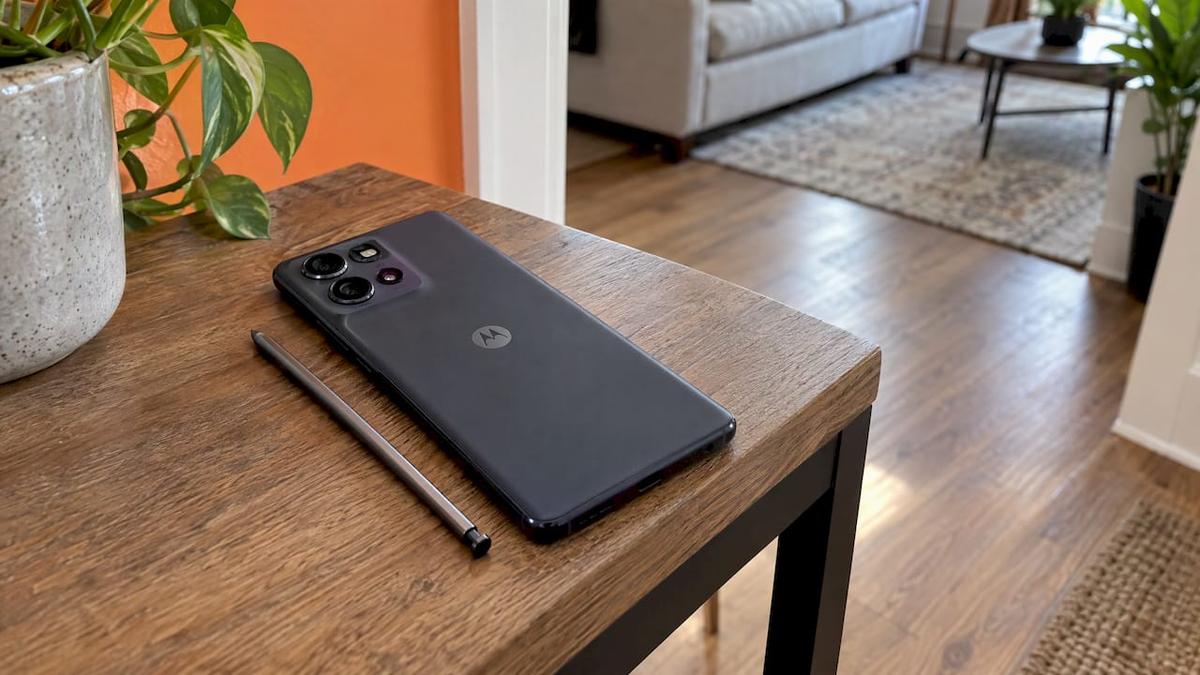
Some Moto G Stylus phones support eSIM and some do not. The model year decides, and your carrier’s lock decides whether you can use it for travel. The 2024 and 2025 Stylus 5G models have a physical Nano-SIM slot plus an eSIM. The 2022 model has the physical slot only. If your phone is eligible and unlocked, you can buy a prepaid travel eSIM, scan a QR code and have mobile data abroad without hunting for a local SIM card. Our eSIM plans are built for exactly that: instant QR code delivery, no contract and no registration.
TL;DR
- The 2022 Moto G Stylus uses a Nano-SIM only, while the 2024 Moto G Stylus 5G has Nano-SIM plus eSIM. The 2025 model is also listed with a Nano-SIM and eSIM.
- Your phone’s own Settings give the final answer: look for an EID under Settings > About phone > Device details.
- A carrier-locked phone may only accept its own carrier’s eSIM. Confirm your phone is unlocked before you buy a travel plan.
- You can keep your home number on the physical SIM and put the travel eSIM on data. Both numbers can call and text, but only one cellular data network is used at a time.
- Install the eSIM while you still have Wi-Fi, then switch it on at your destination.
Table of Contents
- Which Moto G Stylus models have eSIM?
- How to check if your Moto G Stylus supports eSIM
- Is your phone unlocked?
- Can you use a travel eSIM and your regular SIM together?
- How to add a travel eSIM on a Moto G Stylus
- Does a travel eSIM work on a Moto G Stylus?
- Picking a plan
- What this means for a Moto G Stylus owner
- Ready to pick your plan?
- FAQ
- Sources
Which Moto G Stylus models have eSIM?
Motorola has released a Moto G Stylus nearly every year, and the SIM hardware changed along the way. Two facts are well documented:
- Moto G Stylus (2022): Nano-SIM only, released February 2022. No eSIM.
- Moto G Stylus 5G (2024): Nano-SIM plus eSIM, released May 2024. The U.S. model number is XT2419-2.
The 2025 Moto G Stylus has a user guide that includes an eSIM identifier (EID) and eSIM erase steps, which is the clearest sign of eSIM support in the 2025 U.S. user guide. A 2026 Moto G Stylus also has an official eSIM setup tutorial.
For older or in-between models, such as the 2023 5G version, you will find forum threads that contradict each other. Do not rely on them. Check your own phone, which takes under a minute.
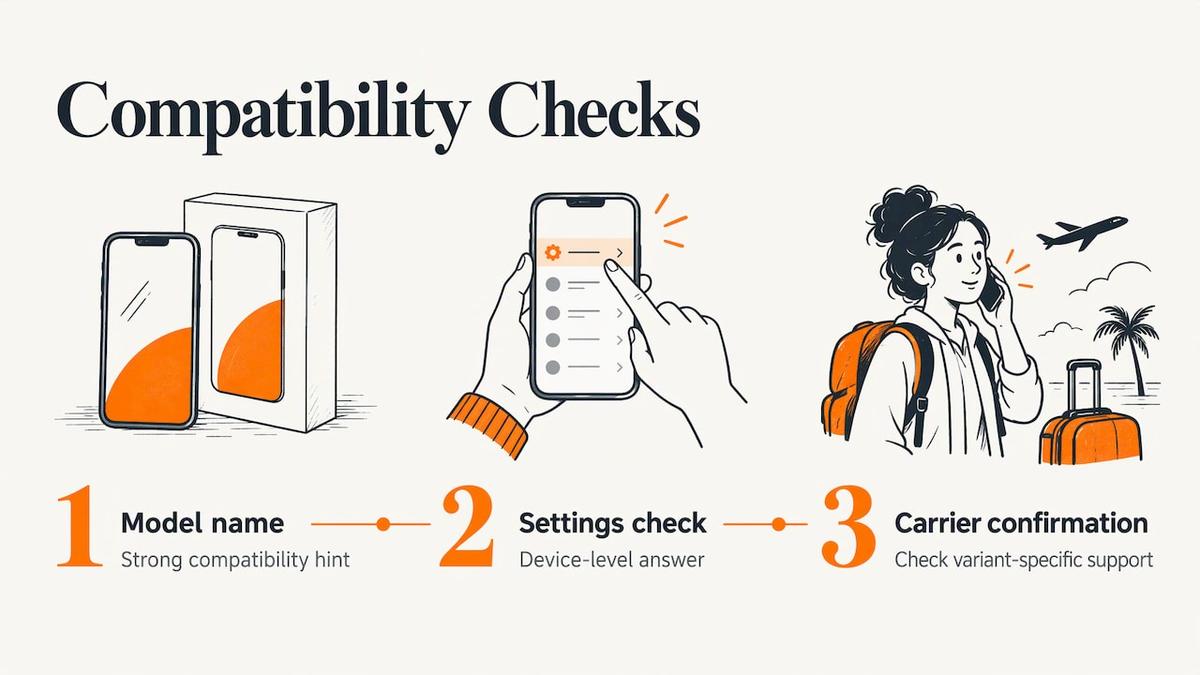
Compatible does not mean every variant
Motorola’s own wording is careful: the 2024 user guide says the phone might support eSIM and tells you to contact your carrier for details. So treat the model name as a strong hint and the Settings check below as the answer.
How to check if your Moto G Stylus supports eSIM
Two checks in Settings tell you what you need to know.
- Look for the EID. Open Settings > About phone > Device details. Motorola’s guide says an eSIM-capable phone shows an EID here. The EID is a long number that identifies the eSIM chip in your phone. If it is there, the hardware is eSIM-ready.
- Look for the add option. Go to Settings > Network & internet > SIMs & mobile network. If you see an option to download or add a new SIM, you can install an eSIM. Motorola says that if “Download new SIM” is missing, you should contact your carrier to confirm support.
If both checks pass, the remaining question is the lock.
Is your phone unlocked?
This is the step that trips up most U.S. travelers. Many Moto G Stylus phones are sold through carriers or prepaid brands, and a carrier can restrict which eSIMs the phone accepts. One carrier’s guide states the requirement plainly: the device must be carrier-branded or unlocked, on current software, and prepaid bring-your-own devices from other networks do not support that carrier’s eSIM activation.
What to do:
- If you bought the phone outright and finished paying it off, ask your carrier whether it is unlocked. Phones that are still on a payment plan are commonly locked until paid.
- If you are unsure, read our guide on whether a locked phone can use an eSIM before you pick a plan.
- Do the lock check at home, with your carrier’s support line available. It is far harder to sort out from an airport.
Can you use a travel eSIM and your regular SIM together?
Yes, with one limit. According to the 2024 model’s eSIM guide, both numbers can make and receive calls and send and receive messages, but the phone can use only one cellular data network at a time.
For travelers, that works in your favor:
- Keep your home SIM active so banking codes and calls to your U.S. number still arrive.
- Set the travel eSIM as the mobile data line, so the data you use abroad goes through the local network instead of expensive roaming.
- Turn off data roaming on the home SIM so it never falls back to it by mistake.
Our guide to avoiding roaming fees with an eSIM walks through that setup.
How to add a travel eSIM on a Moto G Stylus
The menu names vary slightly between software versions, but the flow is the same.
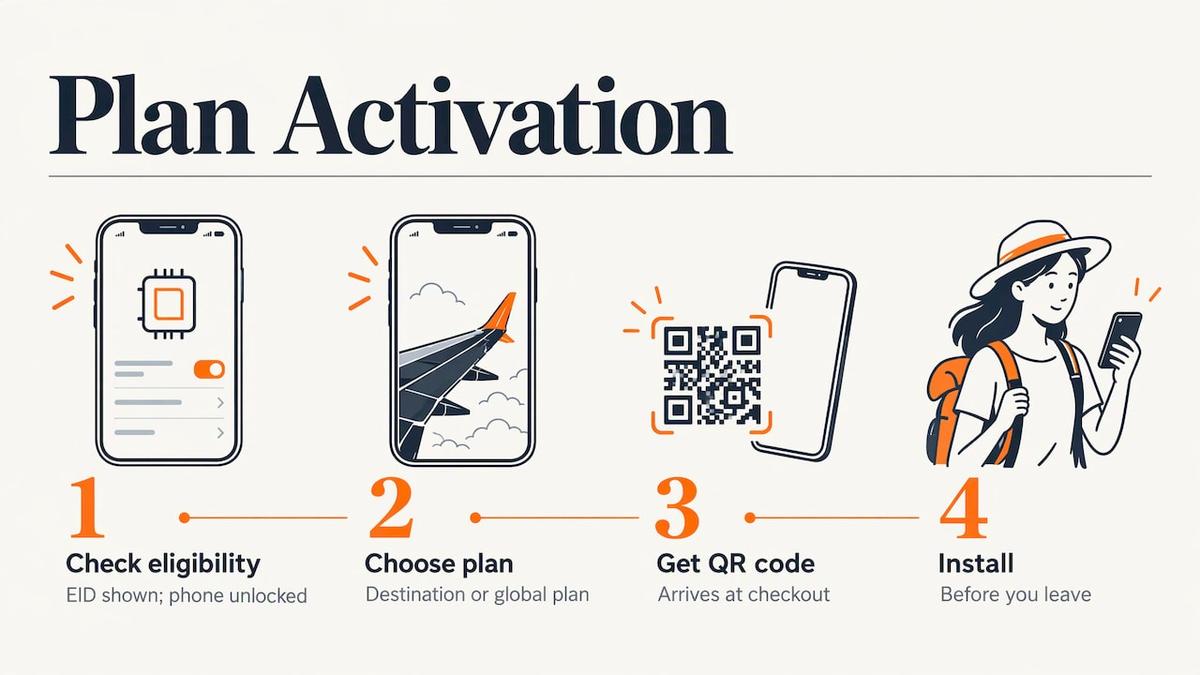
- Pick the right plan. Choose by destination and trip length. Check that your destination is covered on our coverage page, and read how to verify coverage in 160+ countries if you are crossing several borders.
- Buy and receive the QR code. At Lumo you can check out as a guest, with no registration, and the QR code is delivered for instant activation. Keep the email or screen open, since you will scan it from another screen or the same one.
- Connect to Wi-Fi. The phone needs internet to download the eSIM profile. If you cannot get Wi-Fi, see how to activate an eSIM without Wi-Fi.
- Open the SIM menu. Go to Settings > Network & internet and tap the plus icon, then choose to download a SIM instead. The device’s Setting up an eSIM tutorial shows the same area of Settings for the 2026 model.
- Scan the QR code. Follow the on-screen prompts and confirm the download. Our average setup time is 45 seconds.
- Label the lines. Rename the lines so you can tell home from travel at a glance.
- Switch on at your destination. Turn the travel eSIM on, set it for mobile data, and turn data roaming on for that eSIM line only. Our post on the right time to activate an eSIM explains when to install versus when to switch on.
Where setup goes wrong
- Using a carrier’s push-notification method for a travel plan. Some carrier eSIMs install through a notification on the phone, with no QR code needed. A prepaid travel plan uses the QR code instead.
- Erasing the eSIM by accident. Motorola’s guide says Erase eSIMs under Reset options removes calling, data and messaging from the phone without canceling service, and getting it back means contacting the provider. Do not tap it while troubleshooting.
- A missing add option. See the lock section above.
- Scanning twice. Most QR codes install a profile once. If the install stalls, restart and check Settings before you try again. Our activation troubleshooting steps cover the common failures.
Does a travel eSIM work on a Moto G Stylus?
A travel eSIM is a standard eSIM profile. If your Stylus passes the EID check, has the add-SIM option and is unlocked, the phone can hold a prepaid data plan. Then three practical checks matter before you fly, which our guide on eSIM across borders goes through in detail:
- Is your destination in the plan’s coverage list?
- Does the plan’s data and duration match the trip?
- Is the plan installed and tested on Wi-Fi before departure?
For a short trip, the numbers favor eSIM, as our comparison of eSIM versus a local SIM for U.S. travelers shows. You skip the airport kiosk, the passport copy and the tiny-card swap.
Picking a plan
Prices are one-off, with no contract. As published on our site:
| Plan | Starting price |
|---|---|
| Europe eSIM Plans | from $1 |
| United Kingdom eSIM Plans | from $1 |
| Asia eSIM Plans | from $2 |
| United States eSIM Plans | from $2 |
| Global eSIM Plans | from $7 |
| Africa eSIM Plans | from $8 |
| Caribbean eSIM Plans | from $8 |
The lowest price is the smallest data and shortest duration. Choose by how you use data: maps and messaging need little, while video calls and tethering a laptop need a larger allowance. If your trip touches several regions, a regional or global plan means one install instead of several.
What this means for a Moto G Stylus owner
The Stylus line is popular because it is affordable. That is also why the lock check matters: many were bought through carriers. We designed Lumo for the traveler who wants the setup to stay short. Guest checkout, QR delivery, 160+ destinations, 4G/5G networks, device compatibility guides and 24/7 support from people and AI are all there so a phone like yours is online when you land.
Our view
A budget phone should not make you pay premium roaming rates. The Moto G Stylus 5G models carry an eSIM next to the physical SIM, which is exactly the arrangement a traveler wants: your home number stays on one line, and a prepaid plan handles data on the other.
We built Lumo around that idea. You choose a plan for where you are going, check out as a guest, scan the QR code and you are connected, with no contract and no registration. Our average setup time is 45 seconds, and our support is available round the clock if something does not go as planned.
Our advice is simple: confirm the EID, confirm the unlock, install on Wi-Fi at home, and switch on when you land.
Theo Wheeler
Ready to pick your plan?
If your Stylus shows an EID and is unlocked, you are set. Choose a destination plan on our Lumo store, or start with Global eSIM Plans if your itinerary crosses regions. The QR code arrives at checkout, so you can install before you leave.
FAQ
Does the Moto G Stylus 5G have eSIM?
The 2024 Moto G Stylus 5G has a Nano-SIM and an eSIM, and the 2025 and 2026 models have eSIM instructions in their official guides. Confirm on your own phone by looking for the EID under Settings > About phone > Device details.
Does the 2022 Moto G Stylus support eSIM?
No. It is listed with a Nano-SIM only. If you travel with that model, a physical SIM is your route.
Can I use two numbers on my Moto G Stylus?
Yes, with a SIM and an eSIM both numbers can call and text, but only one handles mobile data at a time. Set the travel eSIM as your data line while abroad.
Why can’t I add an eSIM on my Moto G Stylus?
The usual cause is a carrier lock. Carriers require an unlocked or carrier-branded device for their eSIM activation, and not every carrier supports eSIM on every phone. Call your carrier to confirm unlock status, then try again.
Should I install the eSIM before I travel?
Yes, install it on Wi-Fi at home and switch it on at your destination. Our guide to when to activate an eSIM covers the timing.
Sources
- Moto G Stylus (2022) vs. Moto G Stylus 5G (2024) specs, GSMArena
- Motorola moto g stylus 5G 2024 (XT2419-2) eSIM support page
- moto g stylus 2025 U.S. retail user guide
- moto g stylus 5G 2024 user guide, Motorola
- moto g stylus 2025 user guide, Motorola
- Motorola devices: download and activate an eSIM
- Motorola Moto G Stylus 2026: setting up an eSIM
Recommended
- Finish Pixel eSIM Setup in the US During Onboarding
- Prepaid Phone eSIM Support: Setup, Transfers and Fixes
- eSIM Compatible Phones: North America Model Checklist 2026
- How to Set Up eSIM for Seamless Global Connectivity
Related Topics
Stay Connected Anywhere
Prepaid eSIM data plans for 180+ countries and territories. No physical SIM required.